snap
R2026bDescription
snap( snaps the measurement line of
the measurement tool, tool)tool, to linear or circular edges in the
image using the "canny" edge detection method.
snap(tool, specifies options
using additional name-value arguments. For example,
Name=Value)snap(hTsquare,LineSnapMethod="parallel") specifies to snap the
reference line to the linear edge that has the highest cosine similarity to the
reference line.
Examples
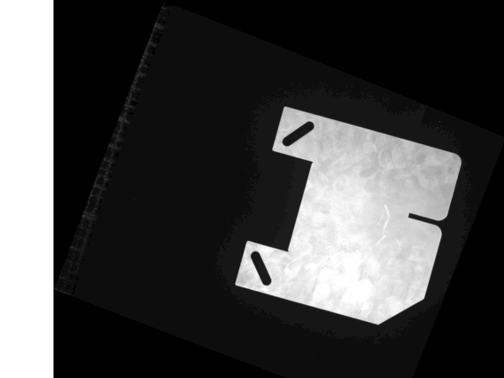
Read a test image of a metal plate into the workspace.
A = imread("solidplate.png");Adjust the image contrast, and display the image using the imageshow function.
A = imadjust(A); hIm = imageshow(A);
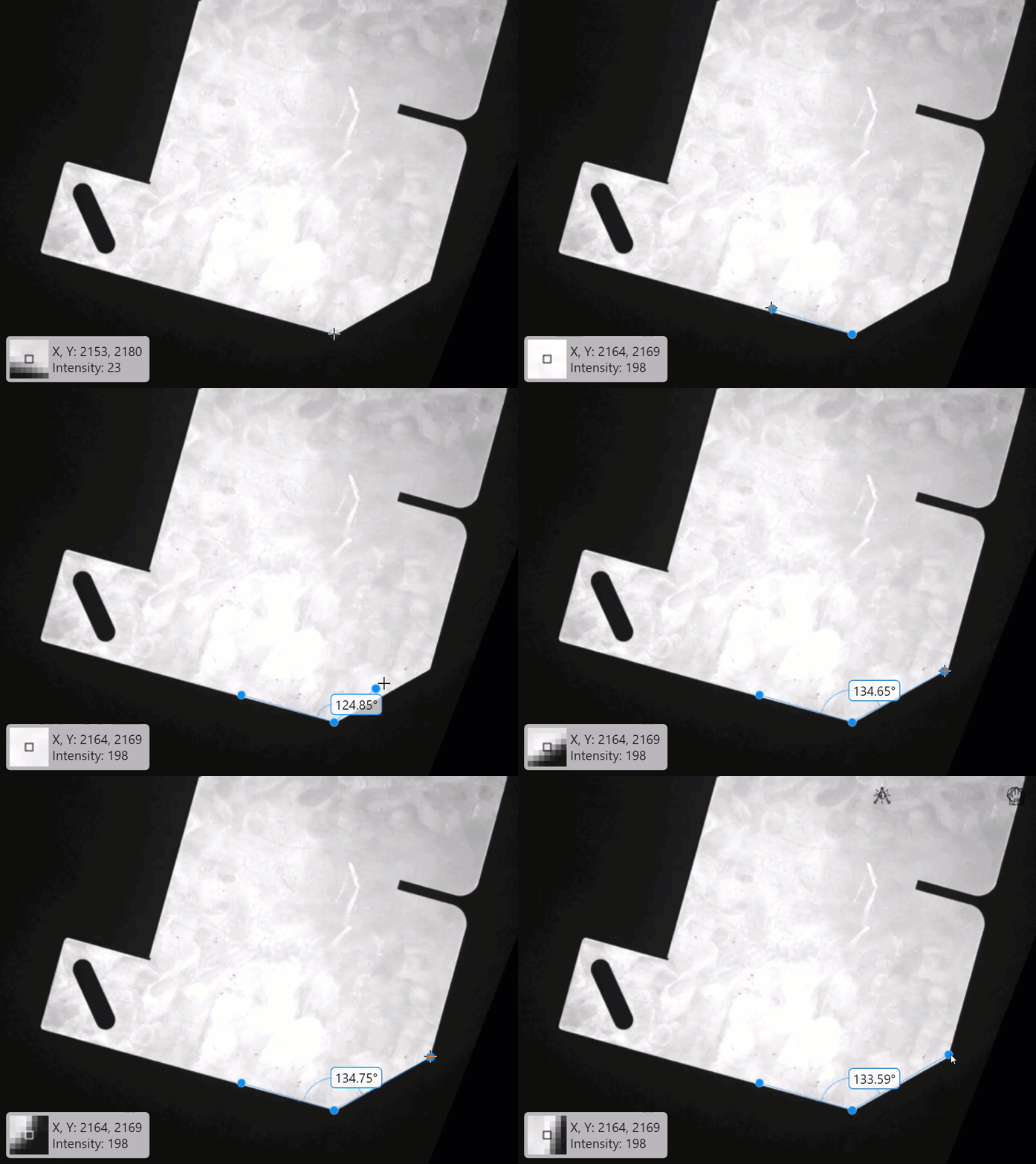
To interactively measure angles, configure the angle tool on the displayed image by using the uifitangle object. Position the angle tool at the vertex of the angle to measure, and then drag it to the two angle edges.
hAngle = uifitangle(hIm);
This GIF shows how to perform an angle measurement using the angle tool.
Automatically Snap Angle Tool to Edges
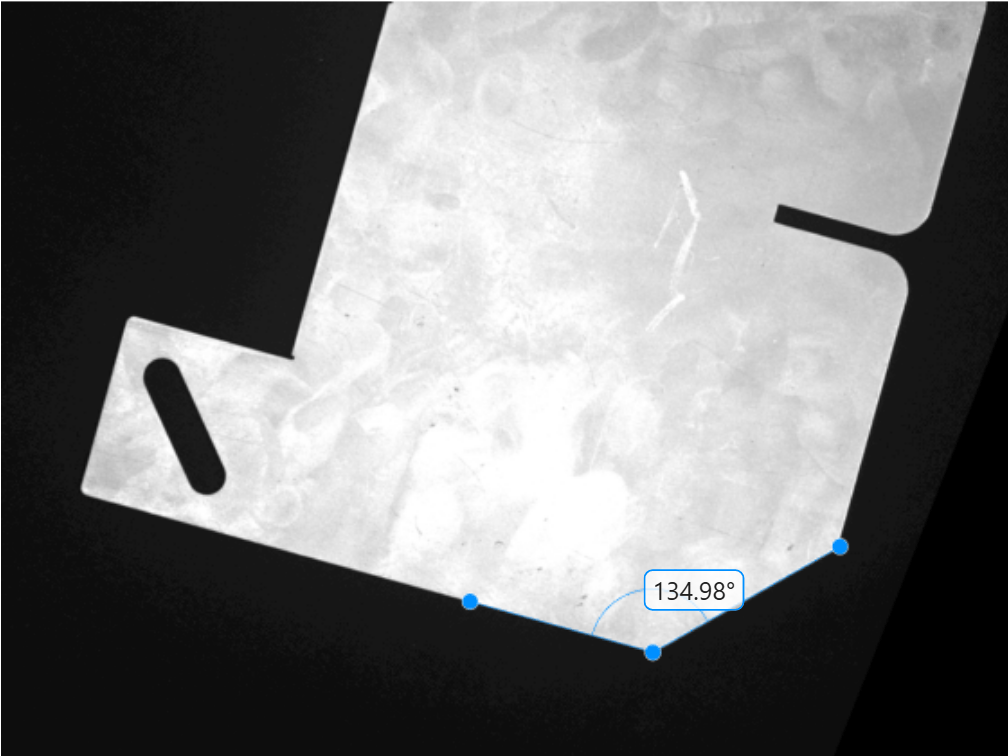
To snap the position of the angle tool to the nearest plate vertex and edges after you have already interactively placed the tool and obtained a measurement, use the snap object function.
snap(hAngle)
This figure shows the updated, more precise angle measurement on the displayed image after snapping the angle tool. To snap the angle tool to edges while you are interactively measuring, see Automatically Align Interactive Angle Measurement Tool to Edges.
Input Arguments
Measurement tool, specified as one of these options.
uifitcircleobject — Circle measurement tooluifitangleobject — Angle measurement tooluitsquareobject — Point-to-line measurement tool
To tune the snapping behavior, specify these name-value arguments depending on the measurement tool you select.
tool value | snap Name-Value Arguments |
|---|---|
| EdgeMap,
SnapNeighborhood,
LineSnapMethod,
PointSnapMethod |
uifitangle object | EdgeMap,
SnapNeighborhood,
LineSnapMethod,
PointSnapMethod |
| EdgeMap,
SnapNeighborhood,
RansacIterations,
RansacInlierDistance,
AngleRange |
Name-Value Arguments
Specify optional pairs of arguments as
Name1=Value1,...,NameN=ValueN, where Name is
the argument name and Value is the corresponding value.
Name-value arguments must appear after other arguments, but the order of the
pairs does not matter.
Example:
snap(hTsquare,LineSnapMethod="parallel") specifies to snap the
reference line to the linear edge that has the highest cosine similarity to the
reference line.
Options for All Measurement Tools
Edge detection method for snapping, specified as a logical array or one of these options.
| Method | Description |
|---|---|
"canny" | Finds edges by looking for local maxima of the
gradient of the image. The |
"sobel" | Finds edges at those points where the gradient of the image is maximum, using the Sobel approximation to the derivative. |
"prewitt" | Finds edges at those points where the gradient of the image is maximum, using the Prewitt approximation to the derivative. |
"roberts" | Finds edges at those points where the gradient of the image is maximum, using the Roberts approximation to the derivative. |
"log" | Finds edges by looking for zero-crossings after filtering the image with a Laplacian of Gaussian (LoG) filter. |
"zerocross" | Finds edges by looking for zero-crossings after filtering the image. |
"approxcanny" | Finds edges using an approximate version of the Canny edge detection algorithm that provides faster execution time at the expense of less precise detection. |
Specify EdgeMap as a logical array to
define a binary image that contains precomputed edge locations for snapping.
Use this option to avoid repeated edge detection when making multiple
measurements on the same image.
The default edge detection method depends on the measurement tool type.
| Measurement Tool | Default Snapping Method |
|---|---|
| "canny" |
| "sobel" |
Snapping neighborhood, specified as a positive integer. Adjust this value for different image sizes. Units are in pixels.
The region defined by SnapNeighborhood and its default
value depends on the measurement tool type.
| Measurement Tool | Region Definition | SnapNeighborhood
value |
|---|---|---|
| For the reference line, SnapNeighborhood
specifies the distance on either side of the line where the tool
scans for edges to snap to. For measurement points,
SnapNeighborhood specifies the radius
around each point where the tool scans for edges to snap
to. | 30 |
| SnapNeighborhood specifies a band-shaped
search region for edge snapping, specified as a fraction of the
circle radius. The algorithm searches for edges within an annular
neighborhood extending from
(1 – S)R to
(1 + S) R around the
circle’s circumference. S is the value of
SnapNeighborhood, and R
is the radius of the circle. | 0.4 |
Options for Point-to-line and Angle Tools
Snapping method for automatically aligning the reference line to an edge, specified as one of these options:
"closest"— Snap the reference line to the closest linear edge based on pixel distance from the midpoint of the reference line to the linear edge. Use this method for simple images with well-defined edges."strongest"— Snap the reference line to the linear edge with the highest Hough accumulator value. Use this method when multiple edges are close together but one is more prominent, or in noisy images where only strong features are of interest."parallel"— Snap the reference line to the linear edge that has the highest cosine similarity to the reference line. Use this method to snap to the edge that is most parallel to a specified reference line, regardless of its position."combined"— Snap the reference line to a linear edge based on the combined metrics of the"closest","strongest", and"parallel"methods."none"— Do not snap the reference line.
To specify the LineSnapMethod argument, you must
specify measurement tool, tool, as a
uitsquare or uifitangle object.
Method for snapping a measurement point to a linear edge, specified as one of these options:
"closest"— Snap to the closest linear edge based on distance from the point to the linear edge"strongest"— Snap to the linear edge with the highest Hough accumulator value."none"— Do not snap measurement point to the reference line.
The tool uses a Hough Transform to find linear edges in a
circular region centered at the measurement point. The radius of the circular
region is set by the SnapNeighborhood property
value.
To specify the PointSnapMethod argument, you must
specify the measurement tool, tool, as one of these
values:
uitsquareobject — The measurement point to snap is the first point in the reference line of the point-to-line measurement tool.uifitangleobject — The measurement point to snap is the start point of the angle tool.
Options for Circle Measurement Tool
Number of RANSAC iterations to run to detect the most accurately snapped circle, specified as a positive integer. The Random Sample Consensus (RANSAC) algorithm for circle estimation involves repeated random sampling steps to robustly estimate the parameters of a circle from a set of measurement points. Increase the number of iterations to increase the chance that at least one sample contains only inliers (points in the true circle), leading to a good model, at the expense of longer computation time.
To specify the RansacIterations argument, you must
specify the measurement tool, tool, as a uifitcircle object.
Inlier distance threshold, specified as a positive numeric scalar. This
value defines the maximum allowable distance, in pixels, between a measurement
point and the estimated circle for that point to be considered an inlier.
Increase the RansacInlierDistance value to count more
noisy or slightly off-circle points as inliers, at the expense of a less
accurate circle fit and measurement.
To specify the RansacInlierDistance argument, you must
specify the measurement tool, tool, as a uifitcircle object.
Angle defining the circumference arc, specified as a 2-element numeric
vector. The vector is in the form [startAngle,
stopAngle], where startAngle and
stopAngle represent the initial and final angle of the
arc, respectively, measured counterclockwise from the positive
x-axis. Both angles are unbounded. For example,
[0, 360] and [-180, 180] define the
same full circle. Specify the AngleRange to snap to an
obstructed circle or circle arc.
To specify the AngleRange argument, you must specify
the measurement tool, tool, as a uifitcircle object.
Version History
Introduced in R2026b
MATLAB Command
You clicked a link that corresponds to this MATLAB command:
Run the command by entering it in the MATLAB Command Window. Web browsers do not support MATLAB commands.
选择网站
选择网站以获取翻译的可用内容,以及查看当地活动和优惠。根据您的位置,我们建议您选择:。
您也可以从以下列表中选择网站:
如何获得最佳网站性能
选择中国网站(中文或英文)以获得最佳网站性能。其他 MathWorks 国家/地区网站并未针对您所在位置的访问进行优化。
美洲
- América Latina (Español)
- Canada (English)
- United States (English)
欧洲
- Belgium (English)
- Denmark (English)
- Deutschland (Deutsch)
- España (Español)
- Finland (English)
- France (Français)
- Ireland (English)
- Italia (Italiano)
- Luxembourg (English)
- Netherlands (English)
- Norway (English)
- Österreich (Deutsch)
- Portugal (English)
- Sweden (English)
- Switzerland
- United Kingdom (English)