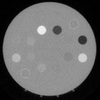
why I fully lose dicom image after adding noise to it?
2 次查看(过去 30 天)
显示 更早的评论
Dear all,
I am trying to add both Gaussian and salt & pepper noise to a dicom image using imnoise() but in any densities I completely lose the image it becomes fully black with white spots in it.
I would be glad if someone could help me.
The below is my image and my code.
img = dicomread('1.dcm');
density = 0.01;
%img = imnoise(img,'gaussian',density);
img = imnoise(img,'salt & pepper',density);
0 个评论
采纳的回答
Simon Chan
2022-3-1
imnoise expects pixel values of data type double and single to be in the range [0, 1]. You can use the rescale function to adjust pixel values to the expected range. If your image is type double or single with values outside the range [0,1], then imnoise clips input pixel values to the range [0, 1] before adding noise.
J = rescale(img);
img_noise = imnoise(J,'salt & pepper',0.01);

5 个评论
suja rani
2025-1-17
Thank you so much for indicating the scale function, for past 2 days I have this error and could not complete the scheduled task. Now its clear thank you very much simon chan
更多回答(2 个)
Walter Roberson
2022-3-1
class() has probably changed.
im2double(img) and imnoise() the results and im2uint8 or as appropriate to return to the original type.
There is a possibility that your image is int16 with signed data, especially if it is CT, and it might take a slight bit more work to get back to signed
5 个评论
Image Analyst
2022-3-1
Since your images are in the range 0-256, I'd just immediately cast them to uint8 right after you read them in
img = dicomread('1.dcm');
img = uint8(img);
After that, everything should be fine.
Image Analyst
2022-3-1
Try this:
img = dicomread('1.dcm');
subplot(2, 2, 1);
imshow(img, []);
subplot(2, 2, 2);
imhist(img);
% Show min and max are 0 and 256,
% nowhere close to the uint16 range of 0 to 65,535.
min(img(:))
max(img(:))
density = 0.01;
%img = imnoise(img,'gaussian',density);
noisyImage = imnoise(img,'salt & pepper',density);
whos noisyImage
subplot(2, 2, 3);
imshow(noisyImage, [])
% Now rescale
noisyImage = imnoise(mat2gray(img),'salt & pepper',density);
subplot(2, 2, 4);
imshow(noisyImage, [])

另请参阅
Community Treasure Hunt
Find the treasures in MATLAB Central and discover how the community can help you!
Start Hunting!




