addCustomBasemap
R2026bDescription
addCustomBasemap(
adds the custom basemap specified by basemapName,URL)URL to the list of basemaps
available for use with mapping functions. basemapName is the name you
choose to call the custom basemap. Added basemaps remain available for use in future
MATLAB® sessions.
addCustomBasemap(___,
specifies options using one or more name-value arguments in addition to the input arguments
in the previous syntax. For example, specify the location to write the basemap data by using
the Name=Value)WriteLocation argument.
Examples
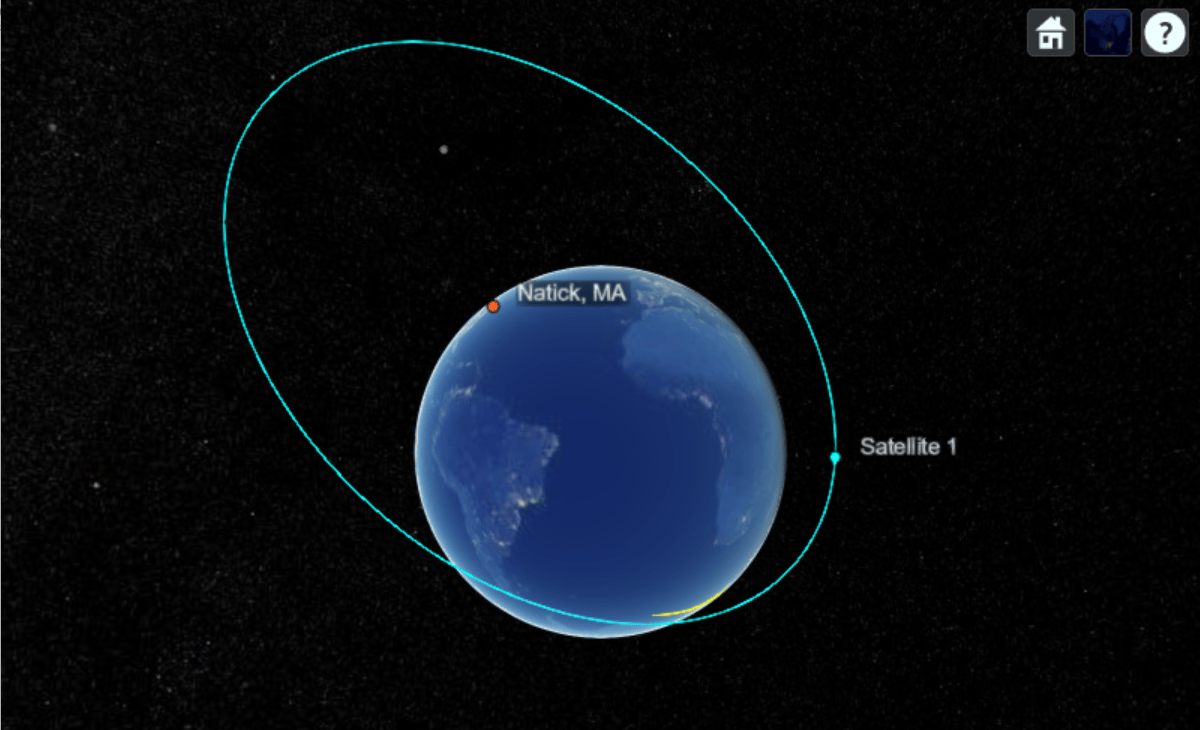
This example shows how to register and switch between custom basemaps in satelliteScenarioViewer while visualizing a satellite scenario.
Register and use NASA VIIRS City Lights Basemap.
addCustomBasemap("viirs", ...
    "https://gitc.earthdata.nasa.gov/wmts/epsg3857/best/VIIRS_CityLights_2012/default/GoogleMapsCompatible_Level8/${z}/${y}/${x}.jpg", ...
    Attribution = "Imagery provided by services from NASA's Global Imagery Browse Services (GIBS)", ...
    MaxZoomLevel = 8);

sc = satelliteScenario;

Re = 6378.137e3; % Earth's radius in meters

perigee = Re + 300e3;    % Perigee altitude: 300 km
apogee  = Re + 16800e3;  % Apogee altitude: 16800 km

a = (perigee + apogee) / 2; % Semi-major axis (meters)
e = (apogee - perigee) / (apogee + perigee); % Eccentricity
inclination = 63.4;    % degrees
raan = 0;              % Right ascension of ascending node, degrees
argPeriapsis = 270;    % Argument of periapsis, degrees
trueAnomaly = 0;       % degrees

sat = satellite(sc, a, e, inclination, raan, argPeriapsis, trueAnomaly);
Add a ground station at Natick, MA.
gs = groundStation(sc, 42.283, -71.35, Name = "Natick, MA");Add access analysis between satellite and ground station.
ac = access(sat, gs);
Visualize scenario with the NASA VIIRS City Lights basemap.
viewer1 = satelliteScenarioViewer(sc, Basemap = "viirs", Name = "NASA VIIRS City Lights Basemap");
Show ground track for 6 hours.
groundTrack(sat, LeadTime = 3*3600, TrailTime = 3*3600);
play(sc, PlaybackSpeedMultiplier = 1000);
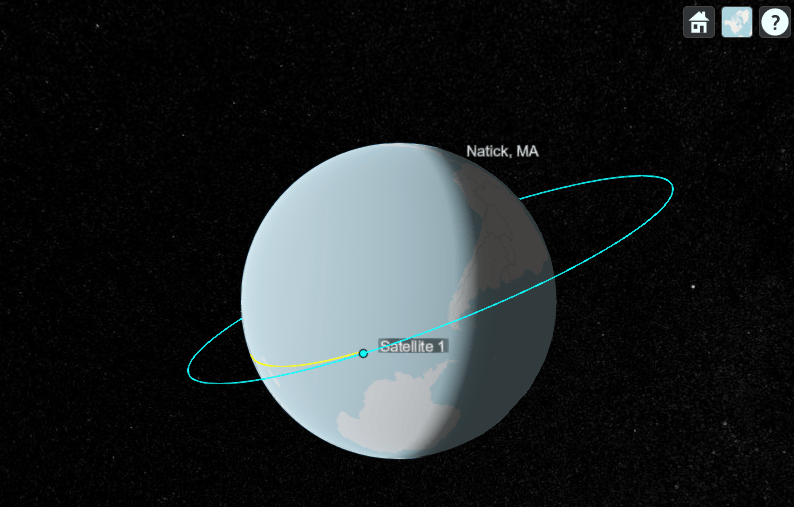
Delete the viewer, remove VIIRS Basemap, and register OpenStreetMap.
delete(viewer1);
removeCustomBasemap("viirs");

addCustomBasemap("osm", ...
    "https://tile.openstreetmap.org/${z}/${x}/${y}.png", ...
    Attribution = "© OpenStreetMap contributors");

viewer2 = satelliteScenarioViewer(sc, Basemap = "osm", Name = "OpenStreetMap Basemap");
play(sc, PlaybackSpeedMultiplier = 1000);
Input Arguments
Name-Value Arguments
Tips
You can find tiled web maps from various vendors, such as OpenStreetMap®, the USGS National Map, Mapbox, DigitalGlobe, Esri® ArcGIS Online, the Geospatial Information Authority of Japan (GSI), and HERE Technologies. Abide by the map vendors terms-of-service agreement and include accurate attribution with the maps you use.
Mapping Toolbox™ enables additional strategies for adding custom basemaps. For example, you can add custom basemaps from vector basemaps hosted by Esri, from MBTiles files, or from georeferenced images. Several of these strategies do not require internet access. For more information, see
addCustomBasemap(Mapping Toolbox) and Use Basemaps in Offline Environments (Mapping Toolbox).To access a list of available basemaps, press Tab before specifying the basemap in your plotting function. This image shows a sample list of available basemaps, including several custom basemaps from the USGS National Map.

Version History
Introduced in R2022aSee Also
geobasemap | removeCustomBasemap | readBasemapImage (Mapping Toolbox) | addCustomBasemap (Mapping Toolbox)
Topics
- Use Basemaps in Offline Environments (Mapping Toolbox)

