AUTOSAR 标定和测量数据
R2026b为运行时标定和测量配置组件数据
AUTOSAR 参数和变量支持使用标定和测量工具对 AUTOSAR 应用程序进行运行时调节和监控。创建了一个映射到 AUTOSAR 软件组件的 Simulink® 模型后,您可以使用代码映射编辑器或等效的 AUTOSAR 映射函数来配置以下元素的代码和标定属性:
映射到以下各项的模型参数或查找表:
AUTOSAR 常量内存
AUTOSAR 内部标定参数
AUTOSAR 端口参数
映射到以下各项的信号、状态或数据存储:
AUTOSAR 静态内存
AUTOSAR 实例内存
映射到 AUTOSAR 可运行实体的模型入口函数
模型入口函数中的内部数据
模块
 | Curve | Approximate one-dimensional function |
 | Curve Using Prelookup | Use previously calculated index and fraction values to accelerate approximation of one-dimensional function |
 | Map | Approximate two-dimensional function |
 | Map Using Prelookup | Use previously calculated index and fraction values to accelerate approximation of two-dimensional function |
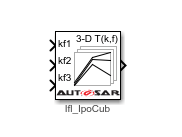 | Cuboid Using Prelookup | Use previously calculated index and fraction values to accelerate approximation of three-dimensional function (自 R2026b 起) |
 | Prelookup | Compute index and fraction for a Curve Using Prelookup or Map Using Prelookup block |
 | Single Point Interpolation | Perform single point interpolation (自 R2023a 起) |
 | Ramp | Generate signal that follows input value bound by rising or falling slope (自 R2023b 起) |
工具
| 代码映射编辑器 | 为代码生成映射 AUTOSAR 元素 |
函数
addSignal | 将 Simulink 模块信号添加到 AUTOSAR 映射 |
getDataStore | 获取 Simulink 数据存储的 AUTOSAR 映射信息 |
getFunction | 获取 Simulink 入口函数的 AUTOSAR 映射信息 |
getInport | 获取 Simulink 输入端口的 AUTOSAR 映射信息 |
getOutport | 获取 Simulink 输出端口的 AUTOSAR 映射信息 |
getParameter | 获取 Simulink 模型工作区参数的 AUTOSAR 映射信息 |
getSignal | 获取 Simulink 模块信号的 AUTOSAR 映射信息 |
getState | 获取 Simulink 模块状态的 AUTOSAR 映射信息 |
mapDataStore | 将 Simulink 数据存储映射到 AUTOSAR 变量 |
mapFunction | 将 Simulink 入口函数映射到 AUTOSAR 可运行实体和软件寻址方法 |
mapInport | 将 Simulink 输入端口映射到 AUTOSAR 端口 |
mapOutport | 将 Simulink 输出端口映射到 AUTOSAR 端口 |
mapParameter | Map Simulink model workspace parameter to AUTOSAR component parameter |
mapSignal | 将 Simulink 模块信号映射到 AUTOSAR 变量 |
mapState | 将 Simulink 模块状态映射到 AUTOSAR 变量 |
removeSignal | 从 AUTOSAR 映射中删除 Simulink 模块信号 |
主题
配置 AUTOSAR 标定数据和内存
- Map AUTOSAR Elements for Code Generation
Use Code Mappings editor to view and map AUTOSAR software component from Simulink perspective. - Map Calibration Data for Submodels Referenced from AUTOSAR Component Models
Use Code Mappings editor to view and map internal data for submodels referenced from AUTOSAR components. - 为标定和测量配置 AUTOSAR 数据
定义 AUTOSAR 数据属性 (SwDataDefProps),包括SwCalibrationAccess、DisplayFormat和SwAddrMethod。 - Configure Subcomponent Data for AUTOSAR Calibration and Measurement
For any model in an AUTOSAR model reference hierarchy, you can configure the model data for run-time calibration and measurement. - 配置 AUTOSAR 实例内存
使用模块信号、离散状态或数据存储内存配置 AUTOSAR 实例内存 (PIM)。 - 配置 AUTOSAR 静态内存
使用模块信号、离散状态或数据存储内存来配置 AUTOSAR 静态内存。 - 配置 AUTOSAR 常量内存
使用模型工作区参数配置 AUTOSAR 常量内存。
配置 AUTOSAR 参数和信号
- 配置 AUTOSAR 标定和测量的参数和信号
为 AUTOSAR 运行时标定和测量配置 Simulink® 模型工作区参数和信号。 - Configure AUTOSAR Shared or Per-Instance Parameters
Configure AUTOSAR shared or per-instance parameters by using model workspace parameters. - Configure AUTOSAR Port Parameters for Communication with Parameter Software Component
Configure AUTOSAR parameter receiver component for port-based access to parameter data. Generate ARXML descriptions of parameter software components and ports.
为 AUTOSAR 代码生成建模和配置查找表
- Configure Lookup Tables for AUTOSAR Calibration and Measurement
Implement AUTOSAR integrated and distributed lookups withSimulink.LookupTableandSimulink.Breakpointobjects. - Configure AUTOSAR Lookup Table Blocks for Code Generation
AUTOSAR Blockset supports lookup table interpolation and AUTOSAR-compliant code replacement libraries.

