plot
R2026bDescription
plot( returns a 3-D plot of all
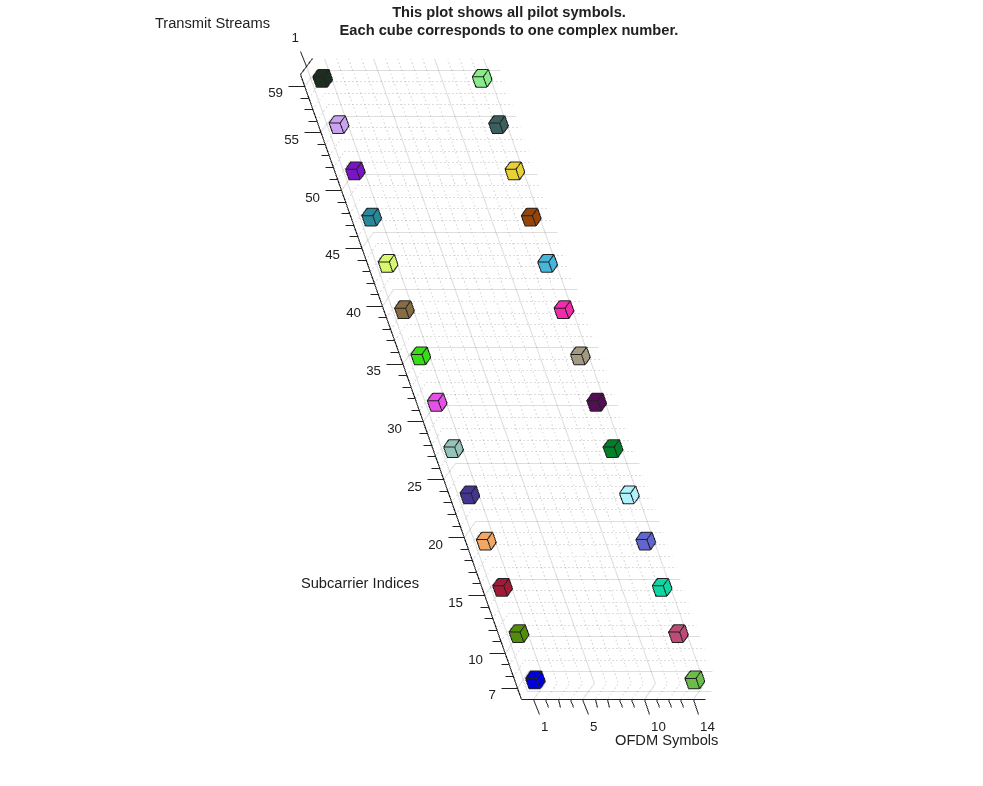
pilot locations given in the pilotcfg)pilotcfg input. Each cube represents one
pilot symbol. Cubes of the same color in the plot show pilot symbols that form
orthogonal vectors along the stream axis.
Examples
Plot the default OFDM pilots for the ofdmPilotConfig configuration object.
Specify an OFDM pilot configuration using default values.
pilotcfg = ofdmPilotConfig
pilotcfg =
  ofdmPilotConfig with properties:

               FFTLength: 64
    NumGuardBandCarriers: [2×1 double]
              NumSymbols: 14
      NumTransmitStreams: 1
            StreamGroups: {[1]}
          PilotLocations: {[1×2×28 double]}
            PilotSymbols: {[1×1×28 double]}
Plot the pilot configuration. The tilted 3D-style plot shows all pilot symbols in an OFDM system. Colored cubes represent individual complex pilot symbols, arranged diagonally by transmit stream. The horizontal axis is OFDM Symbols (indices 1–14), the vertical axis is Subcarrier Indices (7–59). Each cube marks a pilot location across subcarriers and OFDM symbols.
plot(pilotcfg)
Input Arguments
Version History
Introduced in R2026a

