本页面提供的是上一版软件的文档。当前版本中已删除对应的英文页面。
定点函数替换与数据可视化
R2026a替换定点运行时库函数以及使用
coder.approximate了解用于代码生成的函数替换、绘图数据和可视化支持以及数据类型设定。
函数
codegen | 从 MATLAB 代码生成 HDL 或高级综合 (HLS) 代码 |
coder.config | 创建 HDL Coder 代码生成配置对象 |
coder.approximation | Create function replacement configuration object |
coder.float2fixed.skip | Exclude functions from fixed-point conversion (自 R2024b 起) |
类
coder.FixPtConfig | Floating-point to fixed-point conversion configuration object |
主题
函数替换
- Replace a Function with a Lookup Table Using the HDL Coder App
This example shows how to use the HDL Coder app to replace a custom function with a lookup table. - Replace a Function with a Lookup Table from the Command Line
This example shows how to replace a function with a lookup table approximation in the generated fixed-point code using thecodegenfunction.
绘图数据和可视化
- Enable Plotting Using the Simulation Data Inspector
You can use the 仿真数据检查器 to inspect and compare floating-point and fixed-point logged input and output data. - Visualize Differences Between Floating-Point and Fixed-Point Results
To complete this example, you must install the following products: - Log Data for Histogram
To log data for histograms: - View and Modify Variable Information
View and modify variable information for fixed-point conversion.
精选示例
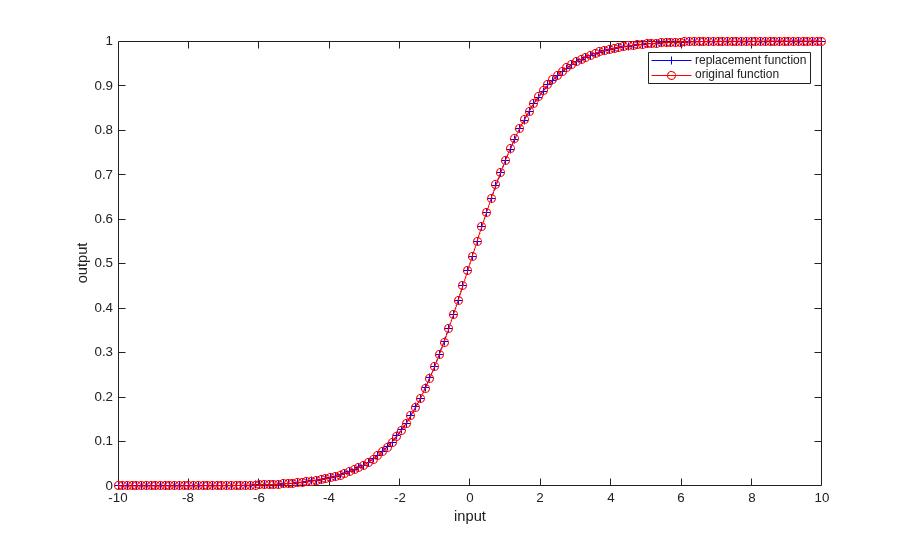
Generate HDL-Compatible Lookup Table Function Replacements Using coder.approximate
MATLAB® code generation from a floating-point MATLAB design that is not ready for code generation. Use coder.approximate function to generate a lookup table based MATLAB function. This newly generated function is ready for HDL code generation (not shown in this demo).

