Write Values to Node Using OPC UA Explorer
R2026bYou can write values to variable nodes in the address space using the OPC UA
Explorer app. The app represents variable nodes with a blue tag  . When you select a node in the Address
Space, the Node Information panel on the right
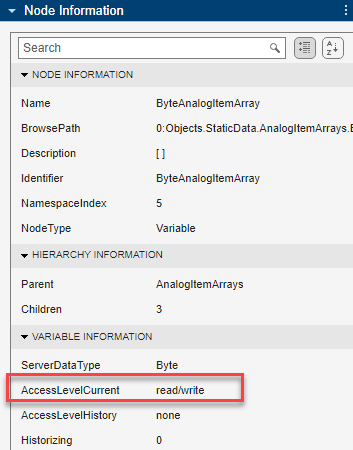
displays the properties of the node. You can perform a write operation only on nodes
with write access. For information about your access level, check the
AccessLevelCurrent parameter in the Node
Information panel.
. When you select a node in the Address
Space, the Node Information panel on the right
displays the properties of the node. You can perform a write operation only on nodes
with write access. For information about your access level, check the
AccessLevelCurrent parameter in the Node
Information panel.
Before you perform write operations, configure and connect to the server. For more information, see Configure Server Connection in OPC UA Explorer App.
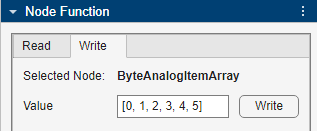
To write a value to a node, select the node from the Address Space. You can write values to only one node at a time. In the Write tab of the Node Function panel, specify the Value to write to the node, and click Write. You can write an array of values to a node by specifying them as a row matrix. To verify whether the node value is updated, navigate to the Read tab and read the current value of the node.
This example writes an array of six values to the
ByteAnalogItemArray node.