Prepare and Simulate Model
R2026bAfter you compute the optimal reference currents (as mentioned in the previous step), you can prepare the Simulink model. The model contains a LUT based PMSM Control Reference block, which uses iterative methods and specified LUTs to calculate reference currents along the d-q axes.
Open the below script that contains the code to create a new model (select
new for model_type parameter).
open('./PrepareAndSimulateModel.m')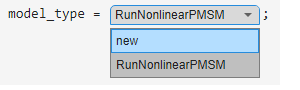
The code corresponding to the new option lets you specify the
required block parameters of LUT based PMSM Control
Reference block programmatically.
Alternatively, open the example model RunNonlinearPMSM.slx by selecting
RunNonLinearPMSM for the model_type
parameter.
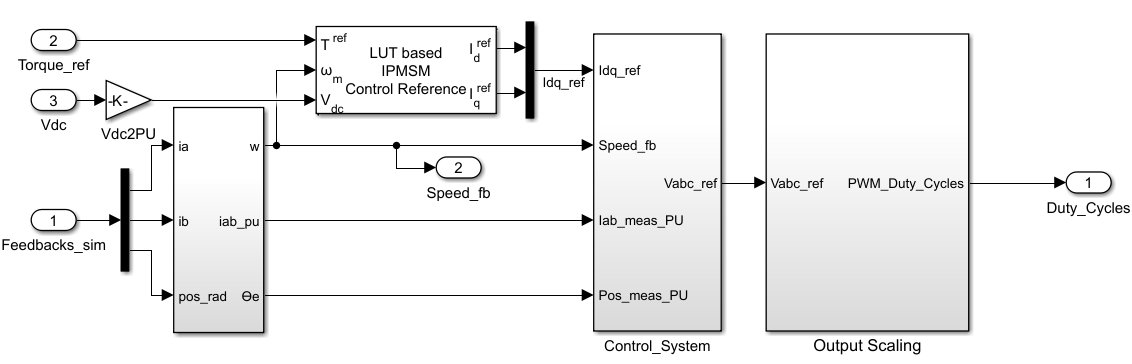
This model simulates the dynamics of a nonlinear PMSM operating under FOC at a specified motor speed and load torque. In the Control System subsystem, the Torque Control subsystem contains a LUT based PMSM Control Reference block.
The following figure shows the part of the model that is used to simulate the motor control, and shows the LUT based PMSM Control Reference block that feeds reference currents to inner loop implemented as PID controller.
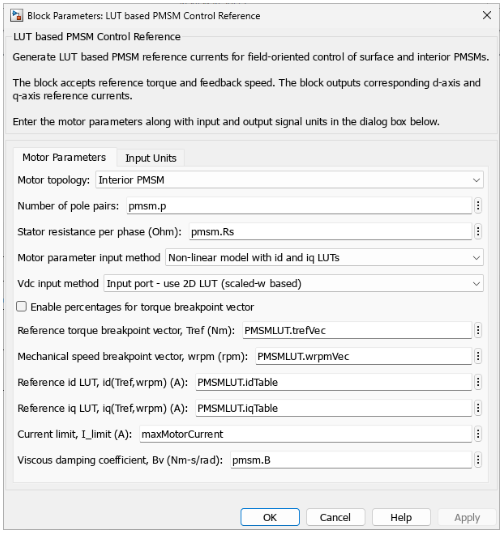
For either model, in the Motor Parameters tab of LUT based PMSM Control
Reference block, verify that Motor parameter input method parameter is
set to Non-linear model with id and iq LUTs and that the
Reference id LUT, id(Tref,wrpm) (A) and Reference iq LUT,
id(Tref,wrpm) (A) parameters are set to PMSMLUT.idTable and
PMSMLUT.iqTable, respectively.
If you selected the model RunNonlinearPMSM.slx, the block
outputs the d-axis and q-axis reference currents from the input motor speed, load torque, and battery
voltage. The torque control system then compares the computed reference currents against
measured currents to determine reference voltages and PWM duty cycles.
Therefore, the obtaining the reference currents by nonlinear characterization ensures that the motor is always operated at the highest possible efficiency for the given conditions.

