Automate Ground Truth Labeling for Point Cloud Using Pretrained Deep Learning Model
R2026bThis example shows how to automate semantic segmentation labeling of point cloud data using a pretrained RandLA-Net model using the Get Started with Multi-Sensor Labeler app.
Multi-Sensor Labeler App
Creating high-quality labeled data sets for automated driving algorithms requires significant manual effort. You can reduce this effort by using a pretrained deep learning model to automate the labeling process in the Multi-Sensor Labeler app, then manually refine the results for challenging scenarios.
Download Point Cloud Data
Run this code to download the highway scene data set. The data set contains 1617 point clouds stored as pointCloud objects in a PCD format.
outputFolder = fullfile(tempdir,'Pandaset');

lidarURL = ['https://ssd.mathworks.com/supportfiles/lidar/data/' ...
    'Pandaset_LidarData.tar.gz'];
helperDownloadPandasetData(outputFolder,lidarURL);
Downloading PandaSet Lidar driving data (5.2 GB)...
pointCloudDir  = fullfile(outputFolder,'Lidar');
ext = {'.pcd','.ply'};
lds = fileDatastore(pointCloudDir,ReadFcn = @pcread, FileExtensions = ext);
Note: Depending on your internet connection, the download can take some time. The code suspends MATLAB® execution pauses until the download completes. Alternatively, you can download the data set to your local disk using your web browser, and then extract Pandaset_LidarData. To use the file you downloaded from the web, change the outputFolder variable in the code to the location of the downloaded file.
Download Pretrained Model
Add-On Required: This feature requires the Point Cloud Toolbox Model for RandLA-Net Semantic Segmentation add-on.
To install:
1. On the MATLAB Home tab, click Add-Ons > Get Add-Ons.
2. Search for the add-on by name and click Install.
Alternatively, download from Point Cloud Toolbox Model for RandLA-Net Semantic Segmentation on the MathWorks® website.
Load Pretrained RANDLA-Net Model
This example loads a pretrained RANDLA-Net model and uses it for segmentation. Alternatively, to train a RandLA-Net segmentation network, use the trainRandlanet function and set the doTraining argument to true. The recommended setup for training requires a CUDA-enabled NVIDIA GPU and Parallel Computing Toolbox. For more information, see GPU Computing Requirements (Parallel Computing Toolbox).
Save the network to import into the Multi-Sensor Labeler app.
segmenter = randlanet("pandaset");
save randlanet.mat segmenter
Import Pretrained Network into the Multi-Sensor Labeler App
Open the Multi-Sensor Labeler app and load the point cloud sequence.
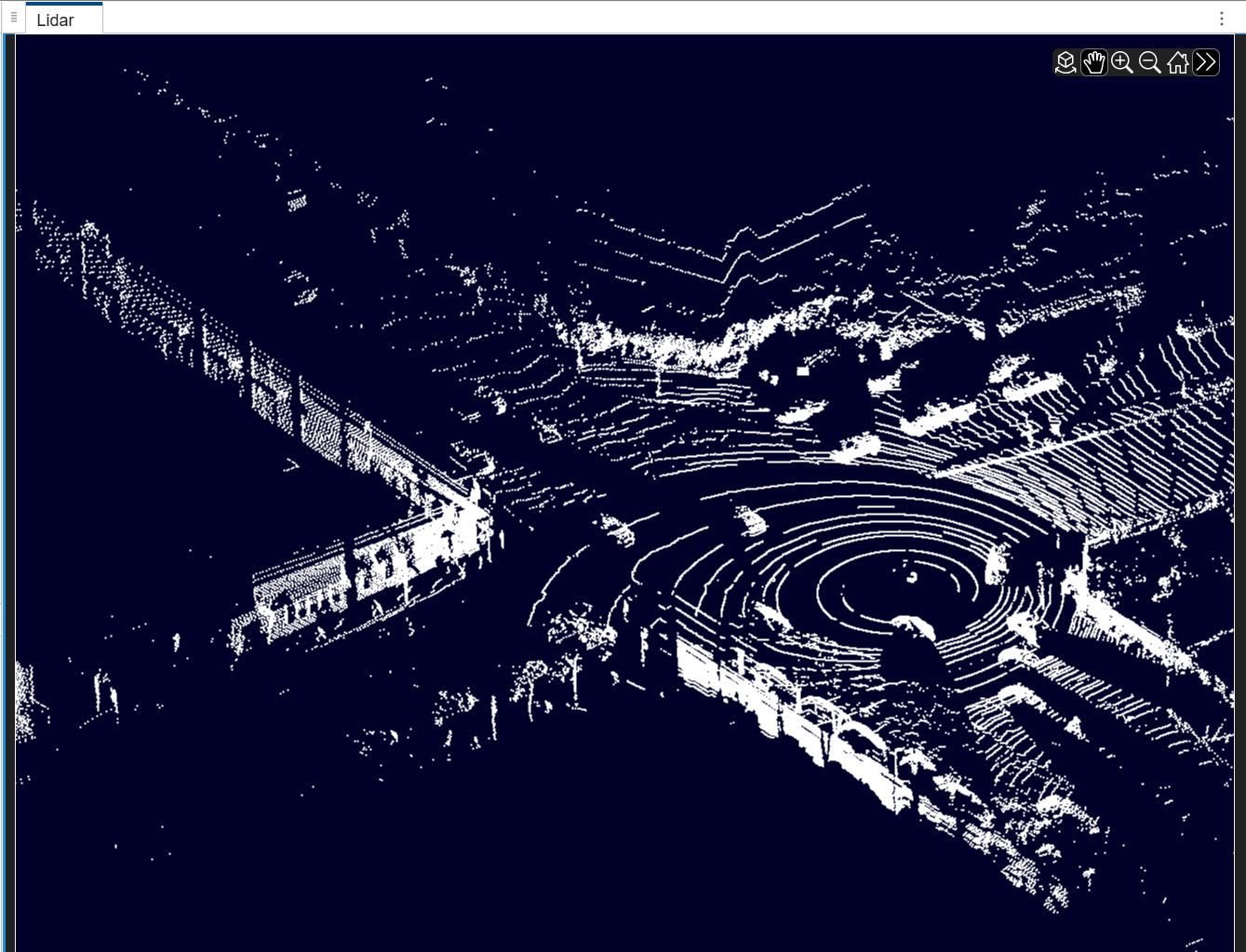
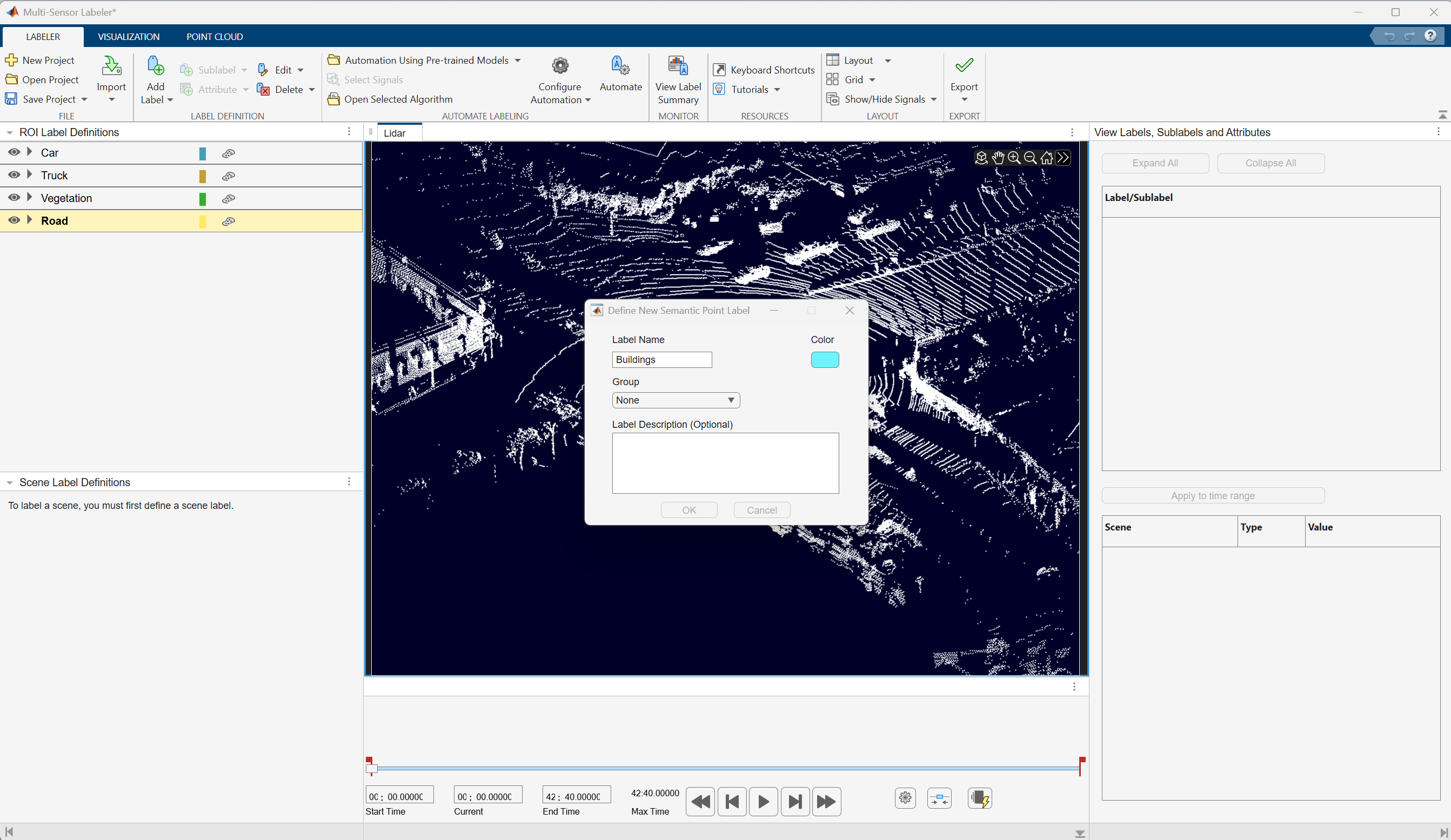
In the ROI Labels pane, click Label. Define two ROI labels with the names Car, Truck, Vegetation, Building and Road of label type SemanticPoint. Optionally, you can select colors for the labels. Click OK.
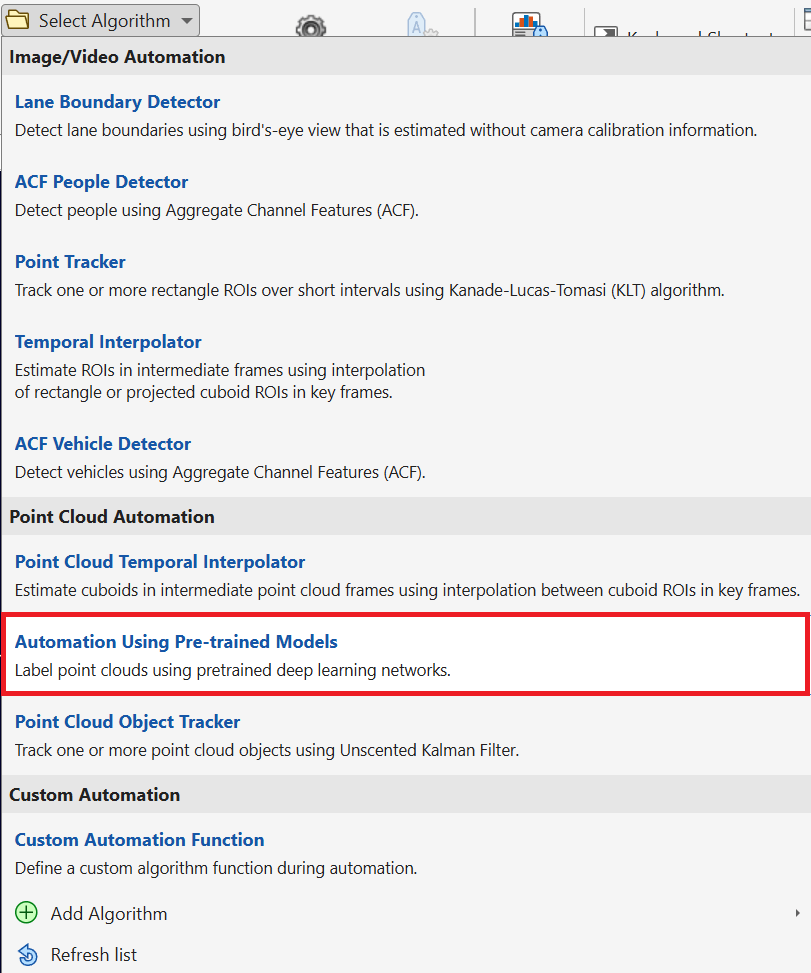
To select an automation algorithm, on the Labeler tab of the app toolstrip, in the Automate Labeling section, click Select Algorithm > Automation Using Pre-trained Models.
Click Automate, the app opens the Automate tab with directions to use the algorithm.
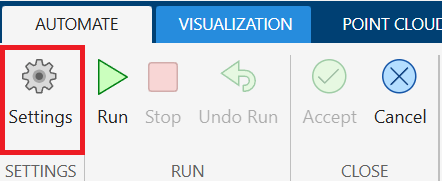
Click Settings to open the Pre-trained Model Settings dialog box. Click Import Network and browse to the saved randlanet.mat file.
Select the imported model by setting Select Network to randlanet.
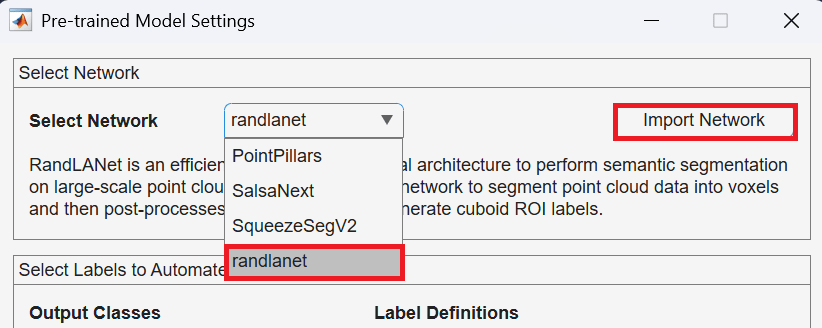
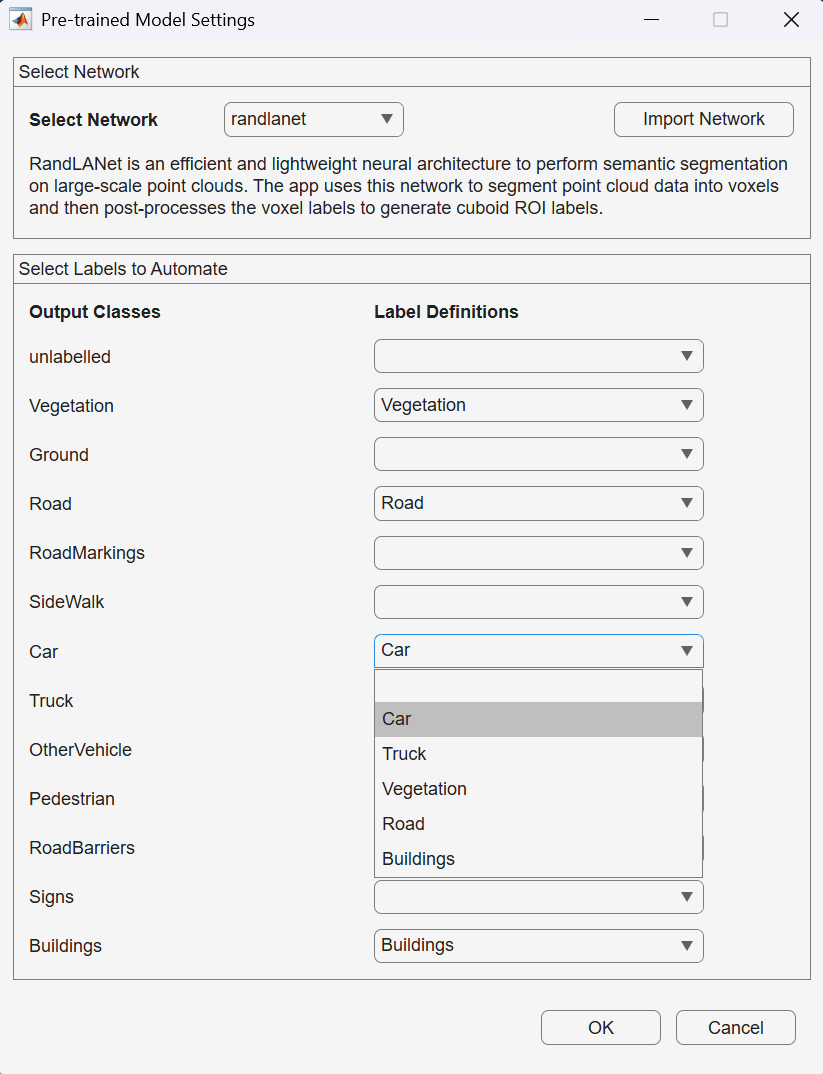
Map the Label Definitions to the Output classes of the network and click OK.
Click Run to generate automated labels for the output classes of the network. After the automation is complete, you can view the generated labels in all point cloud frames. You can also fine-tune the automation results.
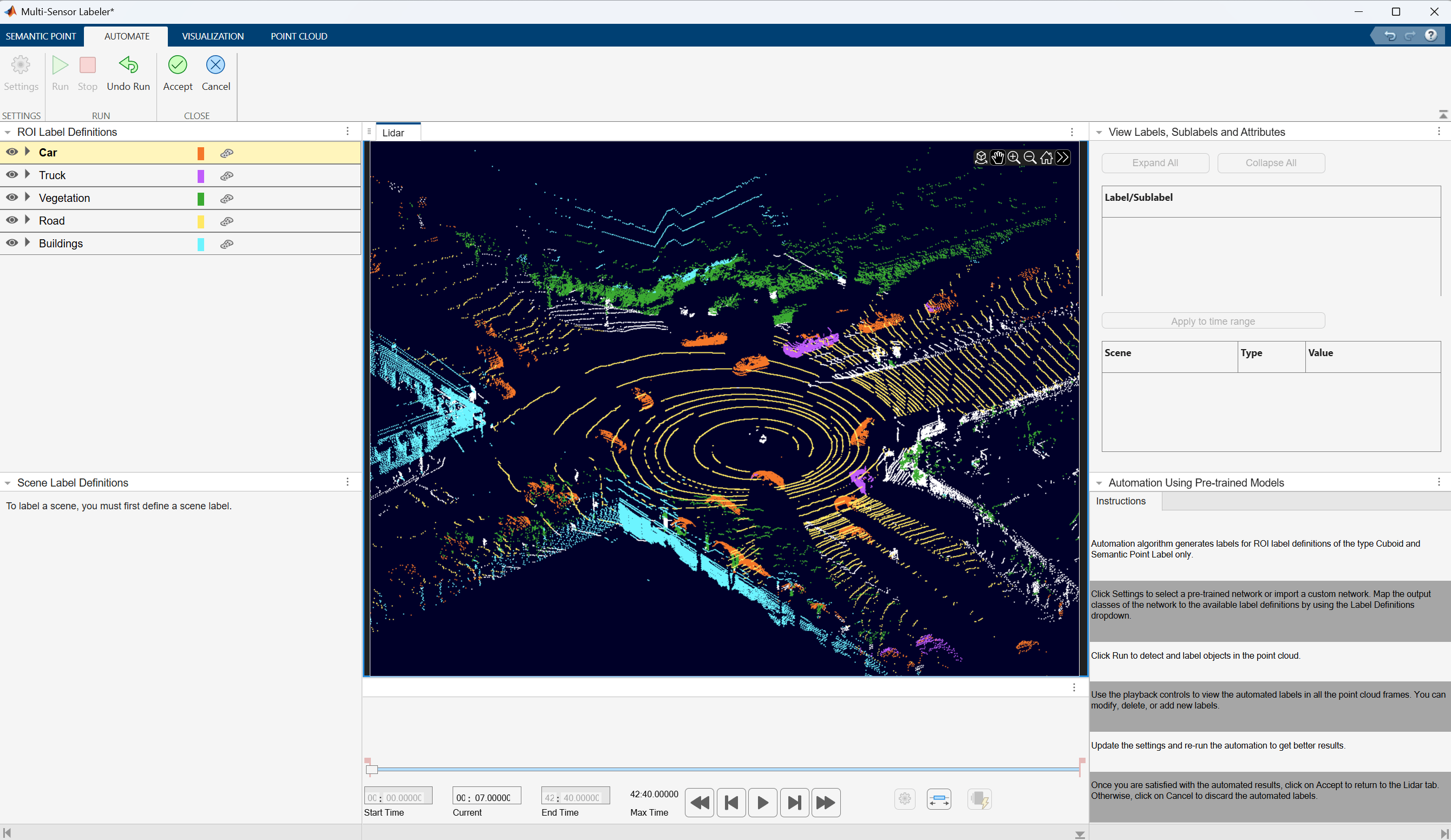
When you are satisfied with the detected semantic point labels for the entire sequence, click Accept. You can then continue to manually adjust labels or export the labeled ground truth to the MATLAB workspace.
Supporting Functions
The helperDownloadPandasetData function downloads the PandaSet data.
function helperDownloadPandasetData(outputFolder,lidarURL)
% Download the data set from the given URL to the output folder.

lidarDataTarFile = fullfile(outputFolder,'Pandaset_LidarData.tar.gz');

if ~exist(lidarDataTarFile,'file')
    mkdir(outputFolder);

    disp('Downloading PandaSet Lidar driving data (5.2 GB)...');
    websave(lidarDataTarFile,lidarURL);
    untar(lidarDataTarFile,outputFolder);
end

% Extract the file.
if (~exist(fullfile(outputFolder,'Lidar'),'dir'))...
        &&(~exist(fullfile(outputFolder,'semanticLabels'),'dir'))
    untar(lidarDataTarFile,outputFolder);
end

end
Supported Deep Learning Networks for Automation
You can automate labeling using any class object wrapping a dlnetwork (Deep Learning Toolbox) trained for semantic segmentation and object detection in point clouds.
For other network architectures, or to perform training, preprocessing, or postprocessing on the network data, use the custom automation algorithm template to automate labeling. For more information, see Create Automation Algorithm Function for Labeling (Computer Vision Toolbox).
See Also
Multi-Sensor
Labeler | pointCloud

