MATLAB 帮助中心
Shape1 - Shape2 for RF PCB shapes
Since R2021b
c = minus(shape1,shape2)
c = minus(shape1,shape2) calls the syntax shape1 - shape2 to subtract two shapes.
shape1
shape2
shape1 - shape2
example
collapse all
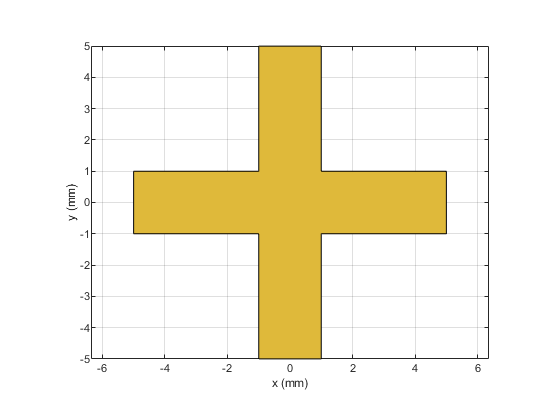
Create and display a cross trace shape.
trace = traceCross; show(trace)
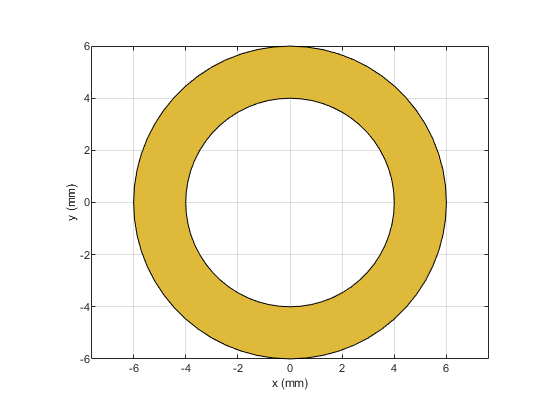
Create and display an annular ring shape with an inner radius of 4 mm.
ring = ringAnnular(InnerRadius=4e-3); show(ring)
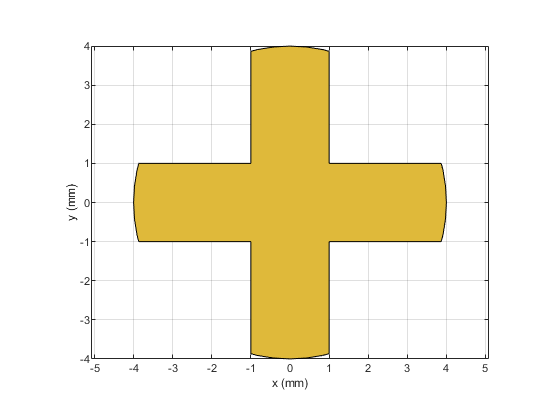
Subtract the annular ring from the cross trace and display the result.
shapeDiff = minus(trace,ring); show(shapeDiff)
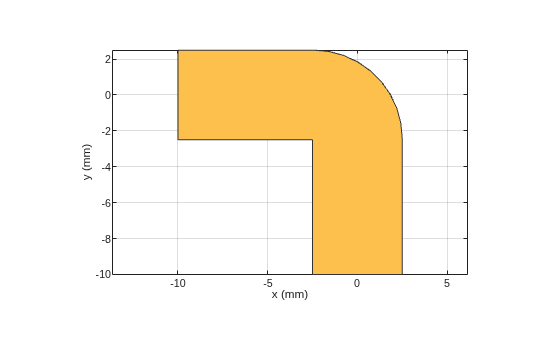
Create and display a curved bend shape.
bend1 = bendCurved; show(bend1)
Create and display a curved bend shape with a spatial offset.
bend2 = bendCurved(ReferencePoint=[-1e-3 -1e-3]); show(bend2)
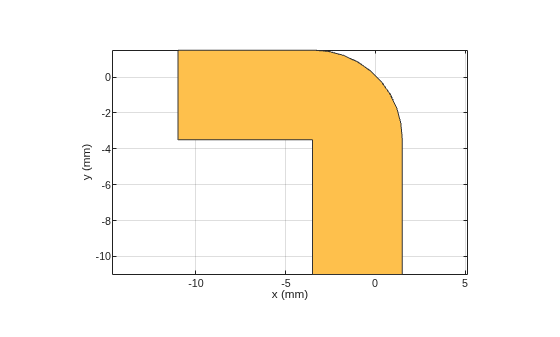
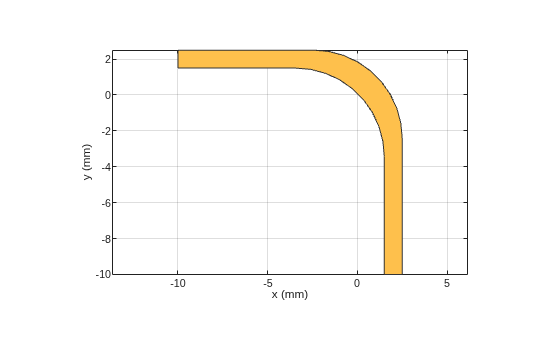
Subtract the offset bend from the default bend and display the result.
shapeDiff = bend1 - bend2; show(shapeDiff)
First shape created using custom elements and shape objects of RF PCB Toolbox™, specified as an object.
Example: shape1 = bendCurved; specifies the first shape as a bendCurved object.
shape1 = bendCurved;
bendCurved
Second shape created using custom elements and shape objects of RF PCB Toolbox, specified as an object.
Example: shape2 = ringAnnular; specifies the second shape as a ringAnnular object.
shape2 = ringAnnular;
ringAnnular
Introduced in R2021b
add | subtract | area | intersect | rotate | rotateX | rotateY | rotateZ | translate | show | mesh | plot | scale
add
subtract
area
intersect
rotate
rotateX
rotateY
rotateZ
translate
show
mesh
plot
scale
You clicked a link that corresponds to this MATLAB command:
Run the command by entering it in the MATLAB Command Window. Web browsers do not support MATLAB commands.
选择网站
选择网站以获取翻译的可用内容,以及查看当地活动和优惠。根据您的位置,我们建议您选择:。
您也可以从以下列表中选择网站:
如何获得最佳网站性能
选择中国网站(中文或英文)以获得最佳网站性能。其他 MathWorks 国家/地区网站并未针对您所在位置的访问进行优化。
美洲
欧洲
亚太
联系您当地的办事处