IBIS Designer
R2026bCreate IBIS model files from SPICE simulation data or electrical parameters
Since R2026b
Description
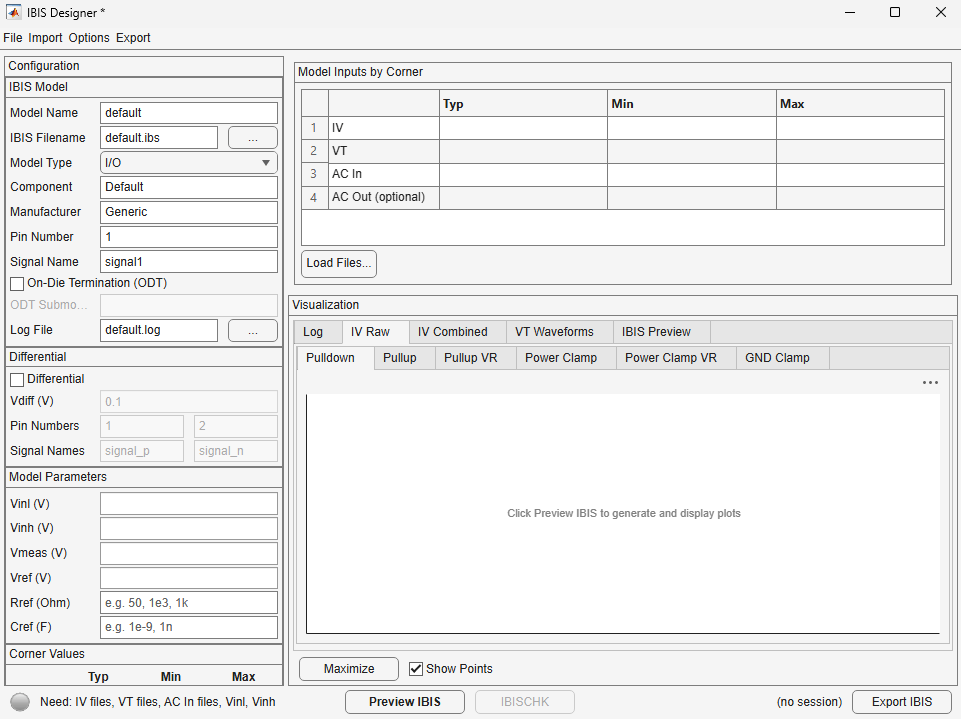
The IBIS Designer app creates IBIS (I/O Buffer Information Specification) model files from either SPICE simulation data or electrical parameters. The app supports two workflows:
SPICE Simulation — Convert SPICE simulation outputs (such as IV sweeps, transient waveforms, AC admittance) into a complete IBIS model. This is the primary workflow for creating models from silicon characterization data.
Parameterized Model — Generate an IBIS model from a small set of electrical parameters (such as driver impedance, rise/fall time, die capacitance) without requiring SPICE simulation. This workflow is mostly used for early-stage design exploration or creating representative models from datasheet specifications.
At the end of both workflows, the app produces a standards-compliant
.ibs file that you can used with any IBIS-compatible signal integrity
simulator such as Signal Integrity
Toolbox™.
Open the IBIS Designer App
MATLAB® command prompt: Enter
ibisDesigner.
Examples
Programmatic Use
More About
Version History
Introduced in R2026b

