importNetworkFromKeras
R2026bDescription
Add-On Required: This feature requires the Deep Learning Toolbox Converter for TensorFlow Models add-on.
net = importNetworkFromKeras(modelFolder)modelFolder. The function
returns the network net as a dlnetwork object.
Note
The importNetworkFromKeras function is recommended for importing models
created using the Keras 3 API and saved using the matlabsaver.py
utility function. For more information, see Save Keras 3 Models Using matlabsaver.py.
Examples
This example provides a digitsKeras3Model.zip file containing a trained Keras 3 model saved using the matlabsaver.py utility function. Copy the matlabsaver file to the directory where the Keras model is defined.
matlabsaverPath = which("matlabsaver.py");
copyfile(matlabsaverPath,<Keras model directory>);
Save the trained Keras 3 model in Python.
import matlabsaver
...
matlabsaver.save_for_matlab(trainedModel, "digitsKeras3Model")
Unzip digitsKeras3Model.zip containing the pretrained Keras 3 network.
if ~exist('digitsKeras3Model.zip','dir')
    unzip('digitsKeras3Model.zip')
end
modelFolder = './digitsModel';
Specify the class names.
classNames = {'0','1','2','3','4','5','6','7','8','9'};Use the imported network to predict class labels.
net = importNetworkFromKeras(modelFolder)
net =
  dlnetwork with properties:

         Layers: [10×1 nnet.cnn.layer.Layer]
    Connections: [9×2 table]
     Learnables: [6×3 table]
          State: [0×3 table]
     InputNames: {'input_layer'}
    OutputNames: {'dense'}
    Initialized: 1

  View summary with summary.
info = analyzeNetwork(net)
info =
  NetworkAnalysis with properties:

    TotalLearnables: 34826
          LayerInfo: [10×7 table]
             Issues: [0×3 table]
          NumErrors: 0
        NumWarnings: 0
       AnalysisDate: 07-Aug-2026 13:27:06
Read the image you want to classify and display the size of the image. The image is a grayscale (one-channel) image with a size of 28-by-28 pixels.
digitDatasetPath = fullfile(toolboxdir('nnet'),'nndemos','nndatasets','DigitDataset');
I = imread(fullfile(digitDatasetPath,'9','image8020.png'));
size(I)
ans = 1×2

    28    28
Display the input size of the network. In this case, the image size matches the network input size. If the sizes do not match, you must resize the image using this command: imresize(I,netInputSize(1:2)).
netInputSize = net.Layers(1).InputSize
netInputSize = 1×3

    28    28     1
Convert the image to a formatted, single-precision dlarray object. Format the images with the dimensions 'SSCB' (spatial, spatial, channel, batch). In this case, the batch size is 1 and you can omit it ('SSC').
I_dlarray = dlarray(single(I),'SSC');Classify the sample image and find the predicted label.
prob = predict(net,I_dlarray);
[~,label] = max(prob);
Display the image and the classification result.
imshow(I)
title(['Classification result ' classNames{label}]) 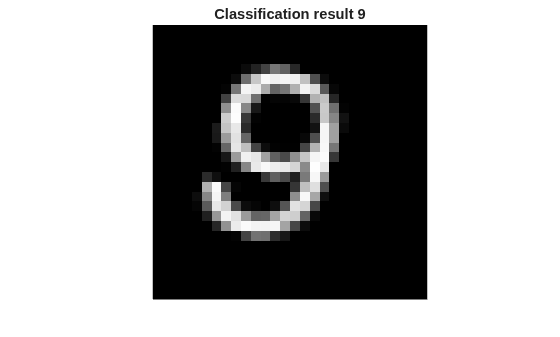
Input Arguments
Output Arguments
More About
Alternative Functionality
Use importNetworkFromKeras to import a network created using the Keras 3 API or
TensorFlow versions 2.16 and later. This is the preferred way of importing networks with
Keras 3 specific features such as Keras Ops. If you are using TensorFlow versions 2.15 and earlier or can downgrade to Keras 2, use the importNetworkFromTensorFlow function. This will result in more layers imported
as MATLAB layers capable of code generation.
References
[1] Keras: The Python Deep Learning library https://keras.io.

