Design 8-Chain MIMO Transmitter
R2026bThis example shows how to
Build the RF transmitter chain using the RF Budget Analyzer app with a combination of measured S-parameter data and datasheet specifications.
Perform Friis budget analysis to verify gain, noise figure, and third-order intercept point (IP3) across a cascade of filter, amplifier, upconverter, power amplifier (PA), and antenna.
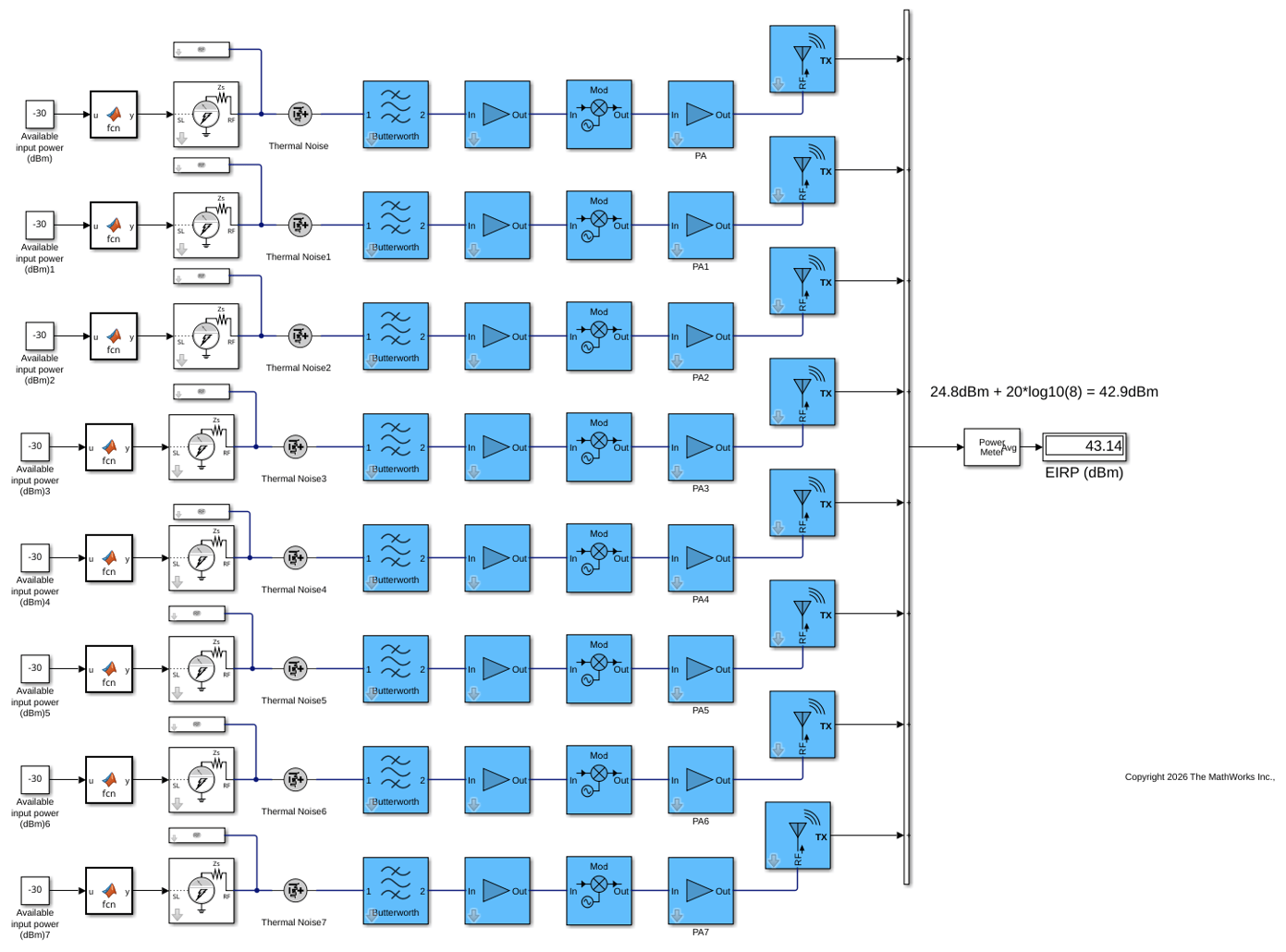
Generate a Circuit Envelope model for system-level time-domain simulation. *Replicate the single RF chain into an 8-chain MIMO transmitter and verify array gain.
First open the RF Budget Analyzer app and load budgetDesign.mat. This MAT file contains a chain of RF elements connected in cascade. These elements are designed to form an RF chain using the S-parameters from the measured data and the data-sheet specification. To see an example of how to connect elements in the app, see RF Budget Analyzer.
rfBudgetAnalyzer("budgetDesign1.mat");
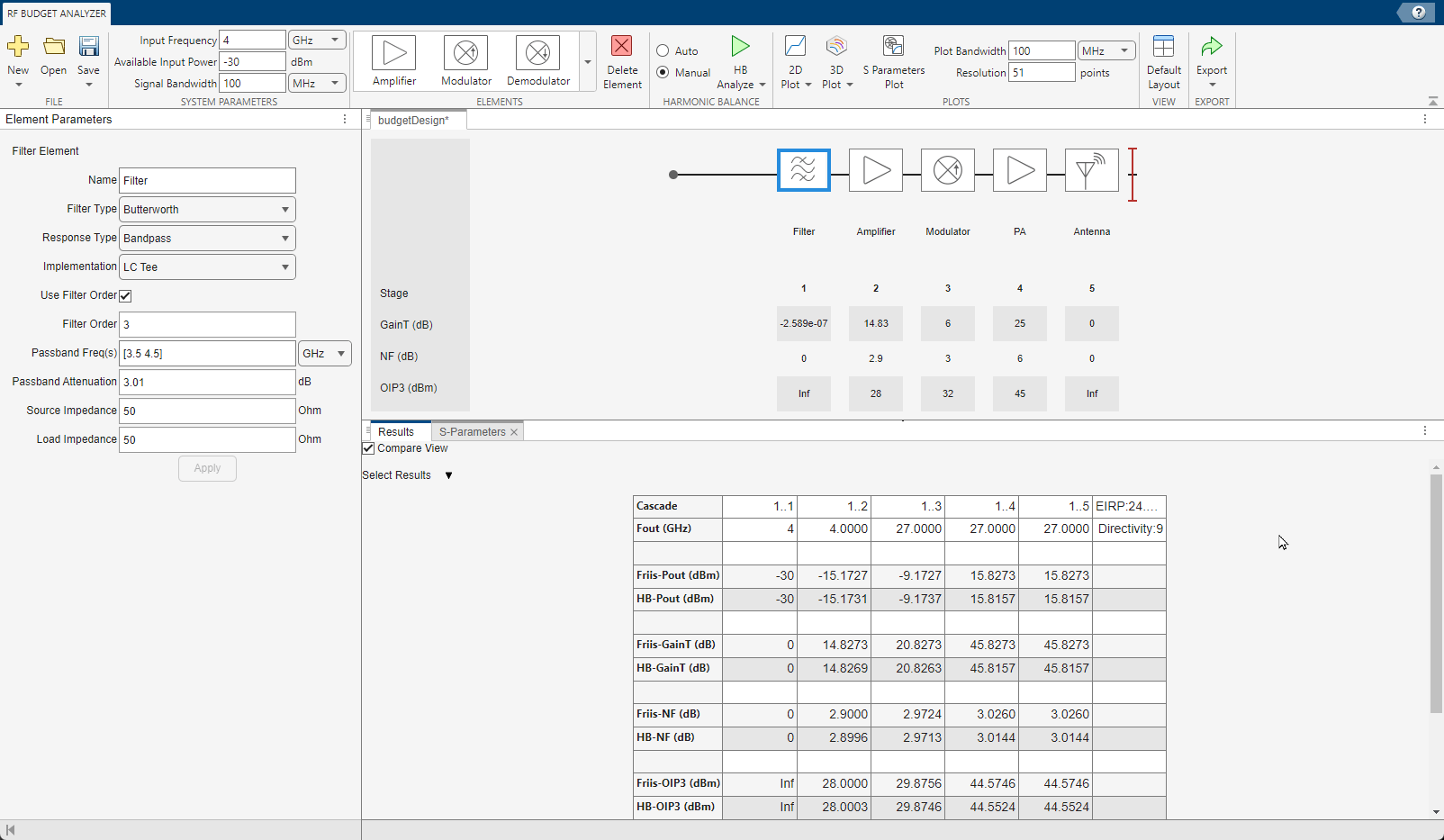
To calculate second-order nonlinearities, run harmonic balance (HB) analysis using the HB-Analyze button.
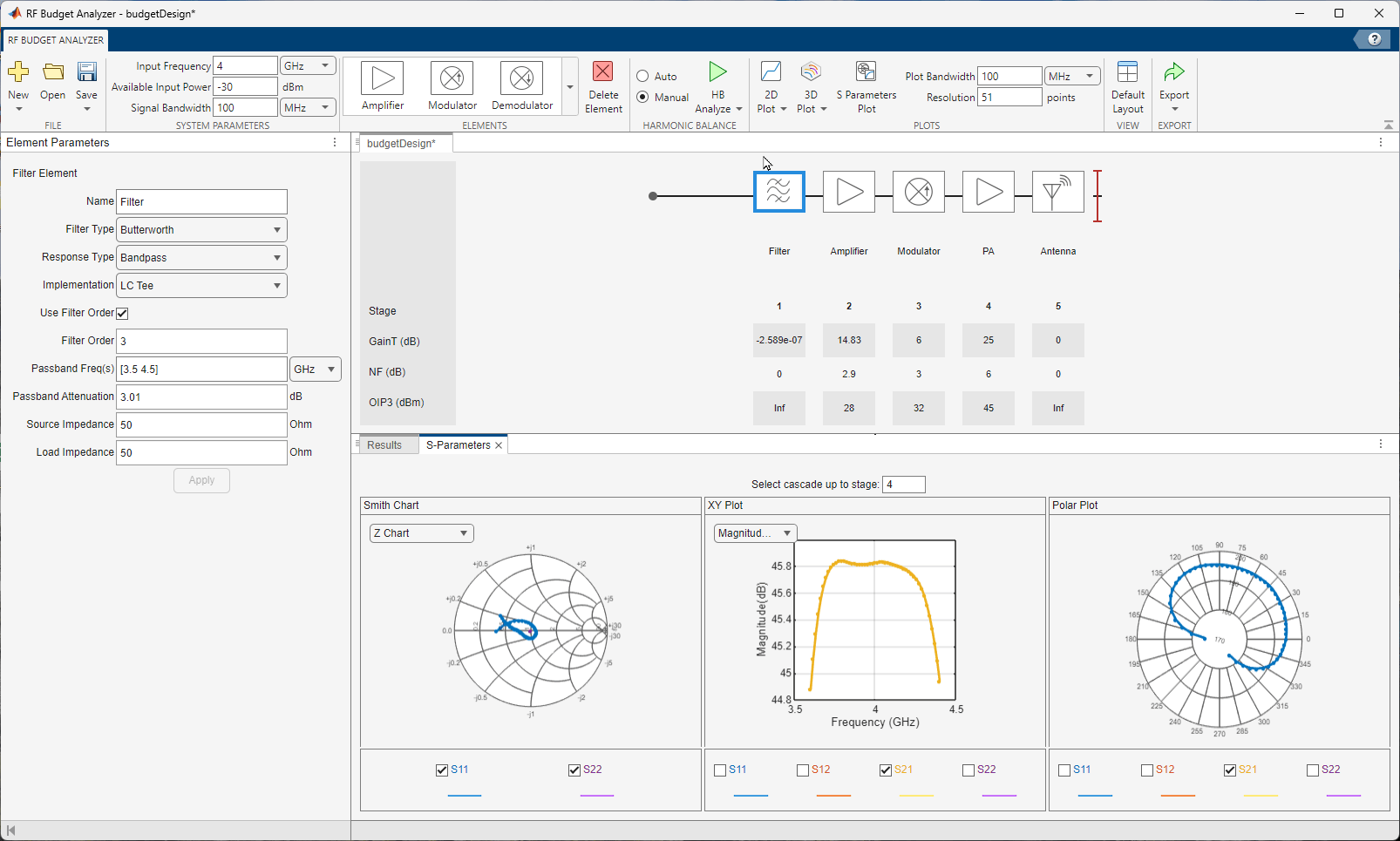
Select S-Parameters Plot button. This allows you to plot Smith® chart, polar plot, magnitude, phase and real, and imaginary parts of S-parameters of the RF System and over stages.
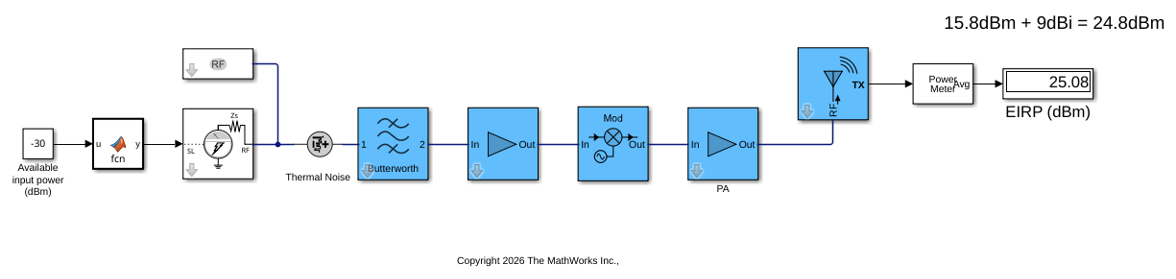
After verifying the results, select Export button and click Circuit Envelope to export this RF chain to chain connected with RF Blockset® Circuit Envelope library blocks. This model is stored as TXmodel_1. The RF Blockset model contains power meters to verify that Circuit Envelope results are consistent with Friis and HB results. The antenna is ideal and isotropic. This is a single-chain RF system.
open_system("TXmodel_1")
sim("TXmodel_1.slx")
ans =

  Simulink.SimulationOutput:
                   tout: [401x1 double]

     SimulationMetadata: [1x1 Simulink.SimulationMetadata]
           ErrorMessage: [0x0 char]
Replicate the chain eight times and sum the output of each antenna to create an 8-chain MIMO transmitter.
open_system("TXmodel_2")
sim("TXmodel_2.slx")
ans =

  Simulink.SimulationOutput:
                   tout: [401x1 double]

     SimulationMetadata: [1x1 Simulink.SimulationMetadata]
           ErrorMessage: [0x0 char]