构建 Simulink Real-Time 应用程序
R2026b要为目标计算机构建实时应用程序,请将模型配置参数设置为符合实时执行的值。有关详细信息,请参阅 Simulink Real-Time。要为实时应用程序选择配置参数,请参阅Simulink Real-Time 选项窗格。
您可以构建实时应用程序,连接目标计算机,部署实时应用程序,并通过在 Simulink 编辑器的 Real-Time 选项卡上点击 Run on Target 来运行它。有关详细信息,请参阅使用目标运行构建并下载实时应用程序。
您也可以通过使用 slbuild 函数,或在 Simulink 编辑器的 Real-Time 选项卡上点击Run on Target > Build Application,来构建无需连接目标计算机的实时应用程序。有关详细信息,请参阅使用分步命令在 Simulink 外部模式下执行实时应用程序。
App
| Simulink Real-Time | 生成实时应用程序,用于在目标计算机上运行的仿真,并与目标计算机中的 I/O 设备进行交互。 |
| Simulink Real-Time Explorer | Interact with target computer and real-time application running on target computer |
| Simulink Real-Time TET Monitor | 观察在目标计算机上运行的实时应用程序的任务执行时间 |
| Simulink Real-Time App Generator | Generate instrument panel app to interact with target computer and real-time application running on target computer (自 R2022a 起) |
| Simulink Real-Time Application Property Inspector | 查看和修改应用程序属性 (自 R2023b 起) |
工具
| 仿真数据检查器 | 检查并比较数据与仿真结果,以验证和迭代模型设计 |
对象
Application | 在开发计算机上映射应用程序文件 |
函数
slrtExplorer | 打开 Simulink Real-Time 资源管理器,并与目标计算机及实时应用程序进行交互 |
slrtAppGenerator | 生成仪表盘应用程序,用于与目标计算机及其上运行的实时应用程序进行交互。 (自 R2022a 起) |
slrtApplicationInspector | 打开 Simulink Real-Time 应用程序属性检查器,查看应用程序信息、信号和参数。 (自 R2023b 起) |
主题
- Simulink Real-Time 选项窗格
配置实时应用程序选项的初始值。
- 选择默认目标计算机
使用 Simulink® Real-Time™ 资源管理器表示目标计算机。
- Define and Update Inport Data by Using Root Inport Mapper
Map root inports to source data.
- 输入端口数据映射的限制
Simulink Real-Time 中输入端口数据映射的局限性。
- Configure and Control Real-Time Application by Using Simulink Real-Time Interfaces
Use Simulink Real-Time interfaces, such as Explorer, to run a real-time application and tune parameters.
- Control and Update Stimulation of Inports to Real-Time Application
Stimulate the root inports of the application running on target computer.
- Reduce Build Time for Simulink Real-Time Referenced Models
Build models in parallel by using Parallel Computing Toolbox™.
疑难解答
在使用 Simulink Real-Time 产品时遇到的问题的故障排除
相关信息
精选示例
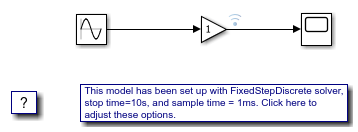
应用 Simulink Real-Time 模型模板创建实时应用程序
使用 Simulink Real-Time 模板创建一个 Simulink 模型。
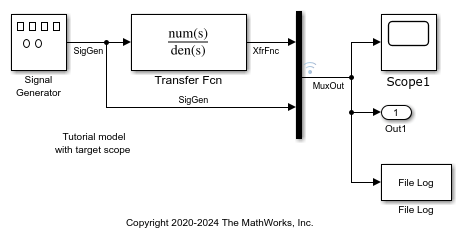
从 Simulink 模型创建并运行实时应用程序
将 Simulink 模型适配为可在目标计算机上运行的实时模型。

