Simulink Real-Time 快速入门
R2026aSimulink® Real-Time™ 与 Speedgoat® 助您一键实现从仿真到快速控制原型 (RCP) 及硬件在环 (HIL) 测试的无缝衔接。
您可以直接从 Simulink 模型将实时应用程序部署并运行到 Speedgoat 测试系统上。 Simulink Real-Time 使您能够连接嵌入式控制器执行 HIL 测试,并在实际操作条件下验证您的设计。您可以使用 MATLAB® API 或使用 App 设计工具构建的自定义 App 来创建、控制和检测实时应用程序。您还可以自动化 HIL 测试,并将其作为持续集成工作流的一部分来运行。
教程
- 实时仿真与测试
运行、可视化并调整实时模型的执行过程。
- 设置并配置 Simulink Real-Time
配置目标计算机以执行实时应用程序。
- 从 Simulink 模型创建并运行实时应用程序
将 Simulink 模型适配为可在目标计算机上运行的实时模型。
- Configure and Control Real-Time Application by Using Simulink Real-Time Interfaces
Use Simulink Real-Time interfaces, such as Explorer, to run a real-time application and tune parameters.
- 应用 Simulink Real-Time 模型模板创建实时应用程序
从 Simulink Real-Time 模型模板创建模型,并构建实时应用程序。
- Simulink Real-Time 工作流与许可
选择与您的 Simulink Real-Time 工作流相匹配的部署方式、操作模式和应用程序接口。
关于实时仿真
- 配置和控制目标计算机
交互式配置和控制 Simulink Real-Time,以及通过编写脚本和程序进行配置和控制。
- Speedgoat 目标计算机与 I/O 硬件
选择一台 Speedgoat 目标计算机和 I/O 硬件。
- Speedgoat 目标计算机与 Speedgoat 支持
Speedgoat 提供专门设计用于支持 Simulink Real-Time 的目标计算机。
- 构建并部署实时应用程序
在开发计算机上创建一个独立的实时应用程序。
- 部署和配置启动实时应用程序
设置启动应用程序。
- Simulink Real-Time 的国际化问题
了解 Simulink Real-Time 对国际化的支持。
相关信息
精选示例
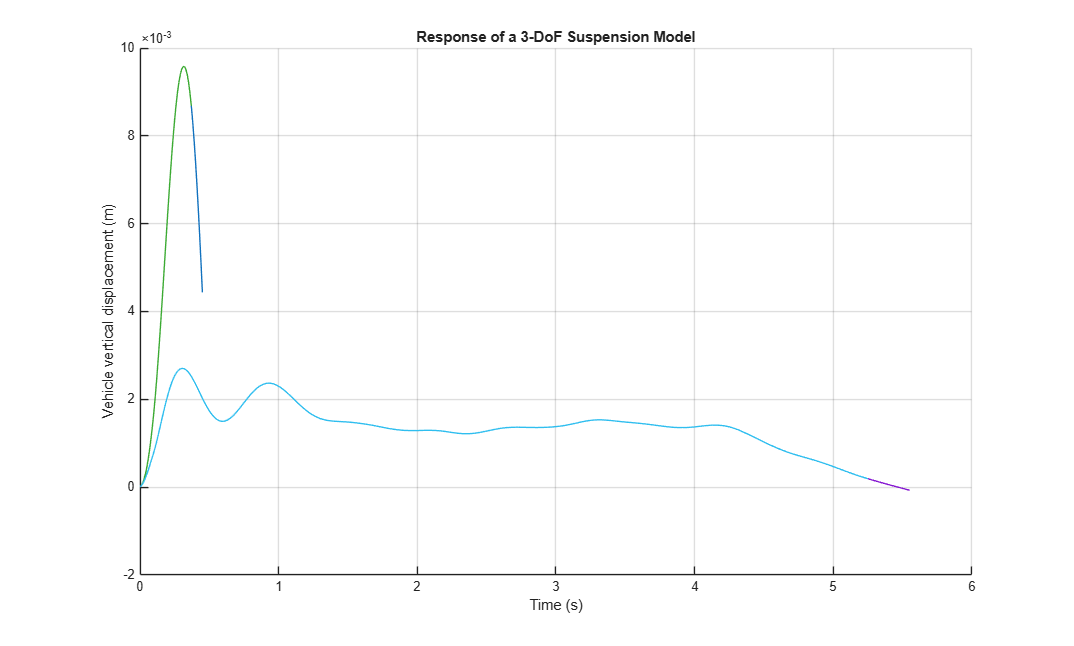
Post-Process Real-Time Signals Streamed to the Simulation Data Inspector
Use a Simulink® Real-Time™ log of signal data and the Simulation Data Inspector. Signals are logged during model execution.

目标通过使用 UDP 来主持传输
使用 UDP 数据包将数据从目标计算机发送到开发计算机。
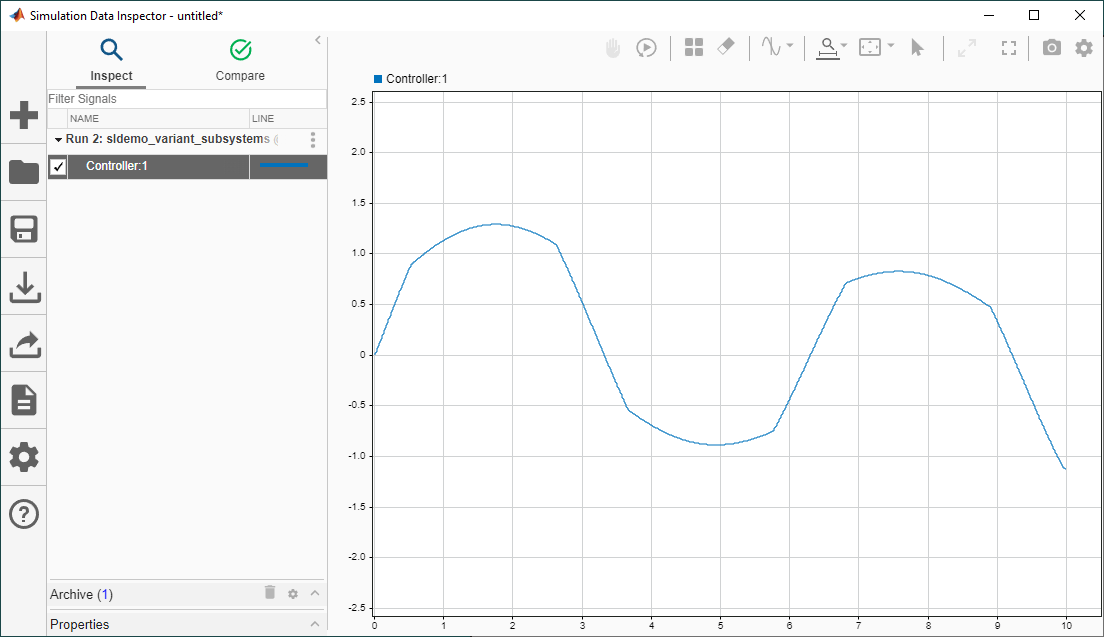
使用变体和 Simulink Real-Time 创建实时应用程序
此示例说明如何使用 Simulink® Real-Time™ 工作流创建一个具有可变子系统的实时应用程序。通过 Simulink Real-Time,您可以基于 Simulink 模型创建实时应用程序,并在连接到物理系统的 Speedgoat® 目标计算机硬件上运行。

