Programmable Logic
R2026b Analyze a Simulink® model by using the socModelAnalyzer function to
estimate the resources used in a model, to compare different architectures, and to
understand design tradeoffs. Use the socFunctionAnalyzer
function to analyze resources in a MATLAB® function.
The socModelAnalyzer and
socFunctionAnalyzer functions create a report detailing the
number of operations in a Simulink model or a MATLAB function, respectively.
Use the information in the report to:
Decide how to partition your algorithm into software and hardware.
Optimize a hardware algorithm.
Optimize a software algorithm.
Compare different implementations of an algorithm to make informed decisions about design choices.

Functions
socModelAnalyzer | Estimate number of operations in Simulink model |
socFunctionAnalyzer | Estimate number of operations in MATLAB function |
socAlgorithmAnalyzerReport | Open algorithm analysis report |
Apps
| Logic Analyzer | Visualize, measure, and analyze transitions and states over time |
Model Settings
Topics
- Considerations for Multiple IPs in FPGA Model
When your FPGA model includes more than one block for which you'd like to generate HDL using HDL Coder™, you must use a connector model to connect your blocks.
- Using the Algorithm Analyzer Report
Navigate details of the report generated by the
socModelAnalyzerorsocFunctionAnalyzerfunction.
Troubleshooting
Build Error When FPGA or Processor Model Not Detected
Unsupported mode in when generating SoC design using SoC Builder.
Featured Examples
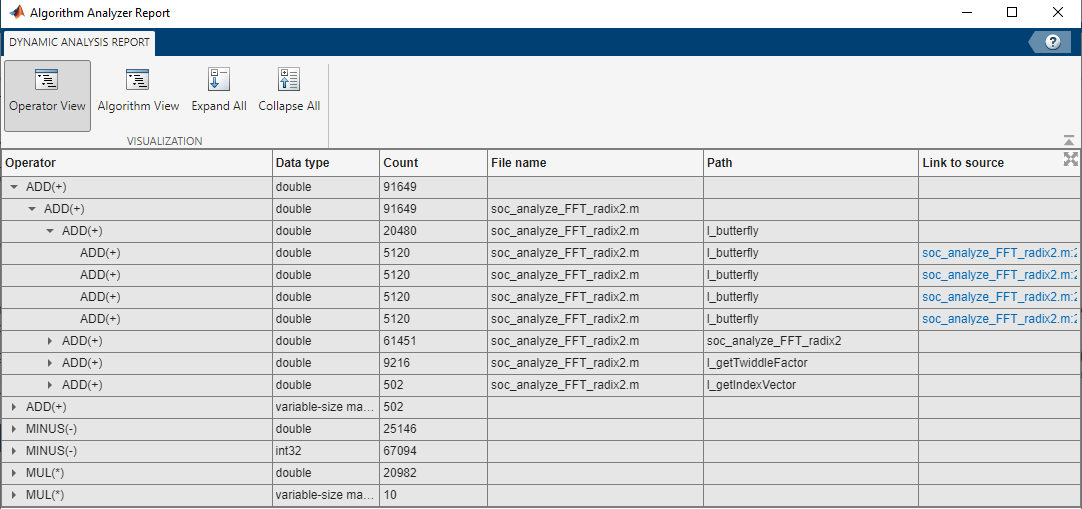
Estimate Number of Operators for MATLAB Algorithm
Estimate the number of arithmetic operators in an algorithm written in MATLAB®. Analyze a radix 2 FFT algorithm and generate reports showing operator usage.
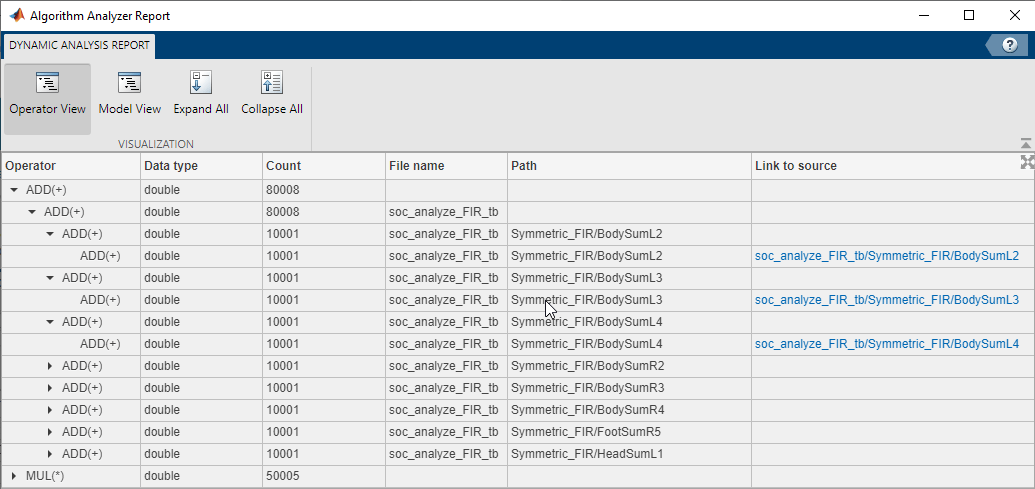
Compare FIR Filter Implementations Using socModelAnalyzer
Analyze and compare different implementations of a Simulink® algorithm based on the number of arithmetic operations. Use the socModelAnalyzer function provided by SoC Blockset™ for AMD product to generate reports that show the number of operators for different implementations of a FIR Filter using static and runtime execution.

