Define Requirements for ECG Signal Classification Using Deep Learning
R2026bThis example shows how to define requirements for training a neural network for electrocardiogram (ECG) signal classification. This example is step one in a series of examples that take you through a workflow for classifying ECG signals as either Normal ("N") or Atrial Fibrillation ("A"). This workflow requires Requirements Toolbox™. To verify and implement each of the requirements, follow the subsequent steps of the workflow.
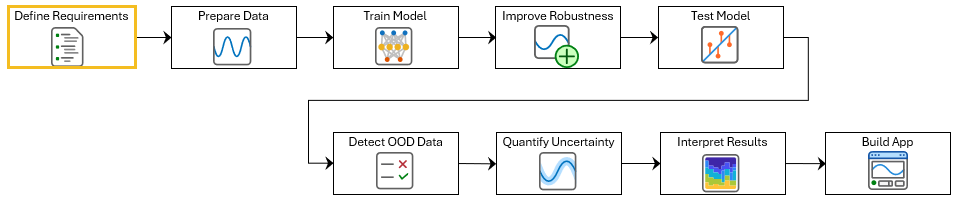
To run this example, open ECG Signal Classification Using Deep Learning and navigate to scripts\S1_DefineRequirements. Alternatively, if you already have MATLAB open, then run
openExample("deeplearning_shared/ECGSignalClassificationUsingDeepLearningExample")This project contains all of the steps for this workflow. You can run the scripts in order or run each one independently.
A requirement describes behavior that a design must satisfy. Requirements can be expressed as natural language statements, formulas, tables, or graphics. In Requirements Toolbox™, you use the Requirements Editor (Requirements Toolbox) to author requirements and organize them into requirement sets.
Defining requirements at the start of your workflow helps you check that your data, neural network, and application meet necessary standards for accuracy, safety, and usability. This is especially important for clinical applications, where reliable and interpretable results are critical.
In this example, the requirements are grouped into three categories:
Data — Requirements for the data that you use to train and test the model.
Network — Requirements for the AI model that you use to classify the signal.
Application — Requirements for how the AI model integrates into the application.
This example includes a small set of realistic requirements as an illustration. If a system needs to meet specific safety criteria, then it will likely have many more requirements. For an example of a complete requirements set, see Verify an Airborne Deep Learning System. For information on how to add and manage requirements, see Use Requirements to Develop and Verify MATLAB Functions (Requirements Toolbox).
Author Network Requirements
Network requirements define the expected performance of the AI model, such as its accuracy, inference speed, and robustness. These requirements are especially important in medical applications, where misclassifications can have serious consequences. For example, if the model fails to detect a heart condition when one is present, a patient may not receive the necessary care. Clear performance requirements help you build a model that is accurate and reliable for clinical use.
The requirements in this table define some minimum safety and performance standards for an ECG signal classifier.
Summary | Description |
|---|---|
Classification Accuracy >= 75% | The AI component must classify ECG signals as "Normal" or "Atrial Fibrillation" with an accuracy of at least 75%. |
Classifier FNR <= 20% | The false negative rate of the AI component must not exceed 20%. |
To create a requirements set, open Requirements Editor and click New Requirements Set. To add a requirement to a requirement set, select the requirement set and click Add Requirement. In the right pane, add the text from the table to the Summary property and Description properties:
Summary: Classification Accuracy >= 75%
Description: The AI component must classify ECG signals as "Normal" or "Atrial Fibrillation" with an accuracy of at least 75%.
The Summary property is a short phrase that identifies the requirement. The Description property contains detailed information about the required behavior.
Add a second requirement with this summary and description:
Summary: Classifier FNR <= 20%
Description: The false negative rate of the AI component must not exceed 20%.
To save the changes to the requirement, click Save.
Alternatively, open and view the prefilled network requirements.
slreq.open("NetworkRequirements.slreqx");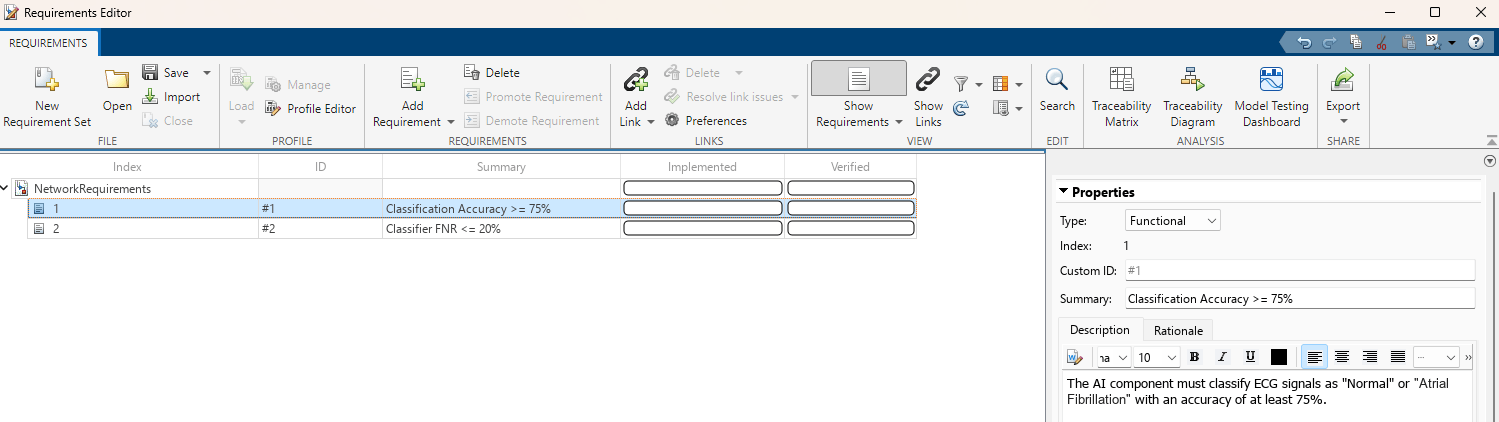
Each requirement has two properties that you can track:
Implemented — Indicates whether the requirement has been incorporated into the system or software design and development.
Verified — Indicates whether the implementation of the requirement passes the test and meets the specified criteria.
To add columns that indicate the implementation and verification status of the requirements, click Columns and then select Implementation Status and Verification Status.
For more information about implementing and verifying network requirements, see Test Deep Learning Network for ECG Signal Classification.
Load Data Requirements
Data requirements are important for verifying that the data is appropriate for the given task. Data requirements can also help to prevent biases, improve how well the model performs, and meet privacy considerations.
At minimum, the data set must contain examples from both the "Normal" and "Atrial Fibrillation" classes. Open and view the prefilled data requirements.
Summary | Description |
|---|---|
Data Completeness | The dataset must contain ECG signals labeled as Normal ("N") or Atrial Fibrillation ("A"). |
slreq.open("DataRequirements.slreqx");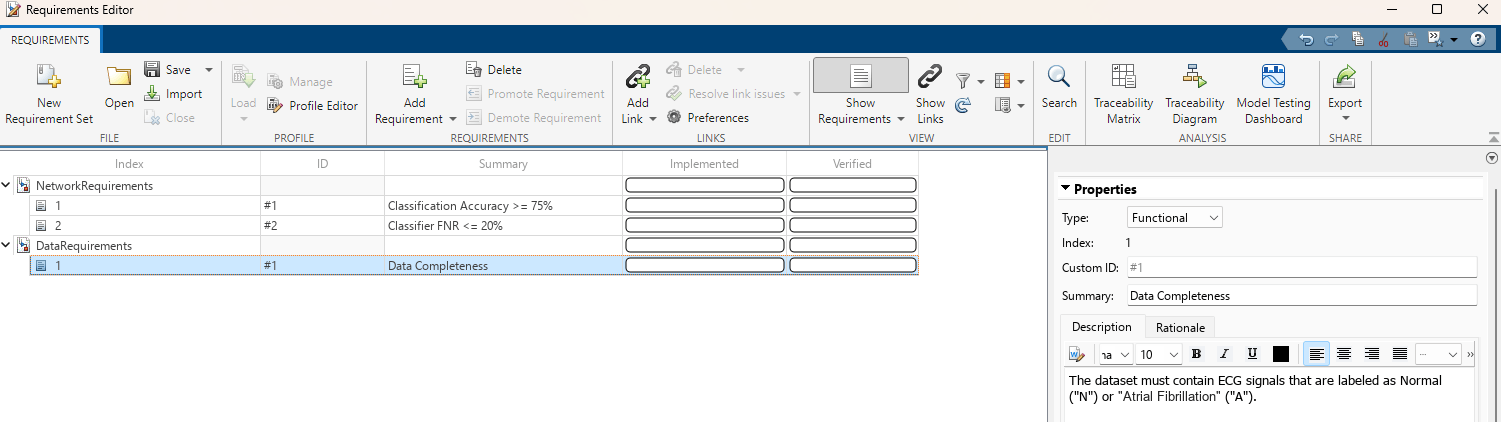
For more information about implementing and verifying data requirements, see step two of this workflow, Prepare Data for ECG Signal Classification.
Load Application Requirements
Application requirements define how the components of the software, including the neural network, data processing, and explanation modules, work together and interact with the user. These requirements help you develop an application that supports safe and effective clinical decision making by presenting predictions, warnings, and explanations clearly and accessibly.
In this example, the application requirements are required to support safe and informed clinical decisions by providing the end user with an explanation for each prediction and discouraging them from using the network outside its intended scope. Open and view the prefilled data requirements.
Summary | Description |
|---|---|
OOD Detection Warning | The application must produce a warning when the input data is outside of the operational design domain. |
Explainability | The application must provide a visual explanation for each prediction to support clinical-decision making. |
slreq.open("ApplicationRequirements.slreqx");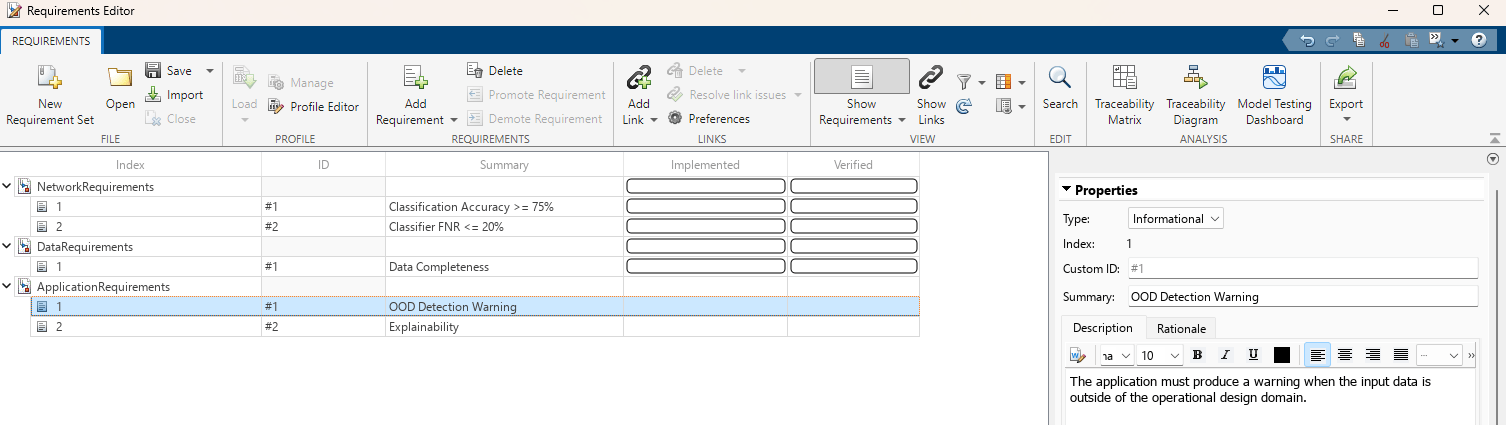
The application requirements are "Informational," which means you will not verify them using automated tests. For more details on requirement types, see Requirement Types (Requirements Toolbox).
See Also
Requirements Editor (Requirements Toolbox)

