segmentAnythingModel
R2026bDescription
Add-On Required: This feature requires one of these add-ons.
Use the segmentAnythingModel object to interactively segment
objects in an image using visual prompts, such as foreground points or bounding
boxes.
A segmentAnythingModel object configures
a pretrained Segment Anything Model 2 (SAM 2) or Segment Anything Model (SAM) for image
segmentation of objects in an image without retraining the model. To learn more about the
model and the training data, see the SA-V Dataset and
SA-1B Dataset
pages.
To segment objects in an image, you must first extract
the image embeddings from the SAM image encoder by using the extractEmbeddings
function. Then, segment objects from the image embeddings by using the segmentObjectsFromEmbeddings function.
Note
To use any of the SAM 2 models, this functionality requires the Image Processing Toolbox™ Model for Segment Anything Model 2 add-on if you use any of the SAM 2 models. To use the base SAM model, this functionality requires the Image Processing Toolbox Model for Segment Anything Model add-on.
Creation
Description
Input Arguments
Properties
Object Functions
extractEmbeddings | Extract feature embeddings from Segment Anything Model (SAM) encoder |
segmentObjectsFromEmbeddings | Segment objects in image using Segment Anything Model (SAM) feature embeddings |
Examples
Create a Segment Anything Model (SAM) for image segmentation.
sam = segmentAnythingModel;
Read and display an image.
I = imread("pears.png");
imshow(I)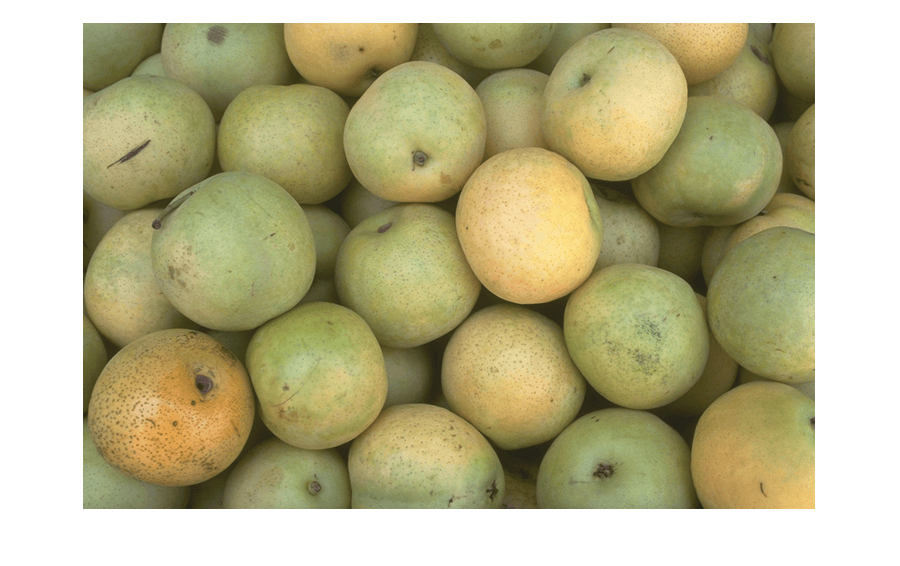
Calculate the image size.
imageSize = size(I);
Extract the feature embeddings from the image.
embeddings = extractEmbeddings(sam,I);
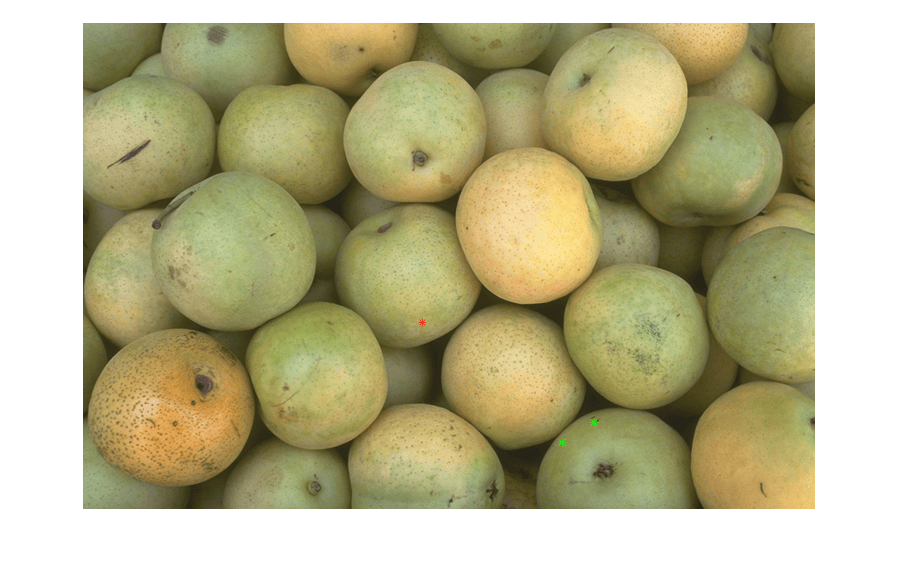
Specify visual prompts corresponding to the object that you want to segment, such as a pear along the bottom edge of the image. This example selects two foreground points within the pear. Refine the segmentation by including one background point outside the object to segment.
fore = [512 400; 480 420];
back = [340 300];
Overlay the foreground points in green and the background point in red.
hold on
plot(fore(:,1),fore(:,2),"g*",back(:,1),back(:,2),"r*",Parent=gca)
hold off
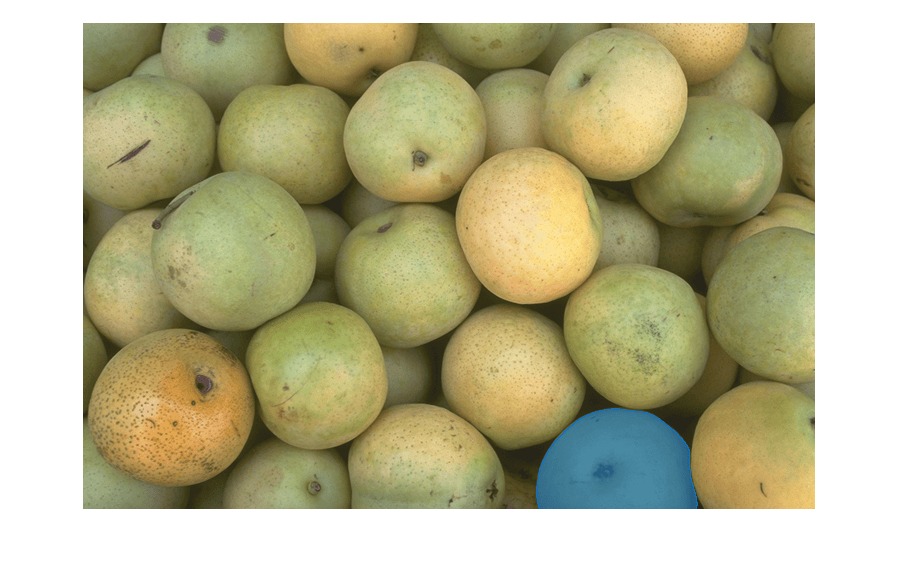
Segment an object in the image using SAM segmentation.
masks = segmentObjectsFromEmbeddings(sam,embeddings,imageSize, ...
    ForegroundPoints=fore,BackgroundPoints=back);
Overlay the detected object mask on the test image.
imMask = insertObjectMask(I,masks);
imshow(imMask)
Limitations
The SAM can have difficulty detecting and accurately segmenting objects of these types:
Objects with boundaries that are indistinct or blurry, such as those in low-resolution images.
Very small objects within a scene, particularly when they occupy only a few pixels.
References
[1] Kirillov, Alexander, Eric Mintun, Nikhila Ravi, Hanzi Mao, Chloe Rolland, Laura Gustafson, Tete Xiao, et al. "Segment Anything," April 5, 2023. https://doi.org/10.48550/arXiv.2304.02643.
[2] Ravi, Nikhila, Valentin Gabeur, Yuan-Ting Hu, Ronghang Hu, Chaitanya Ryali, Tengyu Ma, Haitham Khedr, et al. “SAM 2: Segment Anything in Images and Videos.” arXiv, October 28, 2024. https://doi.org/10.48550/arXiv.2408.00714.
Version History
Introduced in R2024aSee Also
Functions
imsegsam|extractEmbeddings|segmentObjectsFromEmbeddings|grabcut|superpixels|lazysnapping|watershed
Objects
sam2VideoObjectSegmenter(Computer Vision Toolbox) |medicalSegmentAnythingModel(Medical Imaging Toolbox)

