Dump Truck
R2026bStandard construction dump truck in the Offroad Vehicle Library
Add-On Required: This feature requires the Robotics System Toolbox Offroad Autonomy Library add-on.
Standard construction dump truck with a rigid frame and front-wheel steering. The dump truck has six wheels on three axles: one front steering axle and two tandem rear axles. For bicycle kinematics, the effective rear axle is the midpoint of the tandem pair.
Description
The dump truck is a large, heavy vehicle with a wide turning radius, suited for hauling material along structured routes on construction sites.
Load it programmatically with loadvehicle("dumptruck") or add it to a Simulink® model with the Simulation 3D Physics
Dump Truck block to simulate in an Unreal Engine® scene.
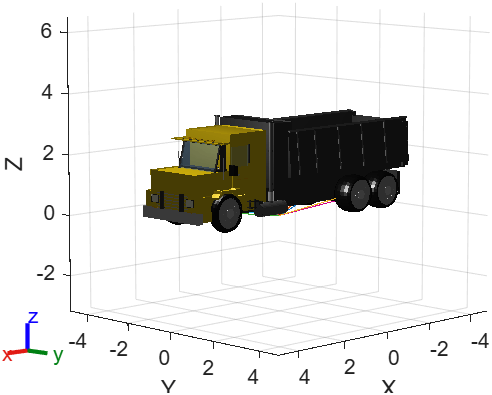
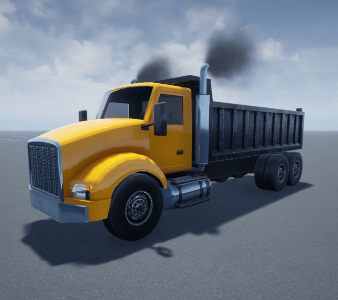
MATLAB (rigidBodyTree) | Simulation 3D (Unreal Engine) |
|---|---|
|
|
|
Dimensions
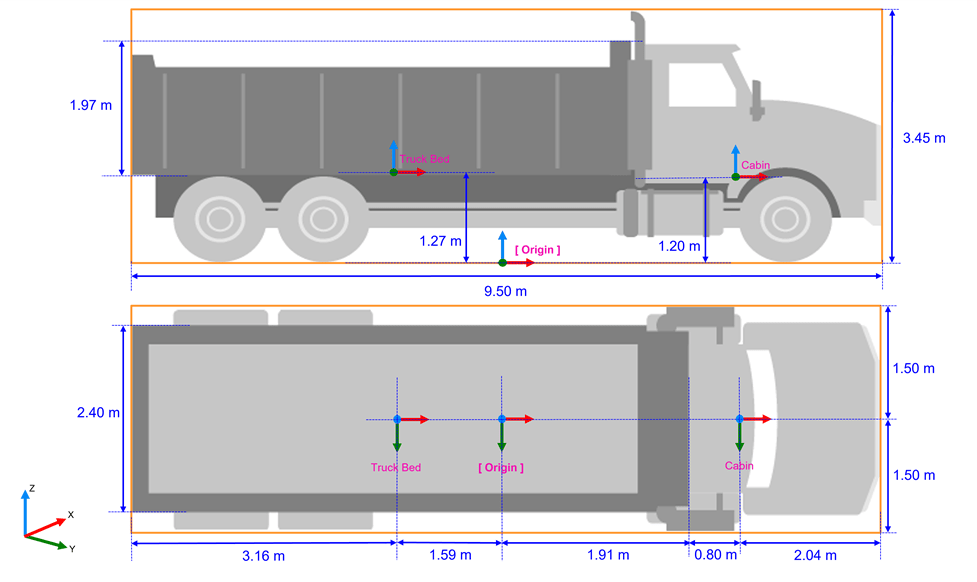
These illustrations provide insight into the dimensions and locations of the
DumpTruck asset parameters relative to the coordinate axes, following
the yaw(z), pitch(y), roll(x)
sequence. The vehicle layout follows Unreal Engine co-ordinate system which follows the left-hand rule world coordinate system.
For more information, see Coordinate Systems for Unreal Engine Simulation in Robotics System Toolbox.
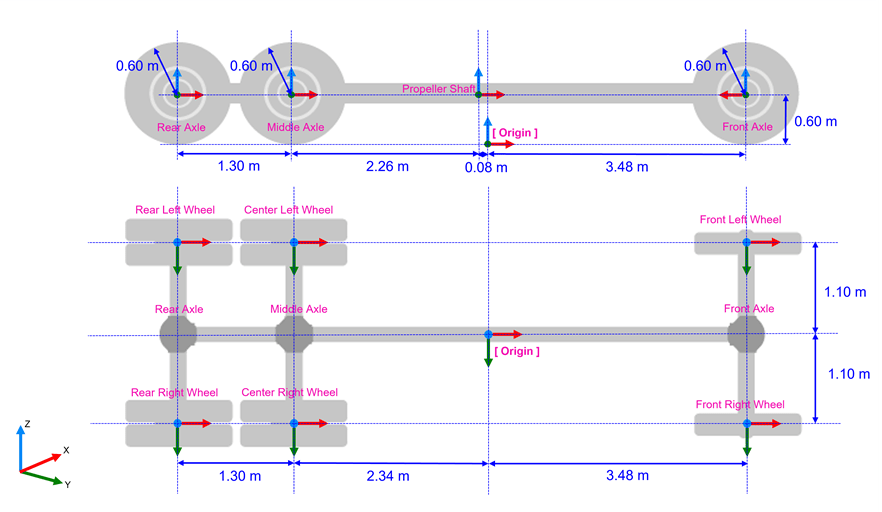
The vehicleData structure returned by loadvehicle includes a RearAxleWheelBase field
representing the distance from the front axle to the second (rearmost) rear axle. The
WheelBase field represents the distance from the front axle to the
midpoint of the two rear axles, which is the effective rear axle position used for bicycle
kinematics.
The rigidBodyTree model includes measurement frames such as
front_axle_center, rear_axle_center, and
rear_axle_rearmost. Use getTransform to obtain axle positions and distances
programmatically.
The dump truck model is designed for kinematic workflows and does not include body inertia data.
Examples
Load the dump truck vehicle model and its associated data.
[truck,truckData] = loadvehicle("dumptruck");
disp(truckData)
VehicleName: "DumpTruck"
Version: 1
WheelBase: 6.4700
RearAxleWheelBase: 7.1200
TrackWidth: 2.2000
WheelRadius: 0.6000
MinTurningRadius: 9.2401
MaxForwardSpeed: 14
MaxReverseSpeed: 2.8000
MotionModel: [1×1 bicycleKinematics]
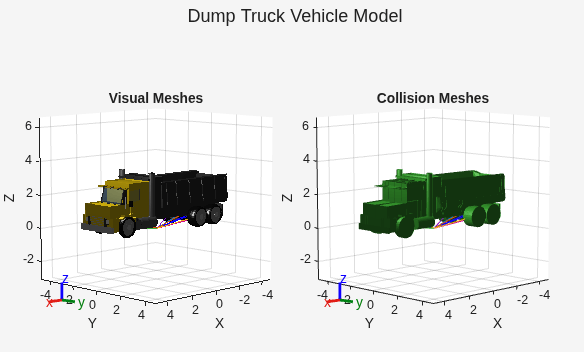
Visualize the visual and collision meshes of the dump truck.
tiledlayout(1,2,TileSpacing="compact",Padding="compact")
sgtitle("Dump Truck Vehicle Model")
nexttile
show(truck);
title("Visual Meshes")
axis auto
nexttile
show(truck,Collisions="on",Visuals="off");
title("Collision Meshes")
axis auto