Offroad Vehicle Library
R2026bTest controllers, plan paths, and simulate autonomous offroad vehicles in realistic 3D environments. The Offroad Vehicle Library provides predefined vehicle models that you can use both programmatically in MATLAB and in Simulink with Unreal Engine® scenes.
Each vehicle includes a rigidBodyTree model with visual and
collision meshes, geometric parameters, performance limits, and a kinematic motion model.
Use the loadvehicle
function to load any vehicle model from the Offroad Vehicle Library.
[vehicle,vehicleData] = loadvehicle("dumptruck");Available Vehicles
| Vehicle | Description | loadvehicle Type | Simulation 3D Block |
|---|---|---|---|
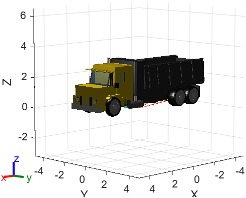
| Dump Truck | Rigid frame, front-wheel steering, six wheels on three axles. Applications include hauling on structured construction routes. For more information, see Dump Truck. |
|
Simulation 3D Physics Dump Truck
|
| Haul Truck | Four wheels on two axles, front-wheel steering. Applications include material transport on wide haul roads in open-pit mining. For more information, see Haul Truck. |
|
|
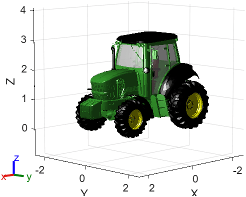
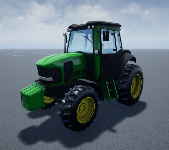
| Agricultural Tractor | Four wheels on two axles with different front/rear wheel sizes. Applications include row-following and headland turning for vineyards. For more information, see Agricultural Tractor. |
|
Simulation 3D Agricultural Tractor
|


Vehicle Parameters
The second output of loadvehicle is a vehicleData structure containing
everything you need to configure planners, controllers, and simulation blocks.
| Category | Fields | Description |
|---|---|---|
| Geometric |
| Derived from the rigid body tree geometry. Available fields depend on the vehicle (for example, vehicles with different front and rear wheel sizes provide separate radius fields). Use these to configure path planners and state validators. |
| Performance |
| Based on real-world vehicle specifications. Use these to set speed constraints on controllers and trajectory generators. |
| Motion Model |
| A kinematic model, such as a bicycleKinematics object, configured with the vehicle's
wheel base, maximum steering angle, and speed range. Pass directly to
path planners and trajectory generators. |
For full field descriptions, see the loadvehicle reference page.
Common Workflows
After loading a vehicle, use it in these workflows:
Controller testing and trajectory tracking — Test controllers with the vehicle motion model, either by integrating your own controller or by using a prebuilt option such as
offroadControllerMPPI, to track planned paths while respecting the vehicle's speed and steering limits.Path planning — Pass
vehicleData.MinTurningRadiusandvehicleData.MotionModelto planners likeplannerRRTStar(Navigation Toolbox) orplannerHybridAStar(Navigation Toolbox) to generate kinematically feasible paths.3D simulation — Add the corresponding Simulation 3D block to a Simulink model to visualize and test your autonomy stack in a photorealistic environment.
See Also
loadvehicle | rigidBodyTree | bicycleKinematics | Simulation 3D
Physics Dump Truck | Simulation 3D
Haul Truck | Simulation 3D
Agricultural Tractor

