trellis
R2026bDescription
Add-On Required: This feature requires the 3D Asset Processing Library for MATLAB add-on.
The trellis object uses the Trellis model to generate 3D assets
from single-view images, multi-view images, or natural language text descriptions, and modify
existing 3D assets by using natural language text instructions [1].
Note
This feature requires Deep Learning Toolbox™ and a GPU with at least 16 GB of memory and a CUDA® compute capability 7.0 or higher.
Creation
Description
trellisObj = trellistrellis object, trellisObj, for generating and
modifying 3D assets.
trellisObj = trellis(ShowProgress=showProgress)
Input Arguments
Output Arguments
Object Functions
generateFromImage | Generate 3D asset from one or more images |
generateFromText | Generate 3D asset from text prompt |
modify | Modify existing 3D asset using text prompt |
releaseGPUMemory | Move models to CPU and free GPU memory |
Examples
Note: This example requires Deep Learning Toolbox and a GPU with at least 16 GB of memory and a CUDA compute capability of 7.0 or higher.
Create a trellis object.
trellisObj = trellis;
Read a single RGB image into the workspace.
img = imread("ObjaverseAssetImage.jpeg");
imshow(img)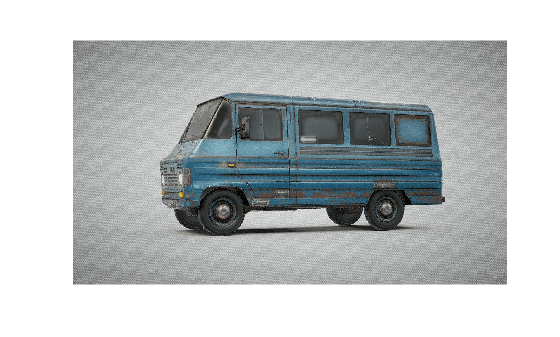
Generate a 3D asset from the image by using the generateFromImage object function of the trellis object.
meshObj = generateFromImage(trellisObj,img);
Display the generated 3D asset.
show(meshObj)
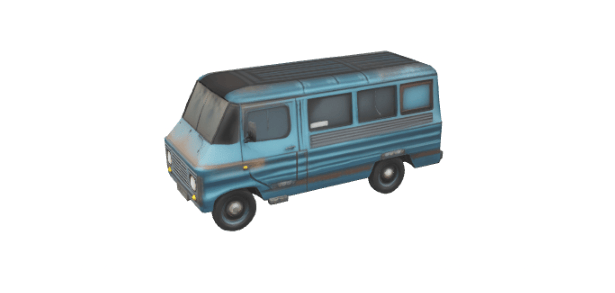
Generate a 3D asset from the image with custom generation parameters. Return the preprocessing information info, enabling you to inspect the image after background removal.
[meshObj_custom,info] = generateFromImage(trellisObj,img,GeometryGenerationGuidanceStrength=8.5,GeometryGenerationSamplingSteps=50,...
    TextureGenerationGuidanceStrength=3.5,TextureGenerationSamplingSteps=50,SimplifyRatio=0.9,TextureSize=2048,Seed=42);
Display the 3D asset generated using the custom parameters.
show(meshObj_custom)
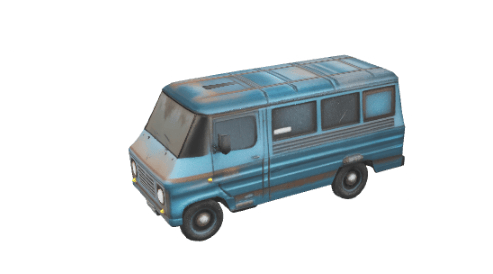
Display the preprocessed image to inspect the background removal applied before asset generation.
figure
imshow(info.PreprocessedImage)
title("Preprocessed Image")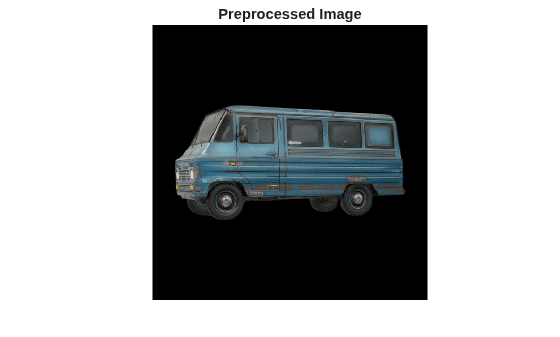
Note: This example requires Deep Learning Toolbox and a GPU with at least 16 GB of memory and a CUDA compute capability of 7.0 or higher.
Create a trellis object.
trellisObj = trellis;
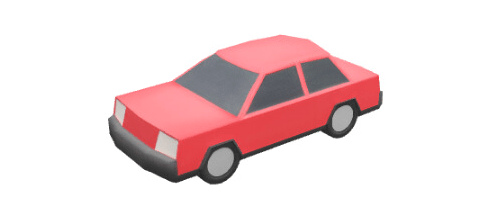
Generate a 3D asset from a text description by using the generateFromText object function of the trellis object.
meshObj = generateFromText(trellisObj,"A red sedan car");Display the generated 3D asset.
show(meshObj)
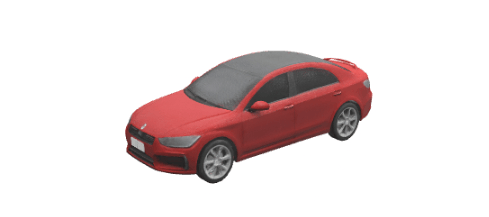
Generate a 3D asset using a detailed text description and custom generation parameters to produce a higher-quality mesh.
meshObj_custom = generateFromText(trellisObj,"A red sedan car with black roof",GeometryGenerationGuidanceStrength=9,...
    GeometryGenerationSamplingSteps=50,TextureGenerationGuidanceStrength=8,TextureGenerationSamplingSteps=50,...
    SimplifyRatio=0.9,TextureSize=1024,Seed=42);
Display the 3D asset generated using the custom parameters.
show(meshObj_custom)
Limitations
macOS does not support generating 3D mesh assets from images or text prompts.
References
[1] Xiang, Jianfeng, Zelong Lv, Sicheng Xu, et al. “Structured 3D Latents for Scalable and Versatile 3D Generation.” Preprint, arXiv, 2024. https://doi.org/10.48550/ARXIV.2412.01506.
Version History
Introduced in R2026b

