FPGA HDL 代码生成
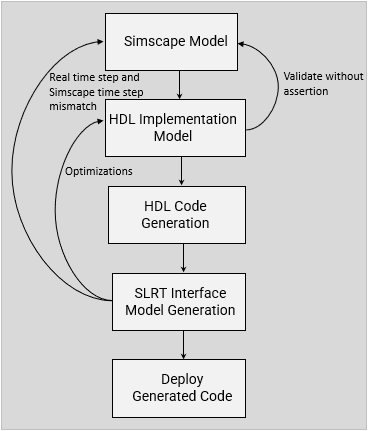
R2026b需要快速采样时间的模型或子系统可受益于 FPGA 仿真。如果您安装了 HDL Coder™,则可将您的 Simscape 被控对象模型转换为 HDL 实现模型,然后使用该模型生成 HDL 代码,并将其部署到 FPGA。要将 Simscape 模型或子系统部署到 FPGA,请执行以下步骤:
使用
sschdladvisor函数启动 Simscape HDL 工作流顾问,该工具将指导您完成创建 HDL 实现模型的过程。使用 HDL 工作流顾问工具将实现模型转换为 HDL 代码。
使用 Simulink® Real-Time™ 将 HDL 代码部署到 FPGA。
您可以使用模型综合来预测可实现的硬件时间步。
函数
sschdladvisor | 打开 Simscape HDL 工作流顾问 |
simscape.findNonlinearBlocks | Check model for blocks with nonlinear equations |
sschdl.updateRuntimeParameters | Generate updated tunable parameter data file for Simscape model (自 R2024a 起) |
sschdl.generateOptimizedModel | Replace Simscape switches, converter blocks, and machine blocks with optimized equivalents for FPGA deployment (自 R2024a 起) |
主题
- Get Started with Simscape Hardware-in-the-Loop Workflow (HDL Coder)
Simscape™ Hardware-in-the-Loop workflow modeling guidelines and restrictions.
- Linearize a Simscape Model to Prepare for HDL Code Generation
Learn how to linearize a model that uses the Backward Euler solver for HDL deployment.
- Generate HDL Code for FPGA Platforms from Simscape Models
Learn how to convert Simscape models to HDL Code for FPGA Deployment.
- Generate Optimized HDL Implementation Model from Simscape (HDL Coder)
Optimize area and timing of HDL implementation model generated from Simscape by using HDL Coder optimizations.
- Generate and Validate HDL Code for Simscape Model (HDL Coder)
Generate HDL code from Simscape switched linear models.
- Generate HDL Code for Simscape Models with Multiple Networks (HDL Coder)
Split a large Simscape network into multiple networks and generate HDL implementation model.
- Generate HDL Code for Simscape Three-Phase PMSM Drive Containing Averaged Switch (HDL Coder)
Generate HDL code and synthesize the results for a three-phase PMSM Simscape models with converter blocks that have averaged switches and deploy onto the FPGAs.
- Simulate Large Time Steps Using Trapezoidal Rule Solver for Real-Time FPGA Deployment (HDL Coder)
Generate HDL code for a Simscape model by using the Trapezoidal Rule solver and deploy it onto a Speedgoat® FPGA I/O module.
- Generate HDL Code for Simscape Models by Using Dynamic Switch Approximation (HDL Coder)
Generate HDL code and synthesize the results for a three-phase PMSM drive using Dynamic Switch Approximation method.
- Improve FPGA Sampling Frequency of HDL Implementation Model Generated from Simscape Algorithm (HDL Coder)
Oversampling in generated HDL implementation model, and relation between model sample time and sample time of original Simscape algorithm.
- Validate HDL Implementation Model to Simscape Algorithm (HDL Coder)
Validate and resolve simulation mismatch between Simscape algorithm and HDL implementation model.
- Synthesis Results for Simscape Hardware-in-the-Loop Workflow (HDL Coder)
Access synthesis results for Simscape hardware-in-the-loop workflow example models.
疑难解答
Resolving Issues with Nonlinearities
Troubleshoot simulation and code generation issues associated with nonlinearities.
Troubleshooting Real-Time Hardware Deployment Issues in Simscape Hardware-in-the-Loop Workflow (HDL Coder)
Troubleshoot real-time hardware deployment issues in Simscape Hardware-in-the-Loop workflow.
Troubleshoot Validation Errors in Simscape Hardware-in-the-Loop Workflow (HDL Coder)
Troubleshoot validation mismatches in Simscape Hardware-in-the-Loop workflow.
精选示例
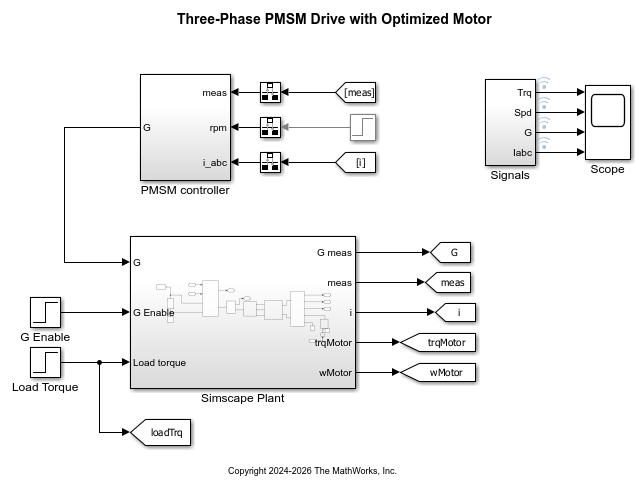
Generate Optimized Simscape Three-Phase PMSM Drive Model for Real-Time FPGA HIL Deployment
Optimize three-phase PMSM model from a Simscape model for HDL code generation and FPGA deployment.
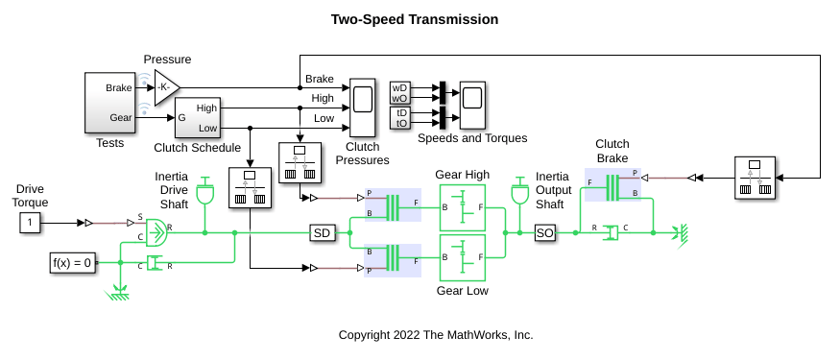
Generate HDL Code for Two-Speed Transmission Model Containing Mode Charts
Generate HDL code and synthesize the results for a two-speed transmission model with braking that contains mode charts.
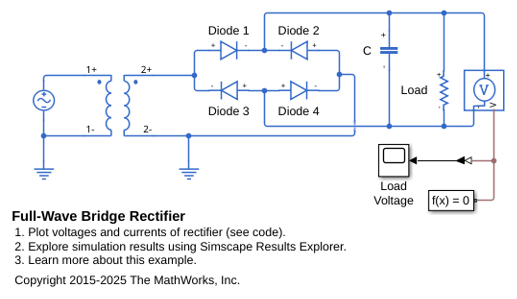
全波桥式整流器
此示例说明如何为将 120 VAC 转换为 12 VDC 的变压器中的特定负载指定电容器大小。系统建模为一个理想的 AC 变压器加全波桥式整流器。

