isempty
R2026bDetermine if points object is empty
Syntax
Description
Examples
Read an image.
I = imread('cameraman.tif');Detect KAZE points from the image.
points = detectKAZEFeatures(I);
Check for points.
if isempty(points)
    return;
end
Extract KAZE features from the detected points.
[features,validPoints] = extractFeatures(I,points);
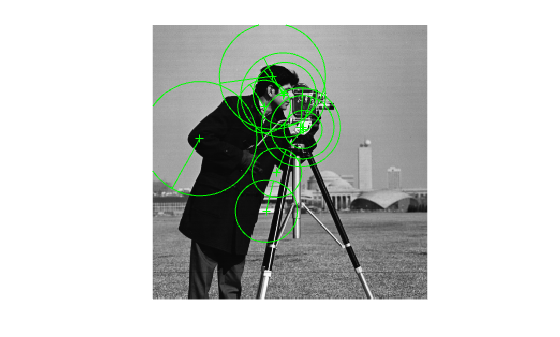
Plot the ten strongest valid extracted points and show their orientations.
imshow(I)
hold on
strongestPoints = selectStrongest(validPoints,10);
plot(strongestPoints,'showOrientation',true)
hold off
Input Arguments
Version History
Introduced in R2017b
See Also
Functions
detectKAZEFeatures|detectBRISKFeatures|detectFASTFeatures|detectMinEigenFeatures|detectHarrisFeatures|detectORBFeatures|detectSIFTFeatures|extractFeatures|matchFeatures|detectSURFFeatures

