unet
R2026bSyntax
Description
unetNetwork = unet(imageSize,numClasses)
Use unet to create the U-Net network architecture. You must train
the network using the Deep Learning Toolbox™ function trainnet (Deep Learning Toolbox).
[
also returns the size of the output size from the U-Net network.unetNetwork,outputSize] = unet(imageSize,numClasses)
___ = unet(
specifies options using one or more name-value arguments. For example,
imageSize,numClasses,Name=Value)unet(imageSize,numClasses,NumFirstEncoderFilters=64) specifies the
number of output channels as 64 for the first encoder stage.
Examples
Create a U-Net network with an encoder-decoder depth of 3.
imageSize = [480 640 3];
numClasses = 5;
encoderDepth = 3;
unetNetwork = unet(imageSize,numClasses,EncoderDepth=encoderDepth)
unetNetwork =
  dlnetwork with properties:

         Layers: [48×1 nnet.cnn.layer.Layer]
    Connections: [53×2 table]
     Learnables: [36×3 table]
          State: [0×3 table]
     InputNames: {'encoderImageInputLayer'}
    OutputNames: {'FinalNetworkSoftmax-Layer'}
    Initialized: 1

  View summary with summary.
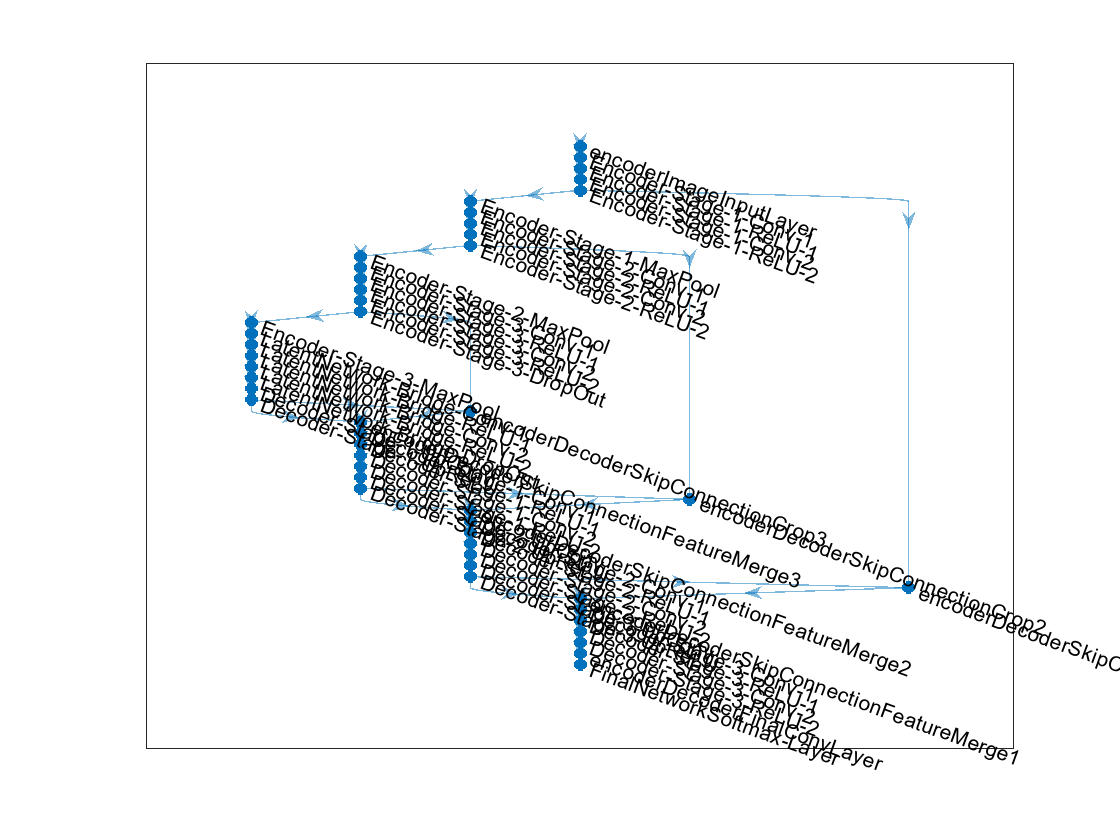
Display the network.
plot(unetNetwork)
Load training images and pixel labels into the workspace.
dataSetDir = fullfile(toolboxdir("vision"),"visiondata","triangleImages");
imageDir = fullfile(dataSetDir,"trainingImages");
labelDir = fullfile(dataSetDir,"trainingLabels");
Create an imageDatastore object to store the training images.
imds = imageDatastore(imageDir);
Define the class names and their associated label IDs.
classNames = ["triangle","background"];
labelIDs   = [255 0];
Create a pixelLabelDatastore object to store the ground truth pixel labels for the training images.
pxds = pixelLabelDatastore(labelDir,classNames,labelIDs);
Create the U-Net network.
imageSize = [32 32];
numClasses = 2;
unetNetwork = unet(imageSize, numClasses)
unetNetwork =
  dlnetwork with properties:

         Layers: [61×1 nnet.cnn.layer.Layer]
    Connections: [68×2 table]
     Learnables: [46×3 table]
          State: [0×3 table]
     InputNames: {'encoderImageInputLayer'}
    OutputNames: {'FinalNetworkSoftmax-Layer'}
    Initialized: 1

  View summary with summary.
Create a datastore for training the network.
ds = combine(imds,pxds);
Set training options.
options = trainingOptions("sgdm", ...
    InitialLearnRate=1e-3, ...
    MaxEpochs=20, ...
    VerboseFrequency=10);
Train the network.
net = trainnet(ds,unetNetwork,"crossentropy",options) Iteration Epoch TimeElapsed LearnRate TrainingLoss
_________ _____ ___________ _________ ____________
1 1 00:00:05 0.001 3.2975
10 10 00:00:48 0.001 0.6778
20 20 00:01:36 0.001 0.27066
Training stopped: Max epochs completed
net =
  dlnetwork with properties:

         Layers: [61×1 nnet.cnn.layer.Layer]
    Connections: [68×2 table]
     Learnables: [46×3 table]
          State: [0×3 table]
     InputNames: {'encoderImageInputLayer'}
    OutputNames: {'FinalNetworkSoftmax-Layer'}
    Initialized: 1

  View summary with summary.
Input Arguments
Name-Value Arguments
Output Arguments
More About
Tips
Use
'same'padding in convolution layers to maintain the same data size from input to output and enable the use of a broad set of input image sizes.Use patch-based approaches for seamless segmentation of large images. You can extract image patches by using the
randomPatchExtractionDatastorefunction.Use
'valid'padding to prevent border artifacts while you use patch-based approaches for segmentation.You can use the network created using
unetfunction for GPU code generation after training withtrainnet(Deep Learning Toolbox). For details and examples, see Generate Code and Deploy Deep Neural Networks (Deep Learning Toolbox).
References
[1] Ronneberger, O., P. Fischer, and T. Brox. "U-Net: Convolutional Networks for Biomedical Image Segmentation." Medical Image Computing and Computer-Assisted Intervention (MICCAI). Vol. 9351, 2015, pp. 234–241.
[2] He, K., X. Zhang, S. Ren, and J. Sun. "Delving Deep Into Rectifiers: Surpassing Human-Level Performance on ImageNet Classification." Proceedings of the IEEE International Conference on Computer Vision. 2015, 1026–1034.
Extended Capabilities
Version History
Introduced in R2024a
See Also
Objects
dlnetwork(Deep Learning Toolbox)
Functions
trainnet(Deep Learning Toolbox) |deeplabv3plus|unet3d|pretrainedEncoderNetwork|semanticseg|evaluateSemanticSegmentation

