注解图像显示并绘制 ROI
R2026a在图像上叠加掩膜和标签,并绘制多个形状的感兴趣区域
工具箱支持一组对象,您可以使用这些对象创建许多形状的 ROI,例如圆形、椭圆形、多边形、矩形和手绘形状。创建对象后,您可以修改其形状、位置、外观和行为。
函数
主题
指定 ROI
- Choose Approach to Annotate ROIs in Images
Discover tools for representing ROIs as geometric and hand-drawn shapes.
使用事件和回调函数创建交互式关注区域
- Subsample or Simplify a Freehand ROI
This example shows how to subsample or reduce the number of points in aFreehandROI object. - Create Freehand ROI Editing Tool
This example shows how to create a simple tool to edit the shape of a freehand ROI using another ROI object. - Use Wait Function After Drawing ROI
This example shows how to define a custom wait function that blocks the MATLAB® command line until you finish positioning a rectangle. - Create Image Comparison Tool Using ROIs
This example shows how to use the new ROI functions to create an interactive image comparison tool.
精选示例
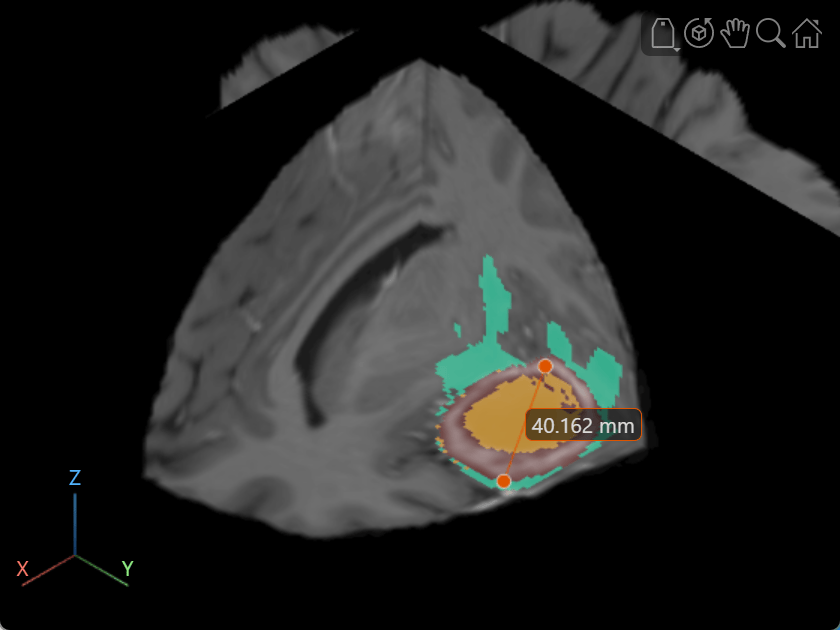
Label Volume Display Using Point and Line Annotations
Add and edit point and line annotations in a Viewer object displaying a 3-D Brain MRI scan.
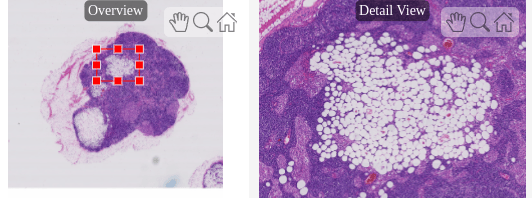
Explore Blocked Image Details with Interactive ROIs
Display a detailed region of a blocked image selected interactively using ROI tools.

