显示三维体图像
R2026a显示三维体图像的三维渲染或二维横截面,并调整渲染以改进三维体内特征的可见性
您可以通过在三维空间中渲染三维体来显示三维体图像。为了改进三维体内特征的可见性,您可以移动场景中的相机位置、调整数据的透明度或更改渲染样式。您也可以通过显示三维体的二维横截面来展示内部特征。有关详细信息,请参阅Choose Approach to Display 2-D and 3-D Images。
使用三维体查看器查看和探查三维体强度数据和三维体带标签数据。三维体查看器中包含一些可以以交互方式检查三维体数据的工具。
App
| 三维体查看器 | 查看三维体数据和已标注的三维体数据 |
函数
属性
| Viewer Properties | Viewer for 2-D and 3-D image display (自 R2022b 起) |
| Volume Properties | Display volume in 3-D viewer (自 R2022b 起) |
| BlockedVolume Properties | Display blocked volume in 3-D viewer (自 R2023a 起) |
主题
以交互方式探索三维体数据
- Explore 3-D Volumetric Data with Volume Viewer
View perpendicular cross-sections of 3-D volumetric data and adjust the rendering to reveal structures within the volume. - Explore 3-D Labeled Volumetric Data with Volume Viewer
View 3-D labeled volumetric data, and adjust the visualization such as the opacity and colormap, using the Volume Viewer app.
显示三维体并调整渲染
- Display Volume Using Cinematic Rendering
View volumes with photorealistic lighting and shadows using cinematic rendering. - Display Large 3-D Images Using Blocked Volume Visualization
This example shows how to display large 3-D image volumes using ablockedImageobject and thevolshowfunction. - Remove Objects from Volume Display Using 3-D Scissors
This example shows how to interactively remove unwanted regions in a 3-D display, such as a patient bed in a CT scan, by using 3-D scissors. - Display Interior Labels by Clipping Volume Planes
Interactively clip a quadrant of a volumetric image to expose a surface within the volume.
显示三维体的二维横截面
- 探查来自具有各向异性体素间距的三维图像体的切片
显示一个三维图像体的切片,其体素间距在空间维度之间变化。
精选示例

Display Translucent Volume with Advanced Light Scattering
Display translucent volumes using realistic light scattering.
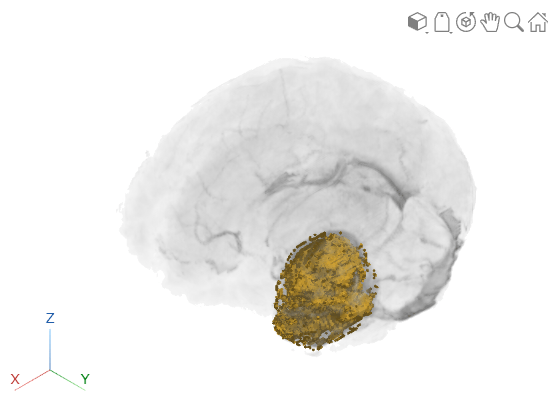
Display Interior Labels by Adjusting Volume Overlay Properties
Adjust the transparency of labeled volumetric data and the rendering style to reveal labels on the interior of the volume.
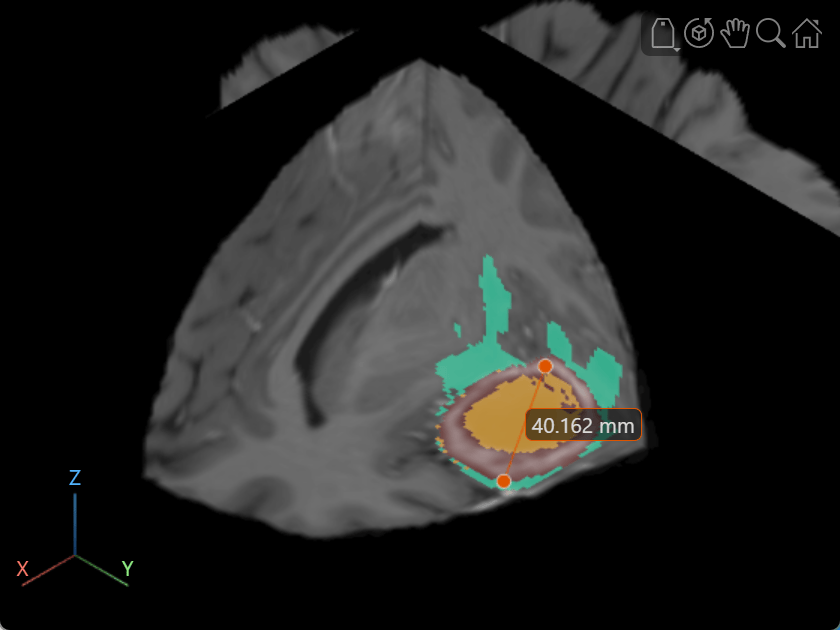
Label Volume Display Using Point and Line Annotations
Add and edit point and line annotations in a Viewer object displaying a 3-D Brain MRI scan.

