captionImage
R2026bSyntax
Description
Add-On Required: This feature requires the Computer Vision Toolbox Model for Moondream Vision Language Model add-on.
captionsDS = captionImage(mdModel,imds)imds using
the Moondream vision-language model mdModel.
[___] = captionImage(___,
specifies options using one or more name-value arguments, in addition to any combination
of arguments from previous syntaxes. For example,
Name=Value)CaptionVerbosity="detail" specifies to return a detailed caption
containing up to 60 words.
Examples
Load a pretrained Moondream vision-language model with approximately 1.6 billion parameters into the workspace.
mdModel = moondream("moondream-1.6B");Load an image to caption into the workspace, and display the image.
I = imread("peppers.png");
imshow(I)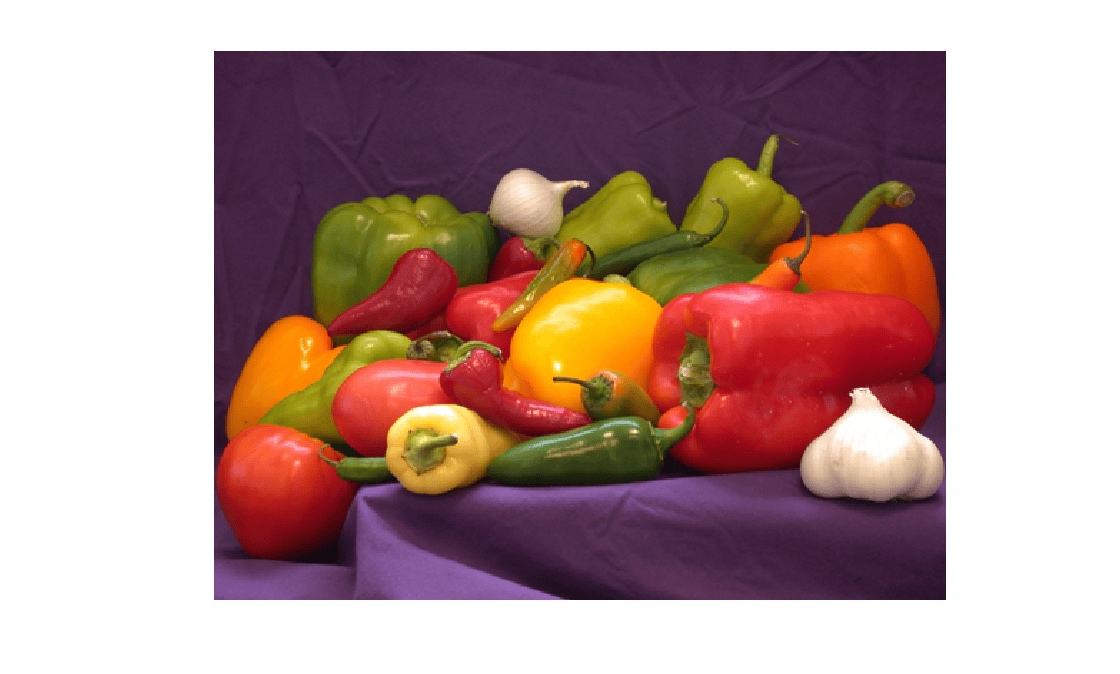
Caption the image using the captionImage object function.
captions = captionImage(mdModel,I);
Display the generated image caption.
display(captions)
captions =
" A purple tablecloth holds a vibrant array of red, green, yellow, and white peppers, onions, and garlic, arranged in a visually appealing composition."
Load the Moondream vision-language model.
mdModel = moondream;
Load an image to caption into the workspace, and display the image.
I = imread("visionteam.jpg");
imshow(I)
Generate a detailed caption for the image by specifying the CaptionVerbosity argument of the captionImage object function.
captions = captionImage(mdModel,I,CaptionVerbosity="detail");Display the generated image caption.
display(captions)
captions =
" The image shows six individuals standing in a row in what appears to be an office setting. The individuals are dressed in a variety of casual attire, including jeans, sweaters, and sweaters. The room has a neutral color scheme with beige walls and a dark gray or black carpet. The individuals are standing in front of a large painting or artwork depicting a serene landscape. The painting is framed in a dark brown or black frame. The individuals are standing in a relatively straight line, with their arms crossed, creating a sense of unity and camaraderie."
Input Arguments
Name-Value Arguments
Output Arguments
Tips
The quality of Moondream outputs can vary across different data domains. Validate its predictions using a data set from a domain similar to your intended application.

