Execution Speed
Improve execution speed of generated code
The code generator increases the execution speed of the generated code where possible by replacing global variables with local variables, removing data copies, using the memset and memcpy functions, and reducing the amount of memory for storing data. You can increase the execution speed of the generated code by implementing compiler and processor specific optimizations, specifying buffer reuse, and removing code you might not need.
Model Settings
Topics
Execution Speed Optimization Basics
- Design Techniques to Optimize Models for Efficient Code Generation
Apply design tools and techniques to optimize a model for code generation. - Optimize Generated Code Using Code Efficiency Tools and Techniques
When generating production code from your model to deploy into a real-time embedded system, code efficiency is an important consideration. - Configure Model for Code Generation Objectives by Using Code Generation Advisor
Use the Code Generation Advisor to check your model against code generation objectives. - Generate Efficient Code by Setting Model Configuration Parameters
Choose the efficiency level and priorities for your generated code.
Processor Specific Optimizations
- Control Data and Function Placement in Memory by Inserting Pragmas
Increase code efficiency on your hardware by inserting pragmas in the generated code. Pragmas specify locations in memory to store data and functions. - Replace boolean with Specific Integer Data Type
Improve the execution speed of the generated code by replacing thebooleanbuilt-in data type with a specific integer data type. - Subnormal Number Execution Speed
Minimize the possibility of execution slowdowns or overruns due to subnormal number calculation latency. - Floating-Point Multiplication to Handle a Net Slope Correction
For processors that support efficient multiplication, improve code efficiency by using floating-point multiplication to handle a net slope correction. - Generate Target Optimizations Within Algorithm Code
Customize generated algorithm code with target-specific optimizations. - Generate SIMD Code from Simulink Blocks for Intel Platforms
Improve the execution speed of the generated code using Intel® SSE and Intel AVX technology. - Generate SIMD Code from Simulink Blocks for Apple silicon Platforms
Improve the execution speed of the generated code for Apple silicon platforms using ARM® Neon technology. - Optimize SIMD Code by Performing Fused Multiply Add Operations
For processors that support FMA instructions, improve execution efficiency by performing fused multiply-add operations.
Optimizations that Improve Execution Efficiency
- Optimize Global Variable Usage
Choose a global variable reference optimization to satisfy your memory usage and execution speed requirements. - Improve Execution Efficiency by Reordering Block Operations in the Generated Code
The code generator can change the block execution order to improve execution efficiency. - Configure Loop Unrolling Threshold
Starting at a default value of 5, the code generator begins to use aforloop instead of separate statements to assign values to the elements of a signal or parameter array. - Use memcpy Function to Optimize Generated Code for Vector Assignments
The code generator optimizes the generated code for vector assignments by replacingforloops withmemcpyfunction calls. - Use Conditional Input Branch Execution
For Switch and Multiport Switch blocks, Simulink® executes only blocks that compute the control input and the data input that the control input selects. - Control Memory Allocation for Variable-Size Arrays in a MATLAB Function Block
Disable dynamic memory allocation or specify a dynamic memory allocation threshold for MATLAB Function blocks. - Speed Up Linear Algebra in Code Generated from a MATLAB Function Block
Generate LAPACK calls for certain linear algebra functions in a MATLAB function block. Specify LAPACK library to use. - Speed Up Matrix Operations in Code Generated from a MATLAB Function Block
Generate BLAS calls for certain low-level matrix operations. Specify BLAS library to use. - Speed Up Fast Fourier Transforms in Code Generated from a MATLAB Function Block
Generate FFTW library calls for fast Fourier transforms in a MATLAB Function block. Specify the FFTW library. - Synchronize Multithreaded FFTW Planning in Code Generated from a MATLAB Function Block
Implement FFT library callback class methods and provide supporting C code to prevent concurrent access to FFTW planning. - Optimize Performance of Memory Access by Using Data Alignment
Optimize the alignment of data in memory for your hardware.
Optimizations Using Halide Code Generation
- Speed Up Generated Code Execution with Halide Code
Generate Halide code from Simulink models for faster array computation. - When to Use Halide Code for Efficiency
Determine when to use Halide code to provide greater execution speed. - Enhance Generated Code Performance Using Halide from a MATLAB Function Block
Generate Halide code from MATLAB Function blocks in a Simulink model for faster array computation.
Related Information
Featured Examples
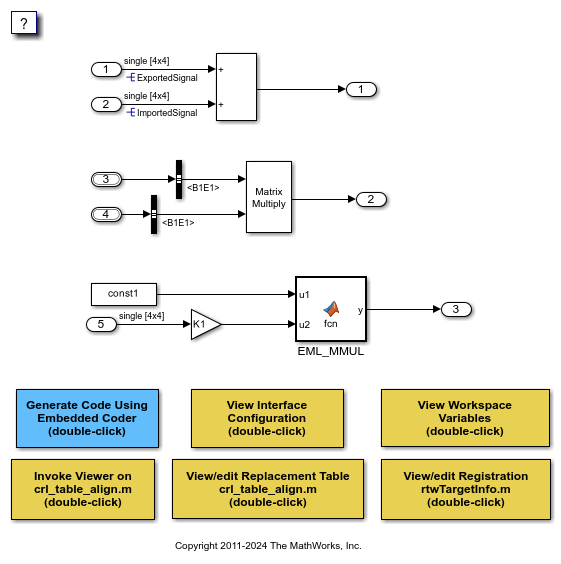
Optimize Generated Code by Developing and Using Code Replacement Libraries - Simulink
Optimize the generated code using code replacement library.

