insert
R2026bSyntax
Description
Add-On Required: This feature requires the Optical Design and Simulation Library for Image Processing Toolbox add-on.
insert(
specifies to insert the component before an existing optical system component with the index
opsys,component,InsertBefore = nextIdx)nextIdx using a name-value argument. For example,
InsertBefore=1 specifies to insert the component at an equal distance
between the origin and first component in the optical system.
insert(
specifies to insert the component after an existing optical system component with the index
opsys,component,InsertAfter = priorIdx)priorIdx using a name-value argument. For example,
InsertAfter=1 specifies to insert the component at an equal distance
between the first and second components in the optical system.
Note
This functionality requires the Optical Design and Simulation Library for Image Processing Toolbox™. You can install the Optical Design and Simulation Library for Image Processing Toolbox from Add-On Explorer. For more information about installing add-ons, see Get and Manage Add-Ons.
Examples
Load a double Gauss lens from a ZMX file into the workspace. Display a 2-D visualization of the optical system using the view2d object function.
opsys = zmximport("DoubleGaussLens.zmx");
view2d(opsys,Labels="component")
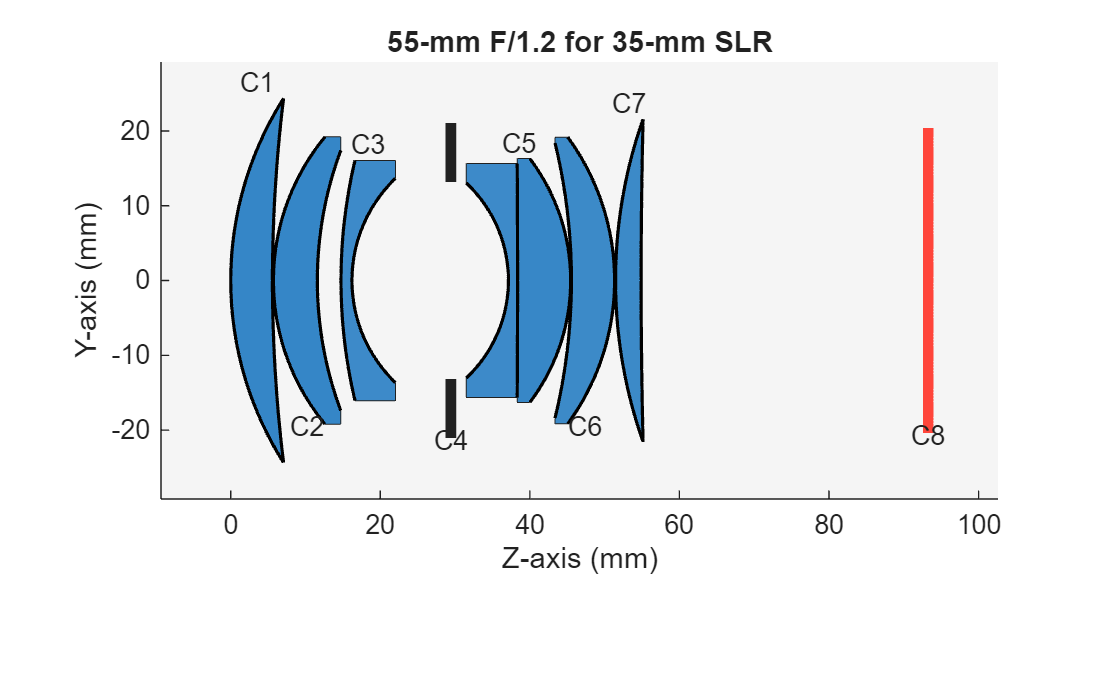
Remove the second optical component from the optical system using the remove function. The removed component is the first doublet.
remove(opsys,2)
Create a new lens component, meniscus, using the LensElement object. Specify the glass lens material using the Materials property, and specify the center thickness of meniscus, in millimeters, using the Thickness property.
meniscus = optics.component.LensElement(SemiDiameter=20,Thickness=2,Materials=[1.64 58]);
meniscus.Surfaces(1).Radius = 56;
meniscus.Surfaces(2).Radius = 40;
Insert the lens into the optical system, after the first component, using insert object function.
insert(opsys,meniscus,InsertAfter=1)
Adjust the gap between first element and the inserted lens using the changeGap function.
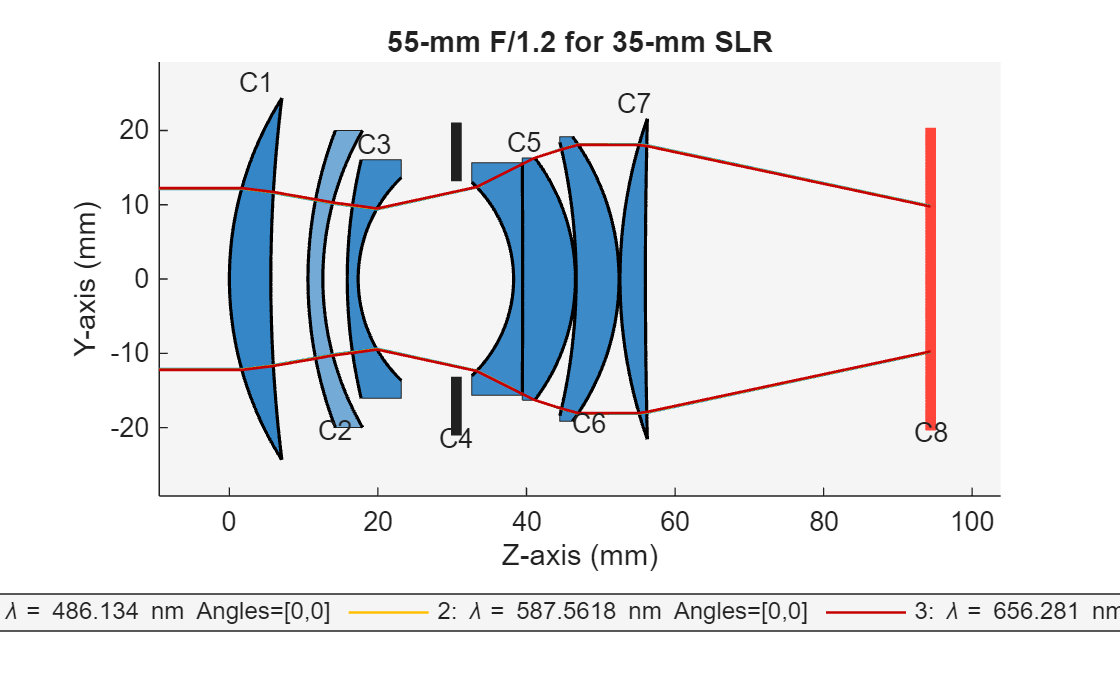
changeGap(opsys,1,5,GapLocation="after");Display a 2-D visualization of the modified optical system using the view2d object function, and trace marginal rays through the optical system using the traceMarginalRays object function.
hv = view2d(opsys,Labels="component");
mr = traceMarginalRays(opsys);
Visualize the rays traced through the modified optical system using the addRays object function.
addRays(hv,mr)
Input Arguments
Alternative Functionality
To add an optical component to the end of an optical system, use the add object
function. Using this function, you can position this component either relative to the
construction frame of the last component in the optical system, or relative to the global
coordinate system.
Version History
Introduced in R2026a
See Also
opticalSystem | addImagePlane | addRefractiveSurface | addDiaphragm | remove | glassLibrary

