Optical System Design and Analysis
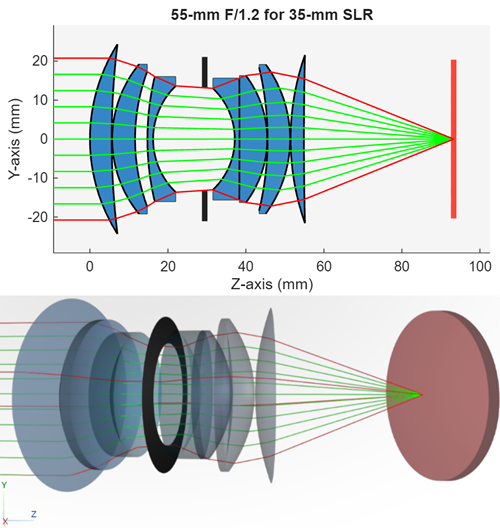
R2026bDesign and simulate optical systems for optics applications using the Optical Design and Simulation Library for Image Processing Toolbox™. The library enables you to create custom optical designs, use bulk glass and coating materials from comprehensive material libraries, import bulk materials, and create custom optical materials and coatings. The library provides visualization tools to visualize optical designs in 2-D and 3-D. Additionally, you can integrate with existing optical designs by importing systems from ZMX files.
You can evaluate optical systems by tracing rays, performing polarization analysis, computing spot diagrams, analyzing aberrations, lens distortion, and field curvature. You can then visualize the results. Additionally, you can optimize optical systems and optical coatings using optimization tools available in the Optimization Toolbox™.
The Optical System Designer app provides an interactive interface for optics and optical system design. You can use the app to design custom optical systems, simulate imported optical systems from ZMX files, and interactively visualize traced rays, spot diagrams, aberrations, distortions, field curvature, and other analysis.
To get started with the Optical Design and Simulation Library for Image Processing Toolbox, see Get Started with Optical Design and Simulation.
You can install the Optical Design and Simulation Library for Image Processing Toolbox from the Add-On Explorer. For more information about installing add-ons, see Get and Manage Add-Ons.
Apps
| Optical System Designer | Design and analyze optical systems (Since R2026a) |
Functions
Topics
Get Started
- Get Started with Optical Design and Simulation
Use optical design and analysis tools to simulate and tune optical system performance for optics applications. - Coordinate Systems in Optics
Understand optics coordinate systems to manipulate positions and orientation of optical systems and their components.
Optical System Analysis
- Analyze Optical System Using Optical System Designer
This example shows how to analyze an optical system that you have designed or imported into the Optical System Designer app. - Create Field Points
Create field point representations of light sources for an optical system. - Configure Ray Sampling in Optical System
Configure ray sampling surface and sampling grid for ray tracing in optics. - Optimize Photographic Zoom Lens Component Positions
This example demonstrates how to use numerical optimization techniques to optimize the positions of zoom groups and achieve a target focal length.
Optical Coatings and Materials
- Apply Optical Coatings
Design, edit, and apply optical coating to optical surfaces. - Load, Create, and Use Optical Materials
Use materials from optical coating and glass libraries, or create custom optical materials. - Analyze Optical Coatings Using Optical System Designer
This example shows how to design and apply anti-reflective optical coatings to an optical system by using the Optical System Designer app. (Since R2026b) - Select Optical Material for Optical System
This example shows how to select optical materials from the glass library and from optical materials in the workspace based on criteria such as refractive index, Abbe number, and supported wavelengths.
Featured Examples
Design Cooke Triplet
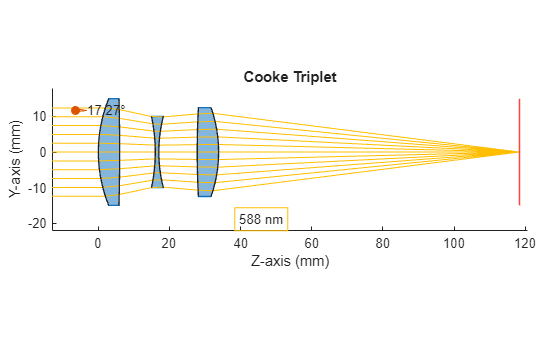
Design a Cooke triplet lens system. This example requires the Optical Design and Simulation Library for Image Processing Toolbox™. You can install the Optical Design and Simulation Library for Image Processing Toolbox from Add-On Explorer. For more information about installing add-ons, see Get and Manage Add-Ons.
Design Optical System Using Optical System Designer
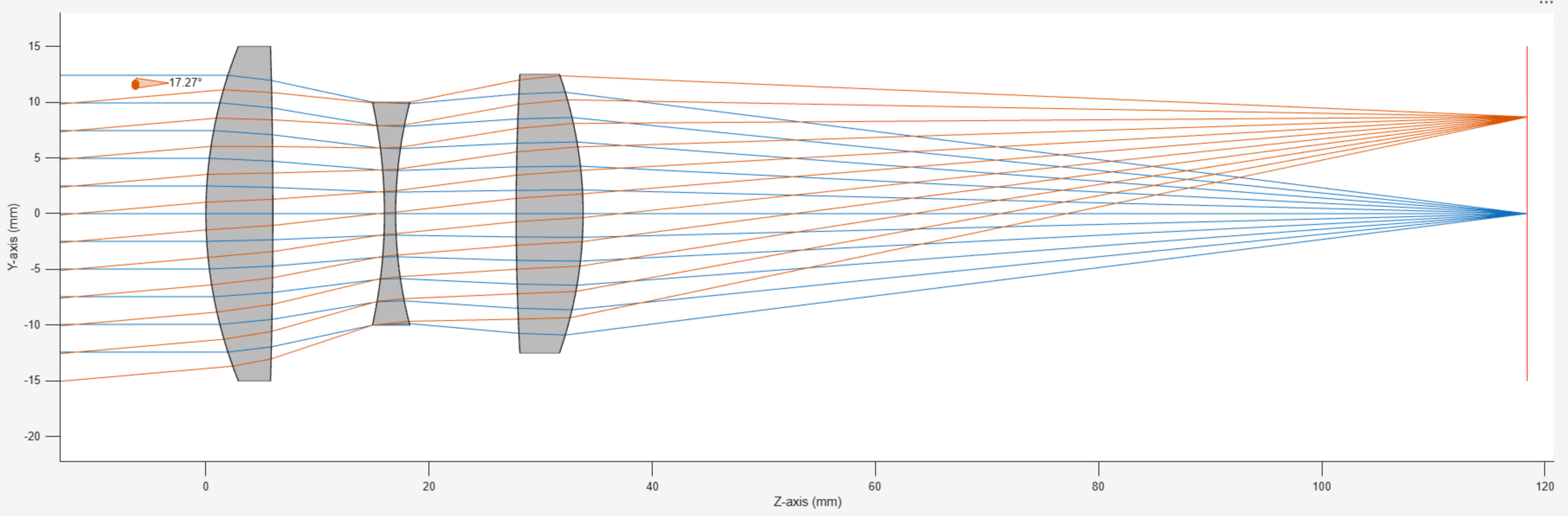
Design an optical system using the Optical System Designer app. The Optical System Designer app enables you to design, modify, simulate, and analyze optical systems. Using the app, you can:
Optimize Monochromatic Camera Lens System for Type 2/3 Sensor
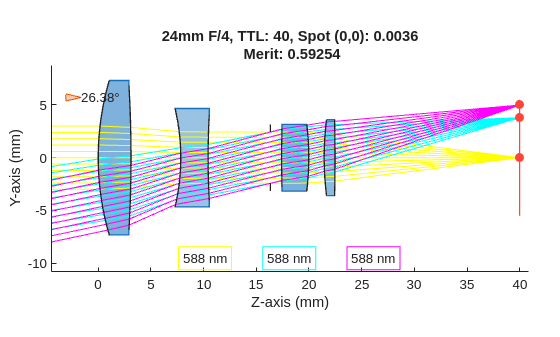
Demonstrates how to design and optimize a general purpose monochromatic 25 mm F/4 camera lens system for a 2/3'' sensor. A 25 mm focal length provides a moderate field of view, while an F/4 aperture helps balance light and depth of field. The monochromatic assumption simplifies the design for optical systems that use narrowband light sources such as narrowband LED.
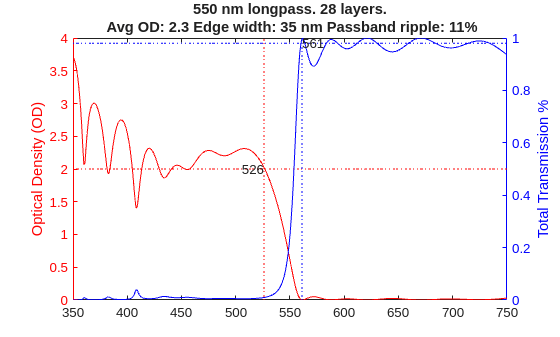
Optimize Coating Design for Longpass Optical Filter
Demonstrates how to design a 550 nm longpass optical filter, accounting for material properties and manufacturing limits using the Optimization Explorer app. The method can be extended to more complex multi-band filters.
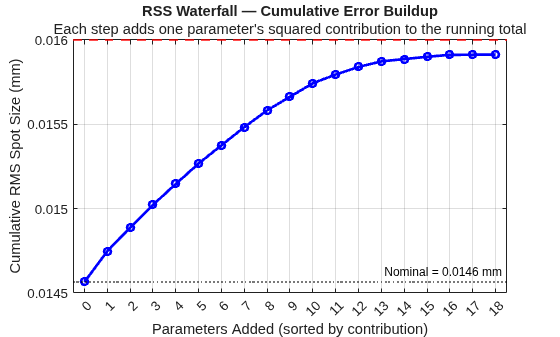
Find Manufacturing Tolerances Using Inverse Sensitivity Analysis
Demonstrates how to determine the maximum allowable manufacturing tolerances for an optical system using inverse sensitivity analysis. Given a target image quality specification, inverse sensitivity finds the largest tolerance for each parameter that keeps the total error within budget. Use inverse sensitivity analysis to determine what tolerance values to provide on the manufacturing drawing during fabrication.
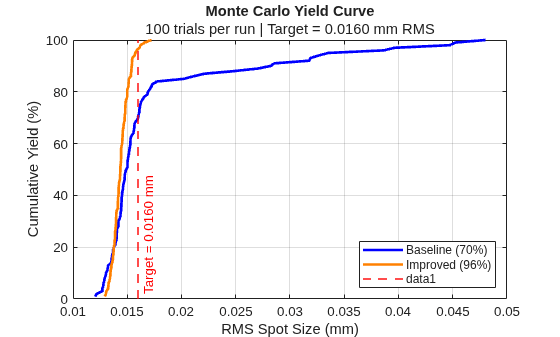
Improve Manufacturing Yield Using Monte Carlo Analysis
Demonstrates how to use Monte Carlo simulation to evaluate and improve the manufacturing yield of an optical system. Manufacturing yield is the percentage of fabricated lenses that meet a target image quality specification after accounting for random variations in surface radii, element thicknesses, air gaps, and glass properties that occur during production. A high yield indicates fewer rejected lenses and lower per-unit cost.
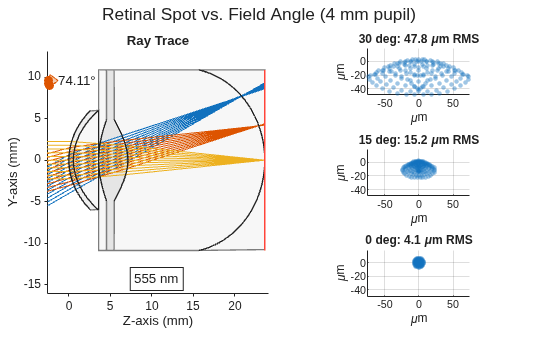
Create Human Eye Model Schematic
Create a parametric human eye model and trace rays to evaluate optical performance.
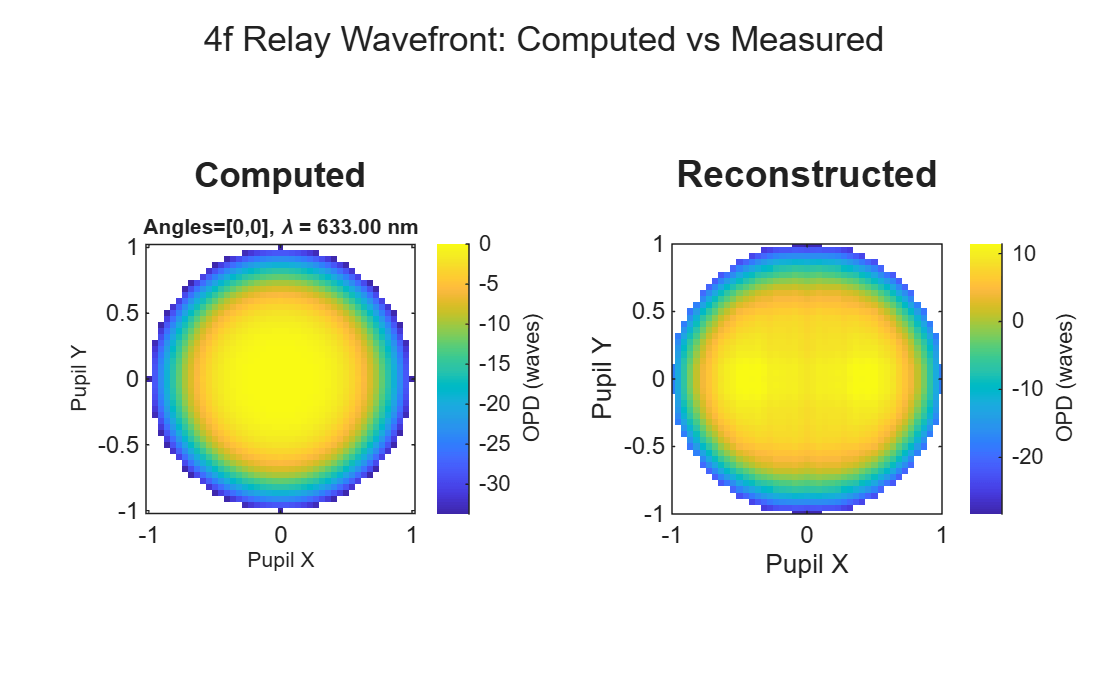
Model Shack-Hartmann Wavefront Sensor
Model a Shack-Hartmann wavefront sensor and use it to measure wavefront aberration of an optical system.
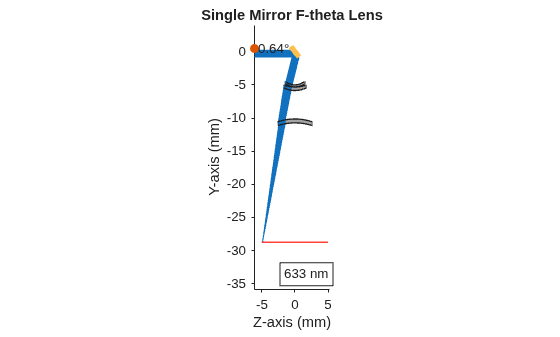
Model Dynamic Optical Systems with Scanning Elements
Model dynamic optical systems by coupling ray tracing and optical analysis with Simulink control loops. The example uses a laser etching system as a motivating application – a class of systems where mechanical motion and optical behavior are tightly coupled. You control mirror angles to steer the beam through the optical system and realize a specified etch pattern on the image plane. At each simulation timestep, ray tracing computes the resulting spot position from the current mirror angles. This closes the loop between control inputs, mechanical motion, and optical response, enabling accurate pattern tracing while revealing effects such as cross-axis coupling and showing how to correct it by using a calibration lookup table.
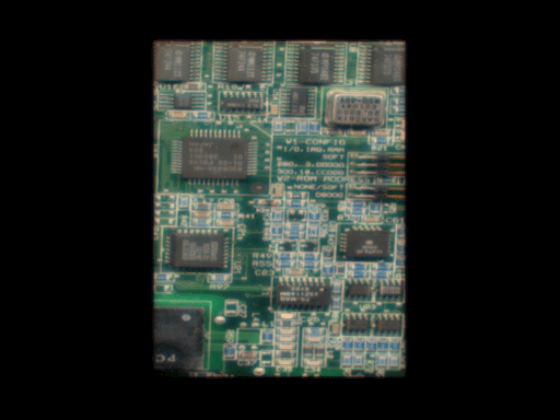
Simulate Image Using Spatially Variant PSF
Simulate the image that a lens system forms of a flat scene. The simulation reproduces geometric distortion, lateral chromatic aberration, and spatially varying aberration blur. The approach separates geometry from blur: you warp the scene per wavelength to apply distortion and lateral color, then convolve with chief-ray-centered point spread functions (PSFs) that carry only residual blur [1].
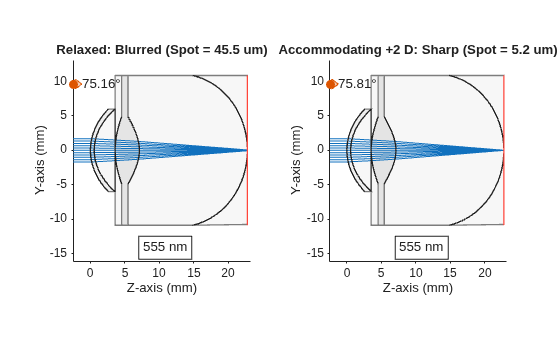
Model Human Eye Diopters, Accommodation, and Refractive Errors
Model optical power, accommodation, and refractive errors in the human eye.
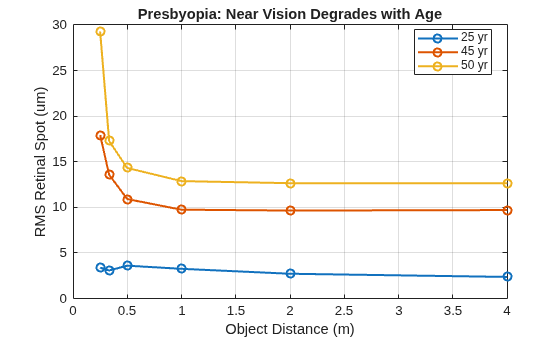
Simulate Human Eye Changes with Age
Simulate the effects of aging on the human crystalline lens and its optical performance.
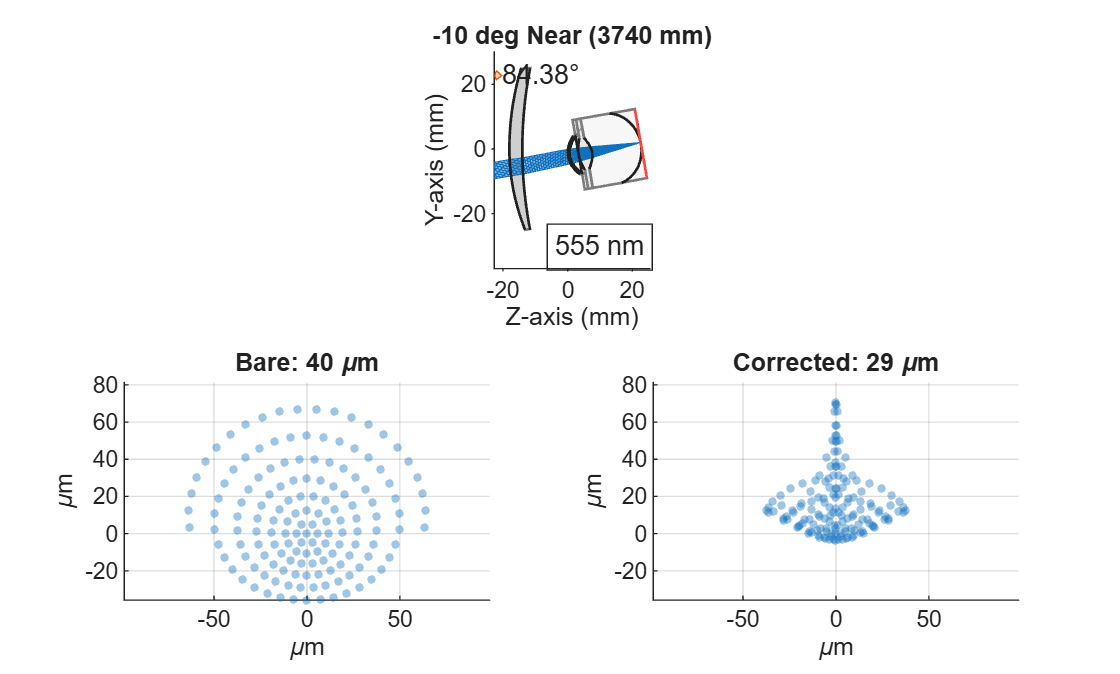
Model Progressive Addition Lens Using Presbyopic Eye Model
Model a progressive addition lens and evaluate its optical performance on a presbyopic eye.
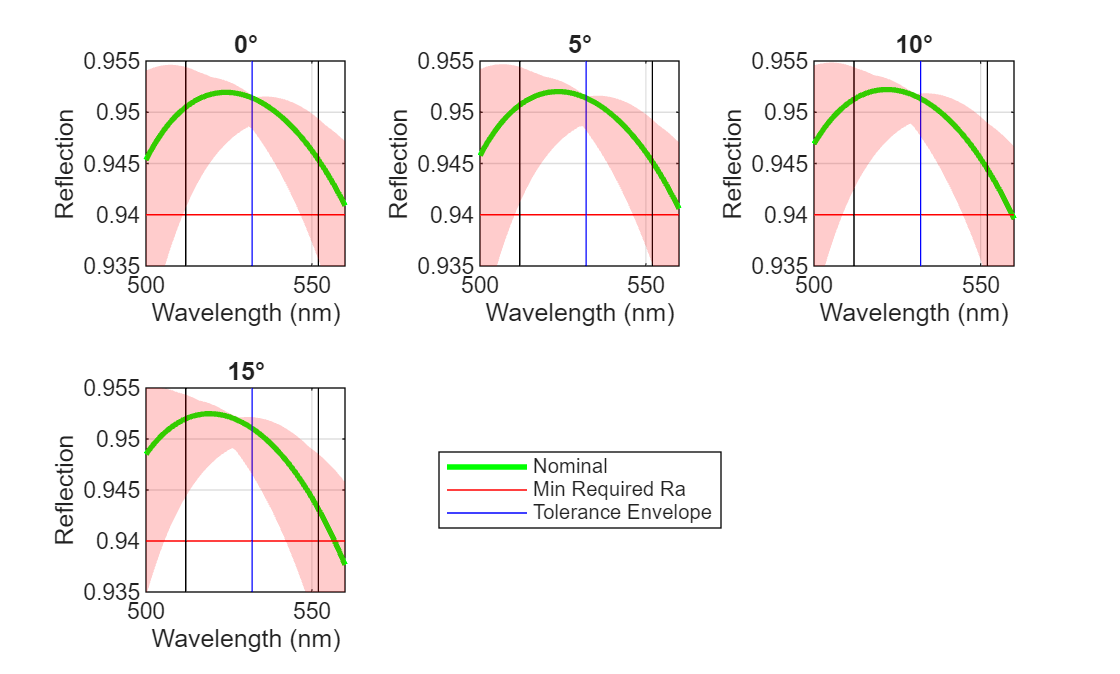
Perform Sensitivity and Yield Analysis of Optical Coating Using Monte Carlo
Demonstrates how to calculate the sensitivity of optical coating layers in a Bragg reflector. To estimate the expected manufacturing yield, you then implement Monte Carlo simulation that incorporates material-specific tolerances in layer thickness and refractive index. Monte Carlo (MC) simulation is a statistical method that estimates system performance by repeatedly evaluating the design with randomized variations in its parameters. Each MC trial represents one possible manufactured coating, created by sampling all layer thicknesses and refractive indices according to their specified tolerances. This approach quantifies how sensitive the coating’s optical performance is to real-world process variations, and predicts the proportion of manufactured parts, or the yield, expected to meet the required specifications.
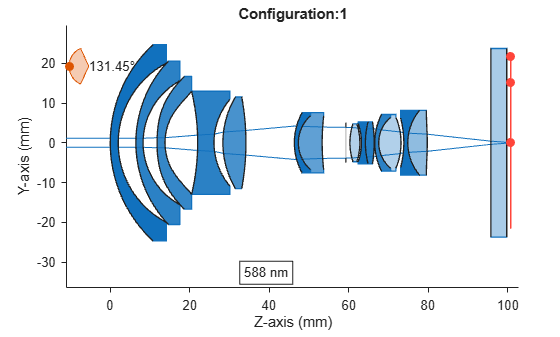
Apply Configurations to Optical System Imported from ZMX File
To apply preset configurations from a ZMX file to the optical design stored in the ZMX file.

