Get Started with Image Filtering
R2026bImage filtering is a fundamental operation in image processing that modifies, enhances, restores, or analyzes image data by emphasizing certain features or suppressing others. Image Processing Toolbox™ provides a range of filtering techniques that support various image processing goals. These include:
Basic Image Filtering — Functions, such as general linear filters, statistical filters, adaptive filters, and filters based on second-order derivatives, that are useful for smoothing, sharpening, and noise reduction.
Edge-Preserving Filtering — Reduces noise while maintaining important structural details such as edges.
Texture Filtering — Highlights or suppresses repetitive patterns and textures in images.
Filtering by Property Characteristics — Allows filtering based on object characteristics such as size, shape, or intensity.
Integral Image Domain Filtering — Enables efficient computation of local sums and averages for computationally efficient linear image filtering.
Frequency-Domain Filtering — Manipulates image content in the spectral domain for tasks such as band-pass filtering or noise removal.
Morphological Filtering — Uses structuring elements to perform shape-based modifications such as dilation, erosion, opening, and closing.
These filtering categories provide a flexible set of tools for building image analysis processes tailored to your specific application needs.
Basic Image Filtering
You can use basic image filtering operations to enhance image quality, reduce noise, and prepare images for further analysis. These operations include general filtering techniques, linear filtering, statistical filtering, adaptive filtering, and methods based on second-order derivatives. For more information on basic image filtering for noise removal in images, see Noise Removal.
Linear image filtering
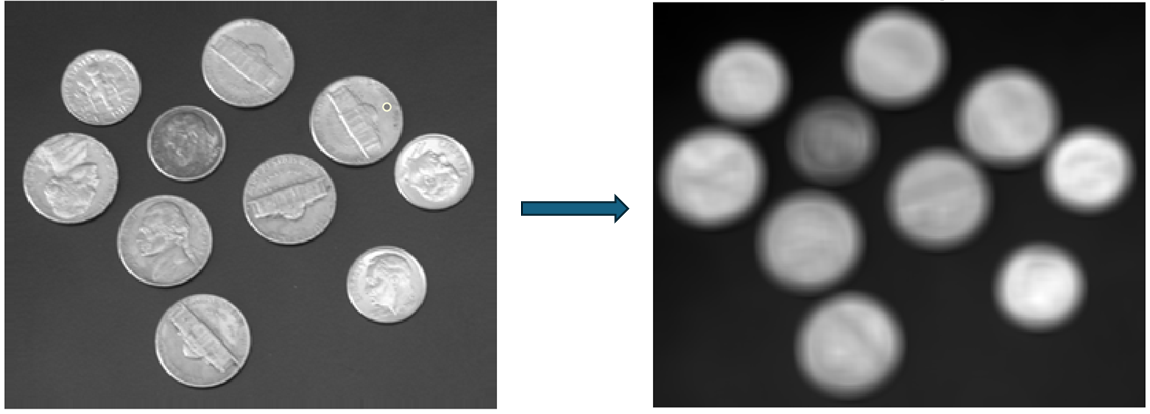
Linear image filtering functions, such as imfilter, roifilt2, imgaussfilt, imgaussfilt3, imboxfilt, and imboxfilt3, apply convolution-based
operations to smooth, sharpen, or enhance specific features in 2-D and 3-D images.
Functions such as fspecial and fspecial3 help generate predefined filter kernels, while convmtx2 is useful for analyzing
filter behavior. These filters are useful in applications such as denoising, edge
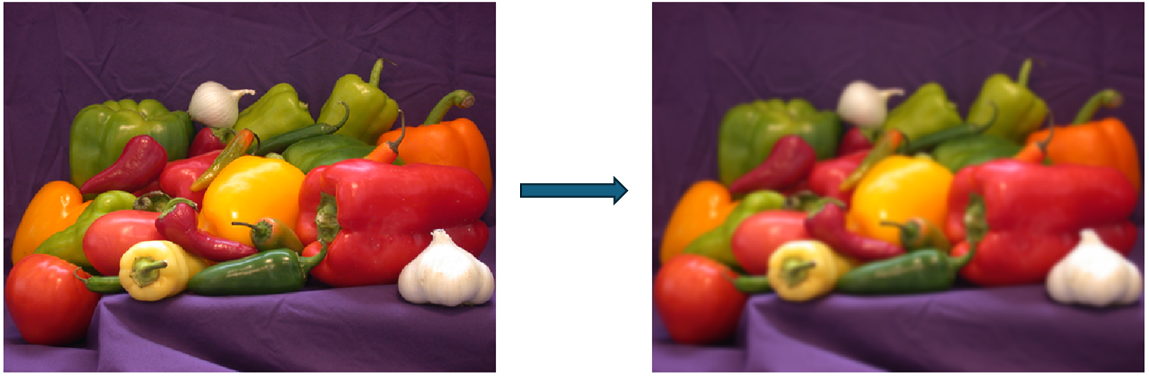
enhancement, and preprocessing for segmentation or feature extraction. For example,
this image shows image smoothing by using the imgaussfilt function. For more
information on linear image filtering in the spatial domain, see What Is Image Filtering in the Spatial Domain? For more information on
filtering color images, see Filter Grayscale and Truecolor (RGB) Images Using imfilter Function.
Filtering based on image statistics
Filtering based on image statistics includes functions such as medfilt2, medfilt3, modefilt, ordfilt2, stdfilt, rangefilt, and entropyfilt. These filters operate
based on the local statistical properties of pixel neighborhoods, making them
effective for reducing impulse noise, detecting texture variations, or highlighting
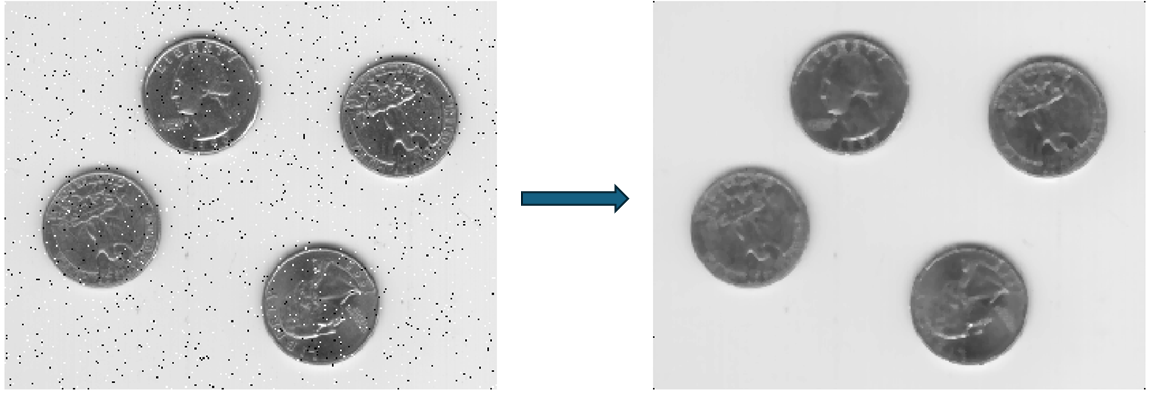
regions with high local contrast. For example, this image shows that you can remove
salt and pepper noise in an image by using the medfilt2 function.
Adaptive filtering
Adaptive filtering, represented by the wiener2 function, adjusts its
filtering behavior based on local image variance. This makes it particularly
effective in scenarios where noise characteristics vary across the image, such as in
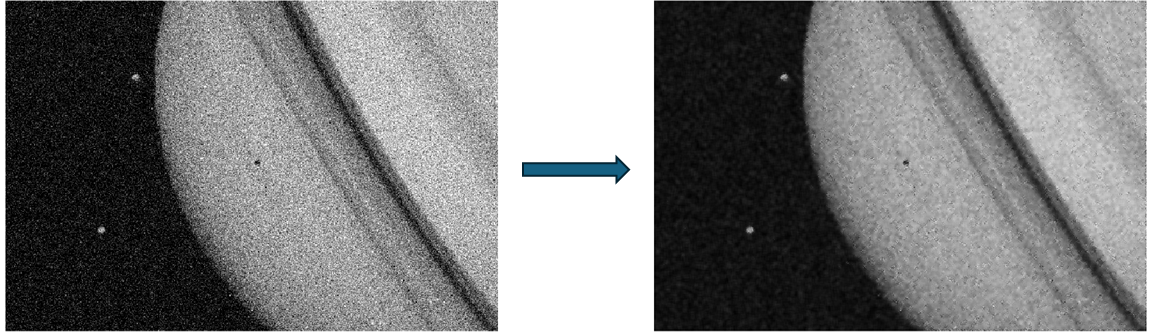
low-light photography or scanned documents with uneven illumination. For example,
this image shows that you can smooth an image that has additive white Gaussian noise
by using the wiener2 function.
Filtering using second-order derivatives
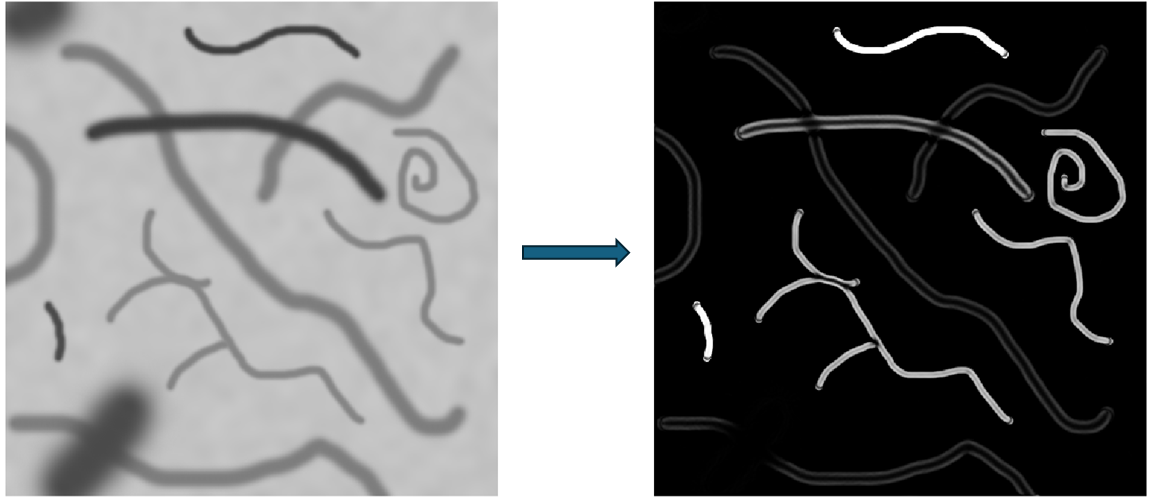
Filtering using second-order derivatives includes functions such as fibermetric and maxhessiannorm that enhance curvilinear structures and ridge-like
features by analyzing the second-order spatial derivatives of the image. These
functions are especially useful in biomedical imaging for detecting vessels, fibers,
or other elongated structures. For example, this image shows that you can enhance
elongated or tubular structures in an image by using the fibermetric function.
General filtering functions
General filtering functions such as nlfilter and padarray provide flexible tools for
applying custom neighborhood operations and managing filter behavior at image
boundaries for different filtering operations. These functions are useful when
standard filters are insufficient and custom logic is necessary for local
processing. They are useful for exploratory analysis, prototyping, or when working
with nonstandard image features. For more information on boundary padding options,
see Boundary Padding Options for Image Filtering.
Edge-Preserving Filtering
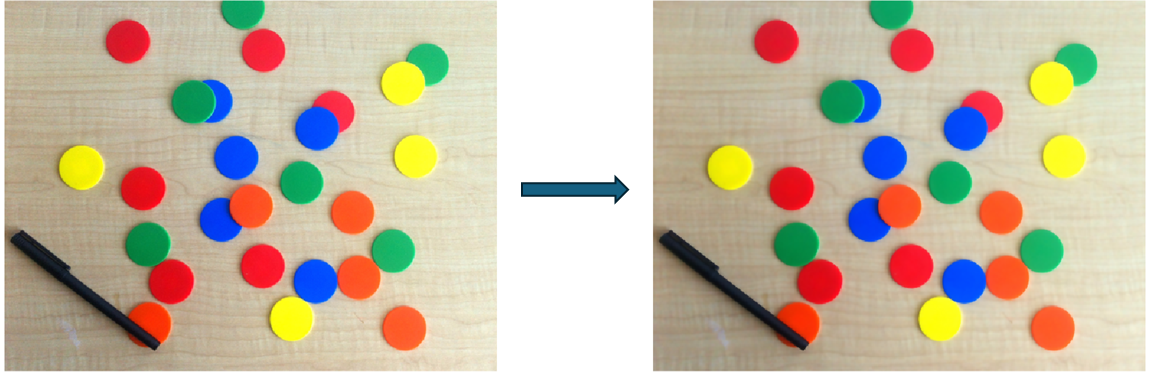
You can use edge-preserving filtering techniques to reduce noise or smooth images
while maintaining important structural details such as edges and fine textures. These
filters are particularly useful in scenarios where traditional smoothing methods can
blur or distort critical features. Functions such as imbilatfilt (bilateral filtering), imguidedfilter (guided filtering), and imnlmfilt
(non-local means filtering) are useful for denoising natural images, medical scans, or
photographs where edge clarity is important. These methods are effective in applications
such as image enhancement, detail-preserving smoothing, and preprocessing for
segmentation or object detection. For example, this image shows edge-preserving
filtering of an image by using the imbilatfilt function. For more information on guided image filtering,
see What is Guided Image Filtering?.
Functions such as imdiffuseest and imdiffusefilt implement anisotropic diffusion filtering, which
iteratively smooths images while preserving edge information. These are particularly
useful in scientific imaging, such as microscopy or satellite imagery, where you must
retain gradual transitions and fine boundaries. The burstinterpolant function is useful for reconstructing high-resolution
images from a burst of low-resolution frames, typically captured in quick succession.
This function is especially relevant in mobile photography and low-light imaging, where
combining multiple exposures helps reduce noise while preserving detail.
Texture Filtering
You can use texture filtering techniques to analyze, enhance, or suppress repetitive patterns and fine-scale variations in images. These filters are particularly useful in applications where texture plays a key role in identifying or classifying regions within an image.
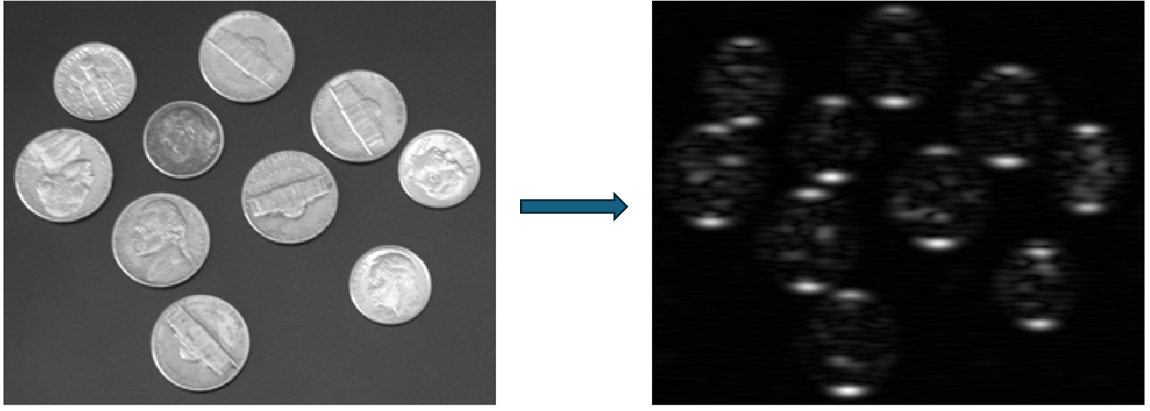
The gabor and imgaborfilt functions implement Gabor filtering, which is effective for
detecting specific frequency and orientation components in an image. Gabor filters model
the response of the human visual system to texture. These functions are useful for tasks
such as texture segmentation, pattern recognition, biometric identification, and surface
inspection in industrial imaging. For example, this image shows texture filtering of an
image by using the imgaborfilt function. For an example of
texture segmentation, see Texture Segmentation Using Gabor Filters.
Filtering by Property Characteristics
You can filter images by property characteristics by selecting or removing objects in a binary image based on their measured attributes, such as area, shape, or intensity. This approach is particularly useful in post-segmentation analysis, where the goal is to refine results by isolating meaningful structures and discarding irrelevant or noisy components.
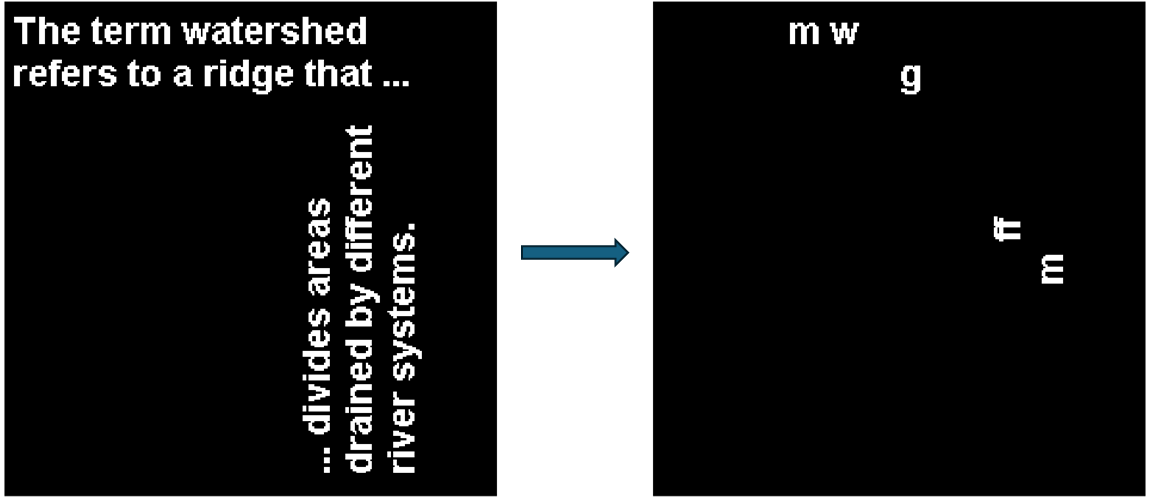
The bwareafilt and bwpropfilt functions enable you to filter connected components in binary
images based on specific criteria. The bwareafilt function filters objects by area, making it useful for
retaining only the largest or smallest regions. The bwpropfilt function offers more flexibility by enabling filtering based
on a variety of region properties, such as eccentricity or solidity. These functions are
useful in applications such as cell counting in microscopy, quality control in
manufacturing, and document image analysis. For example, this image shows that you can
select objects in an image by area by using the bwareafilt function. For more information on filtering images by
property characteristics by using the Image Region Analyzer app, see Filter Images on Properties Using Image Region Analyzer App.
Integral Image Domain Filtering
You can use integral image domain filtering for fast computation of local sums, means,
and other box-based operations over rectangular regions in an image. This approach is
particularly efficient for large-scale or real-time image processing tasks, as it
reduces the computational complexity of box filtering. The integralImage and integralImage3 functions compute 2-D and 3-D integral images,
respectively, which store cumulative sums of pixel intensities. The integralBoxFilter and integralBoxFilter3 functions perform 2-D and 3-D box filtering,
respectively, on the integral representations. For example, this image shows integral
image box filtering by using the integralBoxFilter function. For more information on integral images and
filtering in the integral image domain see Integral Image and Apply Multiple Filters to Integral Image.
Frequency-Domain Filtering
Frequency-domain filtering involves transforming an image from the spatial domain to
the frequency domain, manipulating its frequency components, and then transforming it
back. This approach is particularly effective for analyzing and modifying periodic
patterns, removing noise, or enhancing specific frequency ranges. You can use the
fft2, fftshift, ifft2, and ifftshift functions to alter an image by modifying its 2-D fast Fourier
transform (FFT). For more information of fast Fourier transform, see Fast Fourier Transform.
Frequency-domain transforms enable you to visualize and process the frequency spectrum
of an image, which is useful for identifying dominant patterns or filtering out unwanted
frequencies.
You can design and analyze frequency filters by using functions such as freqz2, freqspace, fsamp2, ftrans2, fwind1, and fwind2. These functions help create
custom frequency filters using sampling, transformation, or windowing techniques.
Frequency-domain filtering commonly applies to applications such as image restoration,
removing periodic noise, compression, watermarking, and analysis of repeating structures
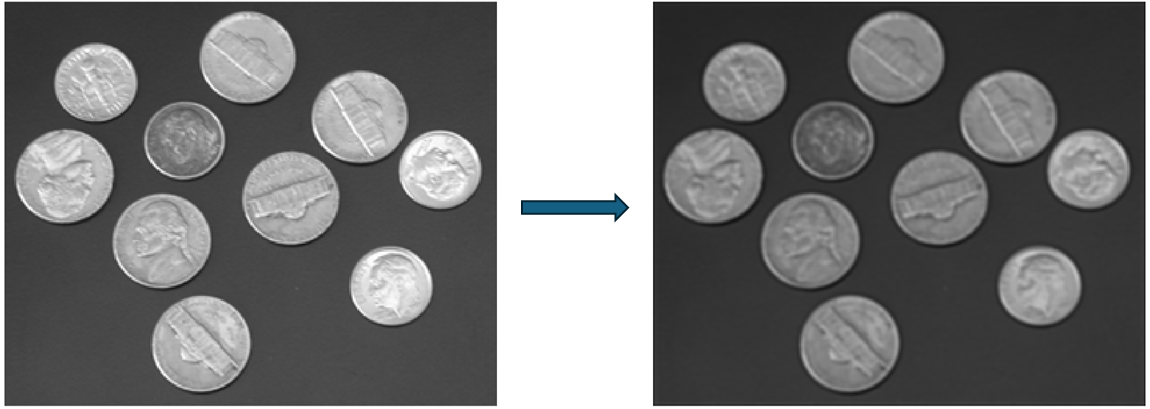
in scientific or industrial images. For example, this image shows an image filtered in
the frequency domain using a filter designed by using the fwind2 function. For detailed information on design image filters in the
frequency domain, see Design Linear Image Filters in the Frequency Domain.
Morphological Filtering
Morphological filtering is a shape-based image processing technique that operates on
binary or grayscale images using structuring elements. These operations are particularly
effective for analyzing and modifying the geometric structure of objects in an image,
such as removing noise, filling gaps, or refining object boundaries. The imerode and imdilate functions perform basic
erosion and dilation, which shrink or expand objects in an image, respectively. These
operations are the building blocks for more complex morphological transformations. The
imopen and imclose functions combine erosion and dilation to remove small objects
or fill small holes, making them useful for smoothing object outlines or separating
connected components.
You can use advanced morphological filters such as imtophat and imbothat to extract small features or
background variations. While the imtophat function highlights bright objects on a dark background, the
imbothat function emphasizes dark
objects on a bright background. You can use morphological filtering for applications
such as document image cleanup, biomedical image analysis, industrial inspection, and
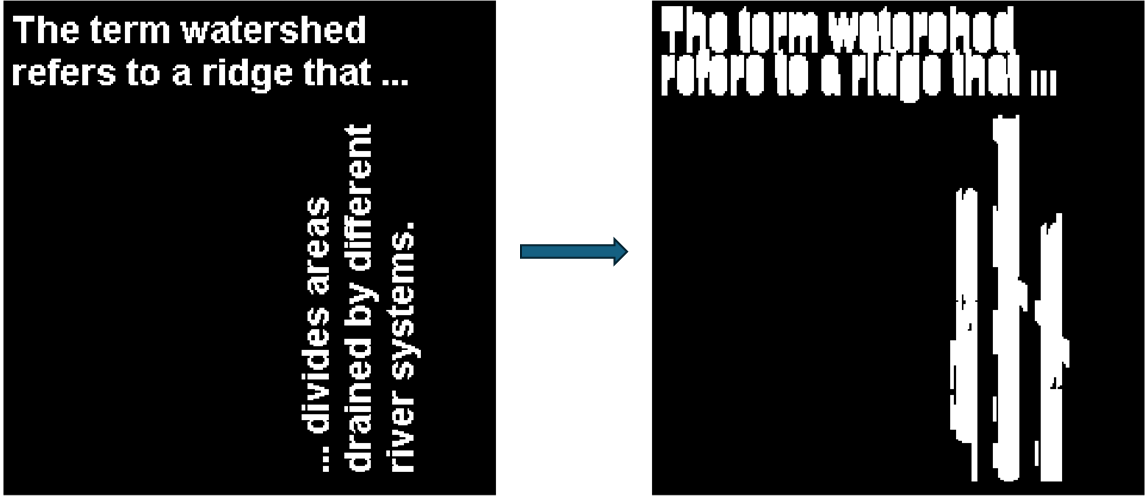
object counting in binary images. For example, this image shows a text image dilated by
using the imdilate function. For more information
on morphological operations, see Types of Morphological Operations. For an example of morphological filtering, see
Correct Nonuniform Illumination and Analyze Foreground Objects.