标注
R2026b使用多传感器标注器,对表示同一场景的多个时间同步信号中的真实值数据进行交互式标注。您可以同时标注视频、图像序列和激光雷达点云信号。该 App 支持多种 ROI 标签类型,包括矩形、旋转矩形、长方体、投影长方体、线、多边形、像素标签和语义点标签。您还可以应用场景标签,对所有信号中的整个帧进行分类。要开始使用,请参阅Get Started with Multi-Sensor Labeler。
为加快标注流程,该 App 内置了用于目标跟踪和跨帧时序插值的自动化算法。您也可以开发并导入自定义自动化算法。有关详细信息,请参阅 自动标注多传感器数据。
标注完成后,将标注数据导出为 groundTruthMultiSensor 对象,并为深度学习工作流创建训练数据。使用 pointCloudObjectDetectorTrainingData 为 PointPillars 等三维目标检测网络创建训练数据,或使用 semanticPointLabelTrainingData 创建配对数据存储,以训练 RandLA-Net 等三维语义分割网络。有关详细信息,请参阅 导出多传感器真实值并创建训练数据。
要在 App 外部以编程方式定义标签定义,请使用 labelDefinitionCreatorMultiSensor 对象来创建、检查和管理标签层次结构,包括子标签和属性。您可以通过组合数据源与标签定义、用于 ROI 标签的 ROILabelData 对象以及用于场景标签的 SceneLabelData 对象,以编程方式构建 groundTruthMultiSensor 对象。您也可以将以编程方式创建的真实值对象导入该 App,以便进一步审核和标注。
App
| 多传感器标注器 | Label ground truth data in images, videos, and point clouds across multi-sensor scenes (自 R2026b 起) |
函数
主题
快速入门
- Get Started with Multi-Sensor Labeler
Interactively label ground truth data in images, videos, and point clouds simultaneously using the Multi-Sensor Labeler app.
- 选择用于标注真值数据的 App (Computer Vision Toolbox)
决定使用哪个 App 来标注真实值数据:图像标注器、视频标注器、真实值标注器、激光雷达标注器、信号标注器或医学图像标注器。 - Keyboard Shortcuts and Mouse Actions for Multi-Sensor Labeler
Use keyboard shortcuts and mouse actions to increase productivity while using the Multi-Sensor Labeler app. - Migrate from Ground Truth Labeler and Lidar Labeler Apps to Multi-Sensor Labeler App
Migrate your labeling workflows from the Ground Truth Labeler and Lidar Labeler apps to the unified Multi-Sensor Labeler app. - Control Playback of Signal Frames for Labeling
Control which signal frames display in the Multi-Sensor Labeler app during playback.
标注真实值
- Label Pixels for Semantic Segmentation (Computer Vision Toolbox)
Label pixels for training a semantic segmentation network by using a labeling app. - Use Sublabels and Attributes to Label Ground Truth Data (Computer Vision Toolbox)
Learn how ROI sublabels and attributes work in labeling apps. - View Summary of Ground Truth Labels (Computer Vision Toolbox)
View a summary of ROI and scene labels in a labeling app session.
自动标注
- Create Custom Automation Algorithm for Labeling
Create a custom automation algorithm using a class-based interface to use in a labeler app. - Create Automation Algorithm Function for Labeling (Computer Vision Toolbox)
Create a custom automation algorithm function to use in a labeling app. - Temporal Automation Algorithms
Create a time-based custom tracking algorithm to import into a labeling app.
精选示例
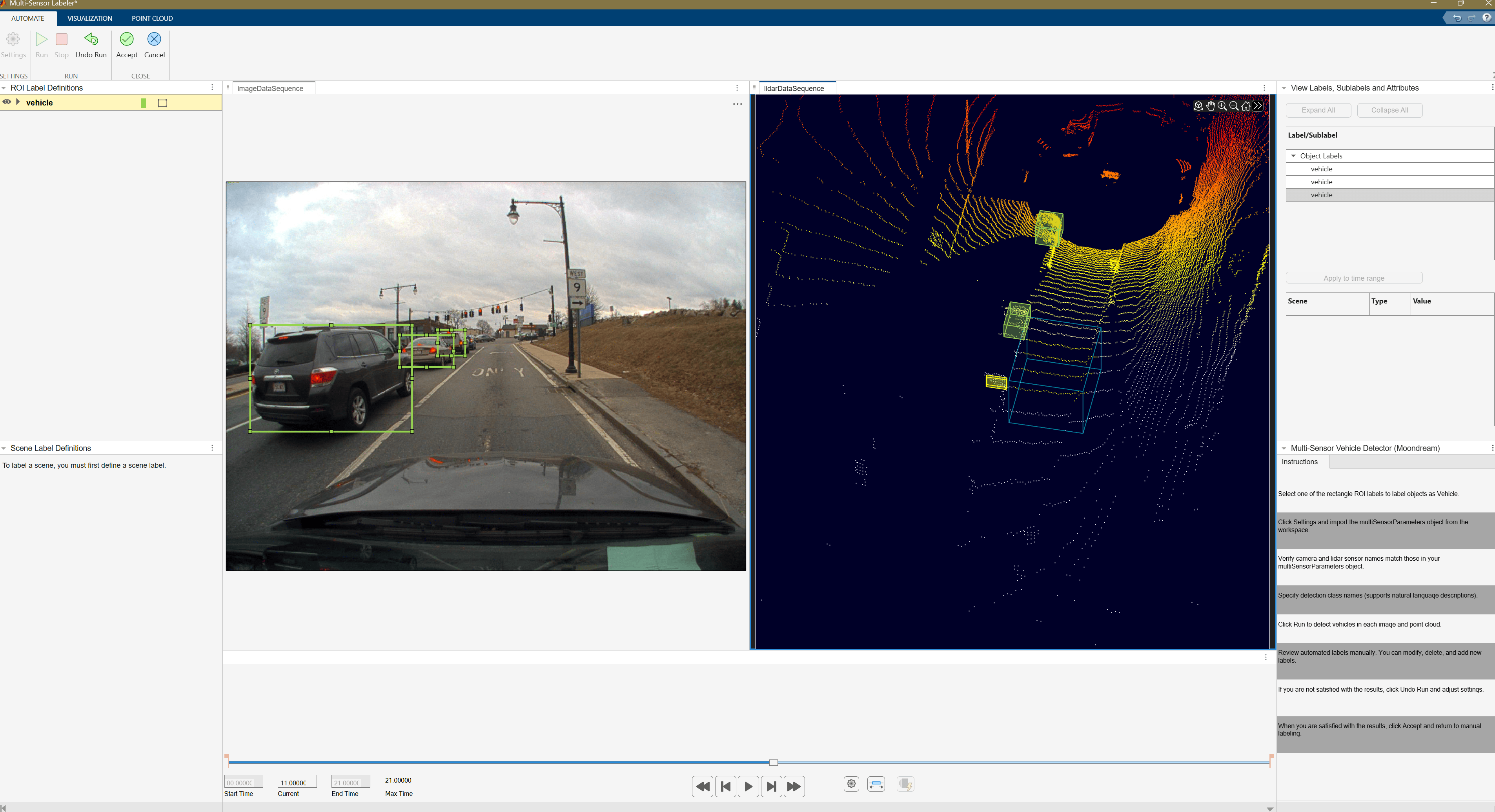
Automate Multi-Sensor Ground Truth Labeling Using Moondream Vision-Language Model
Automate multi-sensor ground truth labeling using the Moondream vision-language model and the Multi-Sensor Labeler app.
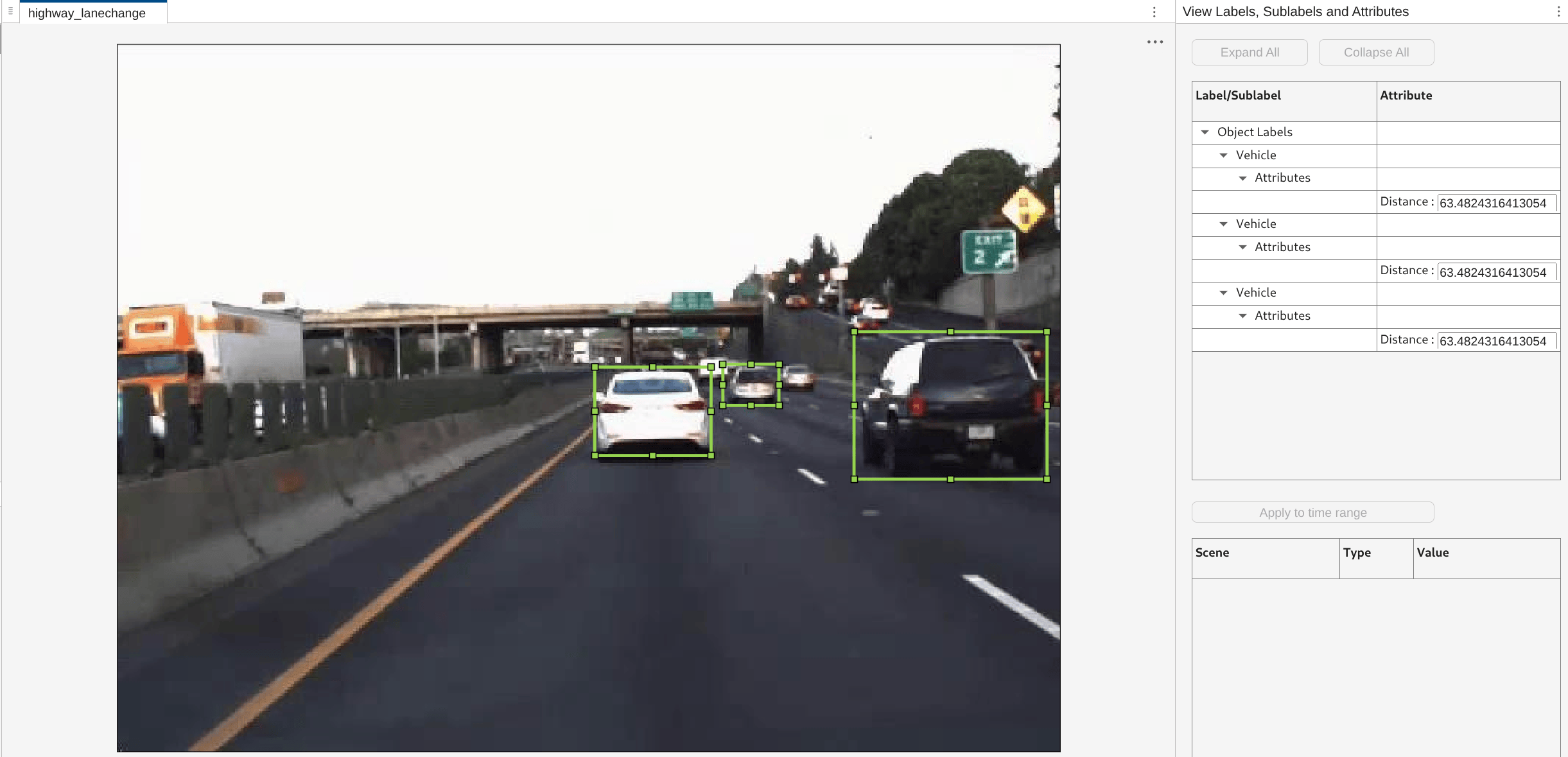
Automate Vehicle Labels and Distance Attributes Using YOLOv2 in Multi-Sensor Labeler
Create a custom automation algorithm for the Multi-Sensor Labeler app that detects vehicles using YOLOv2 and estimates their distances from the ego vehicle.
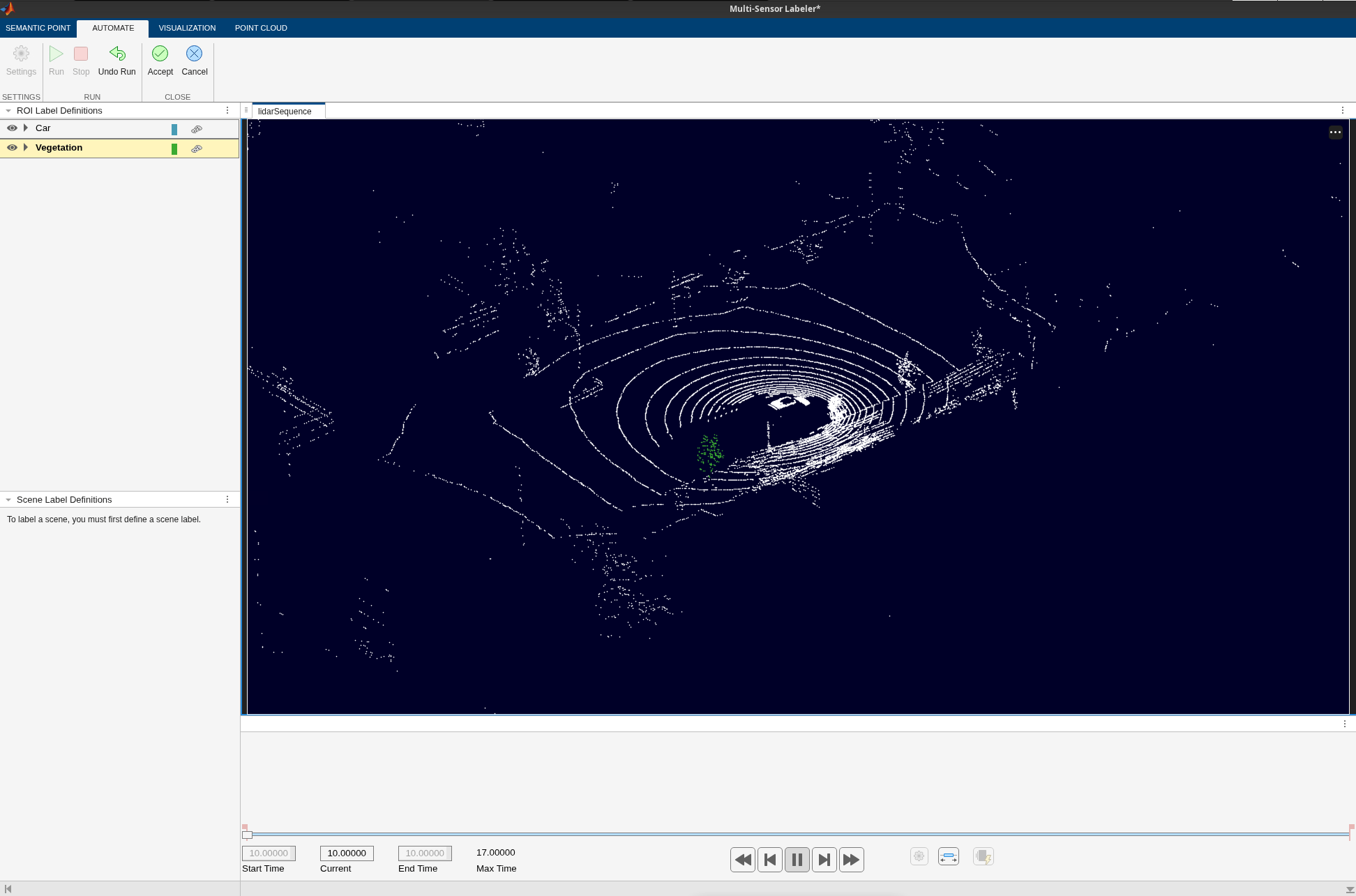
Automate Point Cloud Labeling Using SNAP Model
Segment point clouds automatically or interactively in the Multi-Sensor Labeler app using the pretrained SNAP model.
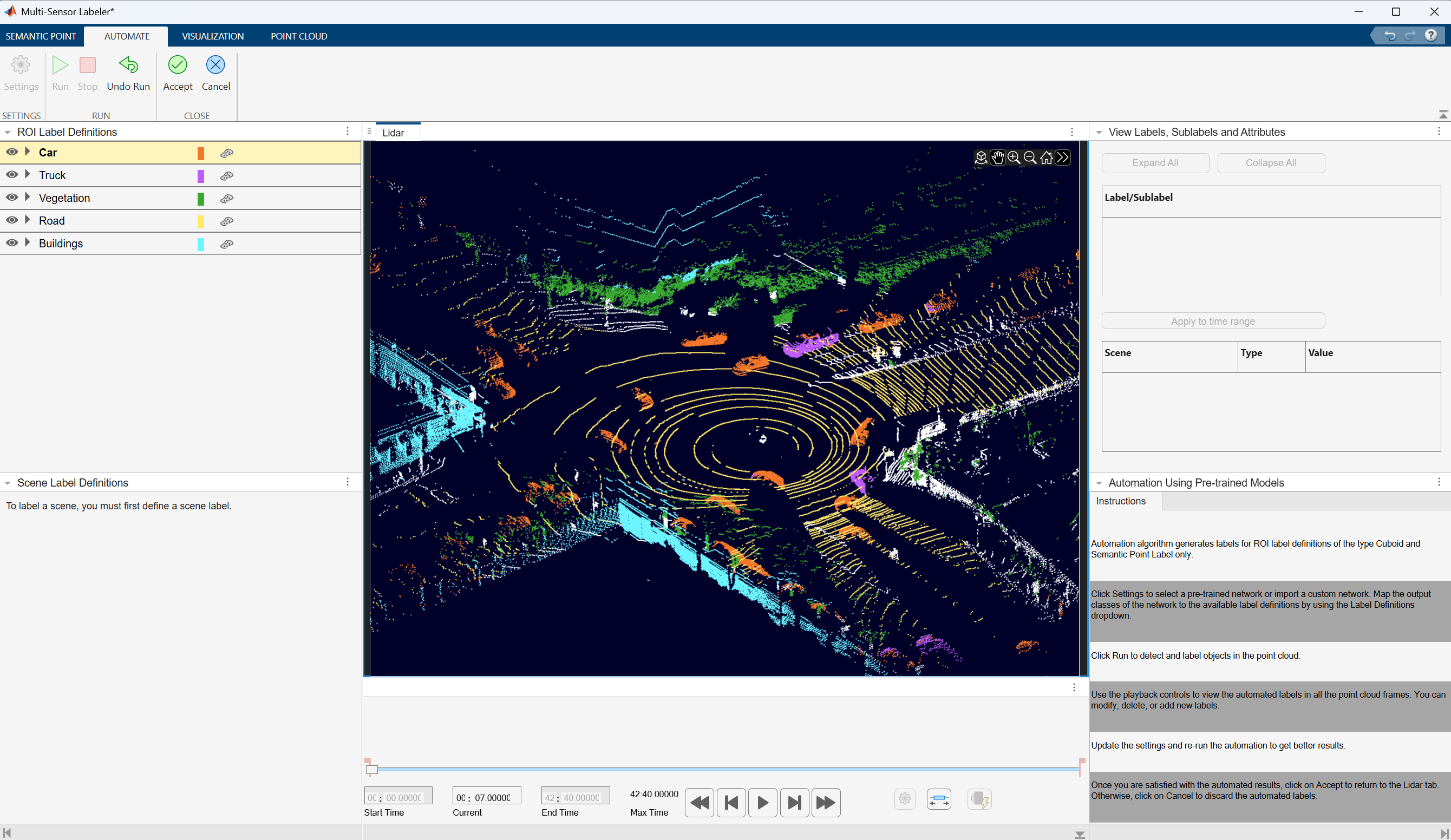
Automate Ground Truth Labeling for Point Cloud Using Pretrained Deep Learning Model
Automate semantic segmentation labeling of point cloud data using a pretrained RandLA-Net model in the Multi-Sensor Labeler app.
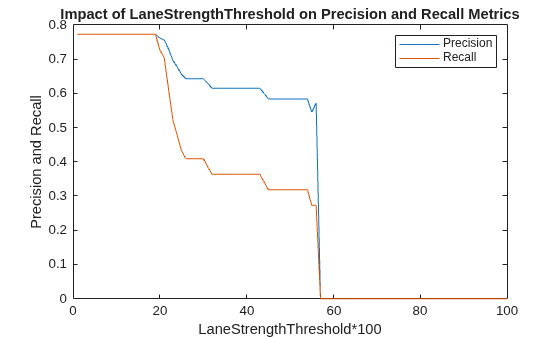
Evaluate Lane Boundary Detections Against Ground Truth Data
Compare ground truth data against results of a lane boundary detection algorithm and tune algorithm parameters for best detection results.
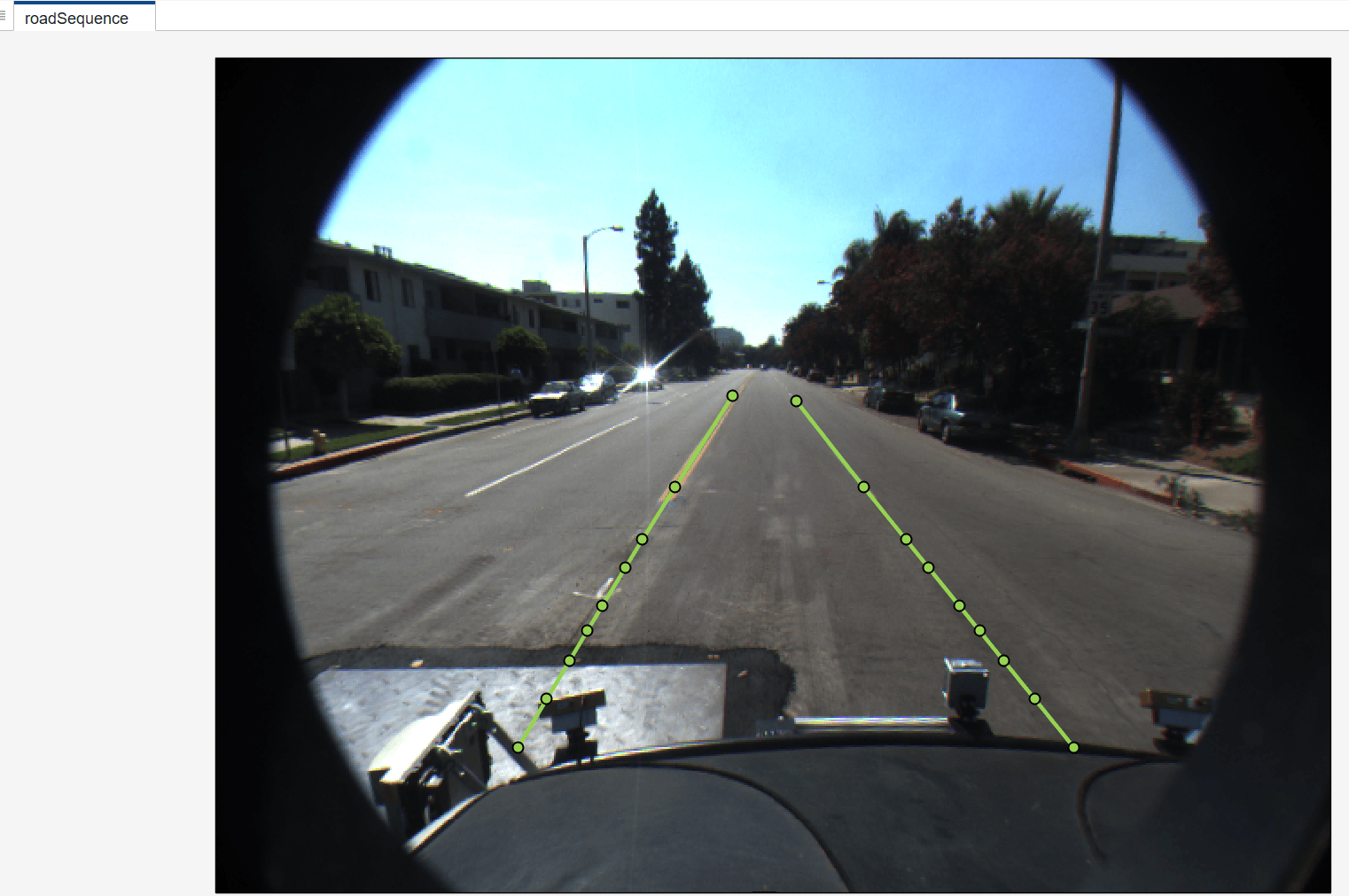
Automate Ground Truth Labeling of Lane Boundaries
Create automation algorithm that automatically labels lane boundaries in the Multi-Sensor Labeler app.
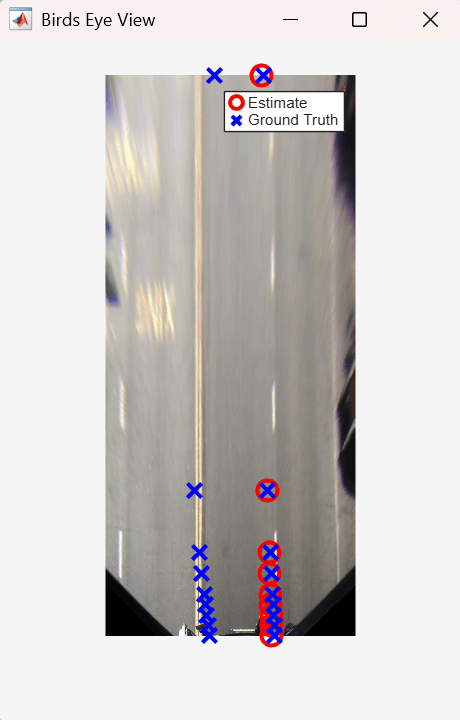
Evaluate and Visualize Lane Detections Against Ground Truth
Evaluate the performance of lane boundary detection against known ground truth by computing a goodness-of-fit measure on a per-frame basis.

