ROS 2 Network Access in Simulink
R2026bROS Toolbox enables you to connect to ROS and ROS 2 in Simulink and send messages over the network. See Get Started with ROS 2 in Simulink.
You can also generate and deploy code to a target system. For an advanced example on creating a standalone ROS 2 node, see Generate Standalone ROS 2 Node from Simulink.
To run, stop, or check the status of deployed ROS 2 nodes available on a ROS 2
device, use the MATLAB® functions listed. Create a connection to a ROS device using ros2device.
Note
ROS 2 blocks are not supported for usage within subsystem references. This is because ROS Toolbox uses a data dictionary to store model information but subsystem reference does not support portability of data dictionary attached to it. For more information on using subsystem references, see Considerations When Using a Library Dictionary (Simulink).
ROS 2 blocks are not supported for software-in-the-loop (SIL) and processor-in-the-loop (PIL) simulations.
Functions
Blocks


 | Call Service | Call service in ROS 2 network |
 | Receive Service Request | Receive service request from ROS 2 network (Since R2024a) |
 | Send Service Response | Send service response to ROS 2 service client (Since R2024a) |
 | Send Action Goal | Send action goal messages to ROS 2 network (Since R2024a) |
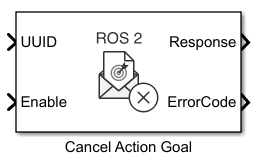 | Cancel Action Goal | Cancel active action goal in ROS 2 network (Since R2024a) |
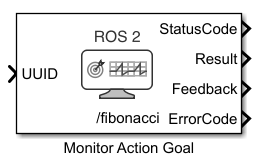 | Monitor Action Goal | Monitor action goal in ROS 2 network (Since R2024a) |
 | Get Transform | Get transformation between source and target frame from ROS 2 network (Since R2023b) |
 | Apply Transform | Transform input ROS or ROS 2 message to target frame (Since R2023b) |
 | Blank Message | Create blank ROS 2 message using specified message type |
 | Header Assignment | Update fields of ROS 2 message header (Since R2023a) |
 | Read Image | Extract image from ROS 2 Image message |
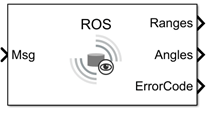 | Read Scan | Extract scan data from ROS or ROS 2 laser scan message (Since R2022a) |
 | Read Point Cloud | Extract point cloud from ROS 2 PointCloud2 message |
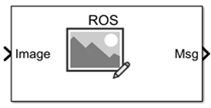 | Write Image | Write image data to a ROS or ROS 2 message (Since R2022a) |
 | ROS Write Point Cloud, ROS 2 Write Point Cloud | Write point cloud data to a ROS or ROS 2 message (Since R2022a) |
 | Get Parameter | Get ROS 2 parameter value (Since R2022b) |
 | Current Time | Retrieve current ROS 2 time or system time (Since R2022b) |
 | CAN Transmit | Transmit messages to controller area network (CAN) bus from ROS 2 network (Since R2026a) |
 | CAN Receive | Receive messages from controller area network (CAN) bus (Since R2026a) |
Topics
ROS 2 Network
- Get Started with ROS 2 in Simulink
Use Simulink blocks for ROS 2 to send and receive messages from a local ROS 2 network. - Publish and Subscribe to ROS 2 Messages in Simulink
Publish and subscribe to a ROS 2 topic using Simulink. - Connect to ROS-Enabled Robot from Simulink over ROS 2
Configure a Simulink model to send and receive information from a separate ROS-based simulator such as Gazebo over ROS 2.
ROS 2 Messages
- Work with ROS 2 Messages in Simulink
Work with complex ROS 2 messages in Simulink, such as messages with nested sub-messages and variable-length arrays. - Manage Array Sizes for ROS Messages in Simulink
Description of dialog box for managing array sizes in Simulink ROS. - Log ROS 2 Messages from Simulink to ROS 2 Bag File
Save ROS 2 message data from Simulink to a ros2bag file. - Use ROS 2 Logger App to Save ROS 2 Messages from Simulink
Use ROS 2 Logger app to record ROS 2 messages during Simulink simulation. - Configure CAN Interfaces and Apply Message Filtering
Use CAN properties to configure parameters at CAN node level and option to allow all messages.
ROS 2 Applications
- Generate Standalone ROS 2 Node from Simulink
Generate and build a standalone ROS 2 node from a Simulink model. - Feedback Control of a ROS-Enabled Robot over ROS 2
Use Simulink to control a simulated robot running in a Gazebo robot simulator over ROS 2 network. - Sign-Following Robot with ROS 2 in Simulink
Use Simulink to control a simulated robot running on a separate ROS-based simulator over ROS 2 network. - Automated Parking Valet with ROS 2 in Simulink
Distribute an automated parking valet application among various nodes in a ROS 2 network in Simulink. - Send and Receive CAN Data in Simulink Using ROS 2-CAN Bridge Node
Design and test a feedback control algorithm in Simulink® using CAN messages exchanged between the CAN and ROS 2 network. - Plan Excavator Trajectory in ROS 2 Using Asynchronous Service Server
Use asynchronous ROS 2 service server in Simulink to plan and execute collision-free trajectories for a simulated autonomous excavator. - Control UR5 Robotic Arm Using ROS 2 Action Client in Simulink
Use ROS 2 action client in Simulink to command a UR5 robotic arm in Gazebo by sending a joint trajectory goal to its trajectory controller.
Model Execution
- Monitor and Tune ROS 2 Models Using External Mode
Use external mode for real-time monitoring, tuning, and validation of ROS 2 models. - Enable ROS 2 Time Model Stepping for Deployed Nodes
You can enable a deployed ROS 2 node to execute based on the time published on the/clocktopic on a ROS 2 network. - Create Execution-Time Profile for Deployed ROS 2 Nodes Using XCP-Based External Mode
Measure and analyze execution time performance of deployed ROS 2 node code using XCP-based external mode profiling.

